Bonsoir à tous,
Suite à plusieurs lecture et copier coller
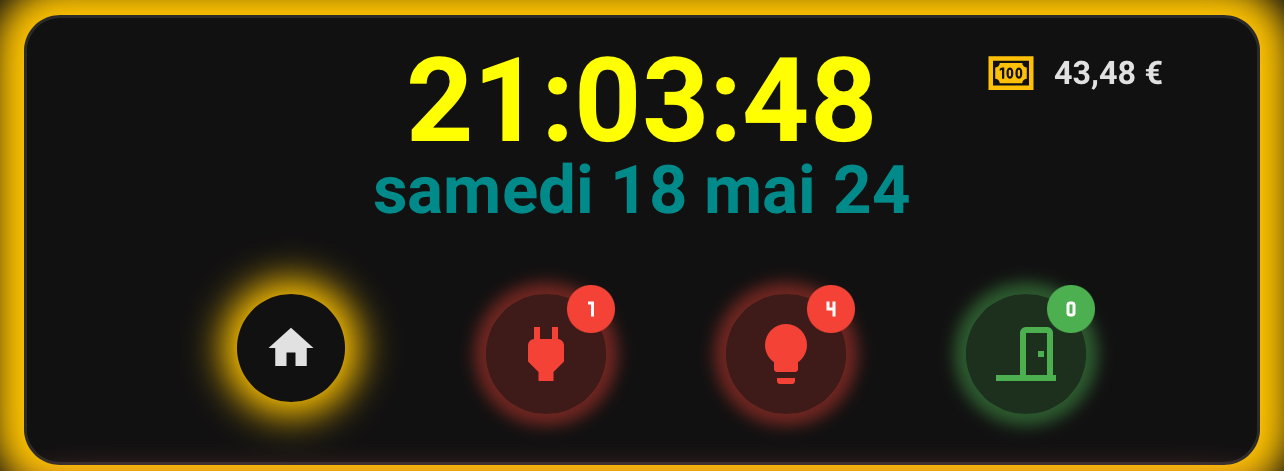
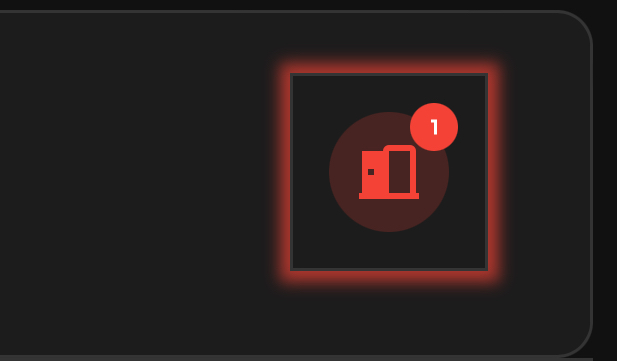
Mais lorsque je mets le badge pour afficher le nombre de portes, celle ci ne fonction plus correctement . Je voudrais que ca clignote « en rond » voir image
Voici qq jours que je test mais sans succès pouvez vous m aider
  - type: custom:mushroom-template-card
    icon: |
      {% if is_state('binary_sensor.portes', 'on') %}
        mdi:door-open
      {% else %}
        mdi:door-closed
      {% endif %}
    icon_color: |
      {% if is_state('binary_sensor.portes','on') %}
        red
      {% else %}
        green
      {% endif %}
    badge_icon: |-
      {% set all = expand('binary_sensor.portes')| list -%}
      {% set on1 = all | selectattr('state','eq','on')|list|count%}
      {% if on1 == 0 %}
        mdi:numeric-0
      {% elif on1 == 1 %}
        mdi:numeric-1
      {% elif on1 == 2 %}
        mdi:numeric-2
      {% elif on1 == 3 %}
        mdi:numeric-3
      {% elif on1 == 4 %}
        mdi:numeric-4
      {% elif on1 == 5 %}
        mdi:numeric-5
      {% elif on1 == 6 %}
        mdi:numeric-6
      {% elif on1 == 7 %}
        mdi:numeric-7
      {% elif on1 == 8 %}
        mdi:numeric-8
      {% else %}
        none
      {% endif %}
    badge_color: |
      {% set all = expand('binary_sensor.portes')| list -%}
      {% set on1 = all | selectattr('state','eq','on')|list|count%}
      {% if on1 == 0 %}
        green
      {% else %}
        red
      {% endif %}
    entity: binary_sensor.portes
    layout: vertical
    hold_action:
      action: navigate
      navigation_path: /lovelace/porte
    double_tap_action:
      action: more-info
    multiline_secondary: true
    tap_action:
      action: more-info
    primary: ''
    secondary: ''
    card_mod:
      style: |
        ha-card {
          width: 66px;
          position: absolute;
          left: 310px;
          top: 20px;
          background: none;
          --chip-border-width: 0;
          background: none !important;
          {% if states('binary_sensor.portes') == 'off' %}
            box-shadow: 0px 0px 5px 5px #56DD3F !important;
            animation: pinggreen;
              {% else %}
            animation: pingred 1s infinite;
              {% endif %}
            }
          @keyframes pinggreen {
              0% {box-shadow: 0 0 5px 3px rgba(var(--rgb-green), 60.0);}
              100% {box-shadow: 0 0 5px 5px transparent;}
            }
          @keyframes pingred {
              0% {box-shadow: 0 0 5px 3px rgba(var(--rgb-red), 0.9);}
              100% {box-shadow: 0 0 5px 5px transparent;}
        }
Bonjour,
  - type: custom:mushroom-template-card
    icon: |
      {% if is_state('binary_sensor.portes', 'on') %}
        mdi:door-open
      {% else %}
        mdi:door-closed
      {% endif %}
    icon_color: |
      {% if is_state('binary_sensor.portes','on') %}
        red
      {% else %}
        green
      {% endif %}
    badge_icon: |-
      {% set all = expand('binary_sensor.portes')| list -%}
      {% set on1 = all | selectattr('state','eq','on')|list|count%}
      {% if on1 == 0 %}
        mdi:numeric-0
      {% elif on1 == 1 %}
        mdi:numeric-1
      {% elif on1 == 2 %}
        mdi:numeric-2
      {% elif on1 == 3 %}
        mdi:numeric-3
      {% elif on1 == 4 %}
        mdi:numeric-4
      {% elif on1 == 5 %}
        mdi:numeric-5
      {% elif on1 == 6 %}
        mdi:numeric-6
      {% elif on1 == 7 %}
        mdi:numeric-7
      {% elif on1 == 8 %}
        mdi:numeric-8
      {% else %}
        none
      {% endif %}
    badge_color: |
      {% set all = expand('binary_sensor.portes')| list -%}
      {% set on1 = all | selectattr('state','eq','on')|list|count%}
      {% if on1 == 0 %}
        green
      {% else %}
        red
      {% endif %}
    entity: binary_sensor.portes
    layout: vertical
    hold_action:
      action: navigate
      navigation_path: /lovelace/porte
    double_tap_action:
      action: more-info
    multiline_secondary: true
    tap_action:
      action: more-info
    primary: ''
    secondary: ''
    card_mod:
      style:
        mushroom-shape-icon$: |
          .shape {
            {% if states('binary_sensor.portes') == 'off' %}
              box-shadow: 0px 0px 5px 5px #56DD3F !important;
              --shape-animation: pinggreen;
                {% else %}
              --shape-animation: pingred 1s infinite;
                {% endif %}
              }
            @keyframes pinggreen {
                0% {box-shadow: 0 0 5px 3px rgba(var(--rgb-green), 60.0);}
                100% {box-shadow: 0 0 5px 5px transparent;}
              }
            @keyframes pingred {
                0% {box-shadow: 0 0 5px 3px rgba(var(--rgb-red), 0.9);}
                100% {box-shadow: 0 0 5px 5px transparent;}
        .: |
          ha-card {
            width: 66px;
            position: absolute;
            left: 310px;
            top: 20px;
            background: none;
            --chip-border-width: 0;
            background: none !important;
          }
Regarde ce lien, tu trouvera plein d’exemple pour la carte mushroom:
This topic is technically a cross post from a reply to the Mushroom Card Topic found here: Part 1. But it was suggested in a comment to post it here as a guide instead. Below info is true as of Mushroom Version 3.5.4 and Card Mod Version 3.4.3 ...
Reading time: 206 mins 🕑
Likes: 499 ❤
Merci mon sauver
Je prendrai bien le code de tes badges « simples »
voici un bout de code :
type: custom:mushroom-template-card
icon: |
  {% if is_state('binary_sensor.portes', 'on') %}
    mdi:door-open
  {% else %}
    mdi:door-closed
  {% endif %}
icon_color: |
  {% if is_state('binary_sensor.portes','on') %}
    red
  {% else %}
    green
  {% endif %}
badge_icon: |-
  {% set all = expand('binary_sensor.portes')| list -%}
  {% set on1 = all | selectattr('state','eq','on')|list|count%}
  {% if on1 == 0 %}
    mdi:numeric-0
  {% elif on1 == 1 %}
    mdi:numeric-1
  {% elif on1 == 2 %}
    mdi:numeric-2
  {% elif on1 == 3 %}
    mdi:numeric-3
  {% elif on1 == 4 %}
    mdi:numeric-4
  {% elif on1 == 5 %}
    mdi:numeric-5
  {% elif on1 == 6 %}
    mdi:numeric-6
  {% elif on1 == 7 %}
    mdi:numeric-7
  {% elif on1 == 8 %}
    mdi:numeric-8
  {% else %}
    none
  {% endif %}
badge_color: |
  {% set all = expand('binary_sensor.portes')| list -%}
  {% set on1 = all | selectattr('state','eq','on')|list|count%}
  {% if on1 == 0 %}
    green
  {% else %}
    red
  {% endif %}
entity: switch.prise
layout: vertical
tap_action:
  action: navigate
  navigation_path: /lovelace/porte
double_tap_action:
  action: more-info
multiline_secondary: true
hold_action:
  action: more-info
primary: ''
secondary: ''
card_mod:
  style:
    mushroom-shape-icon$: |
      .shape {
        {% if states('binary_sensor.portes') == 'on' %}
          box-shadow: 0px 0px 5px 5px #56DD3F !important;
          --shape-animation: pingred 1s infinite;
            {% else %}
          --shape-animation: pinggreen 1s infinite;
            {% endif %}
          }
        @keyframes pinggreen {
            0% {box-shadow: 0 0 5px 3px rgba(var(--rgb-green), 60.0);}
            100% {box-shadow: 0 0 5px 5px transparent;}
          }
        @keyframes pingred {
            0% {box-shadow: 0 0 5px 3px rgba(var(--rgb-red), 0.9);}
            100% {box-shadow: 0 0 5px 5px transparent;}
    .: |
      ha-card {
        width: 66px;
        position: absolute;
        left: 300px;
        top: 80px;
        background: none;
        --chip-border-width: 0;
        background: none !important;
        transparent;}
        box-shadow: 2px 2px 4px 0px rgba(0,0,0,0.5) !important;
        border: 1px rgba(0,0,0,1.0) outset;
       }
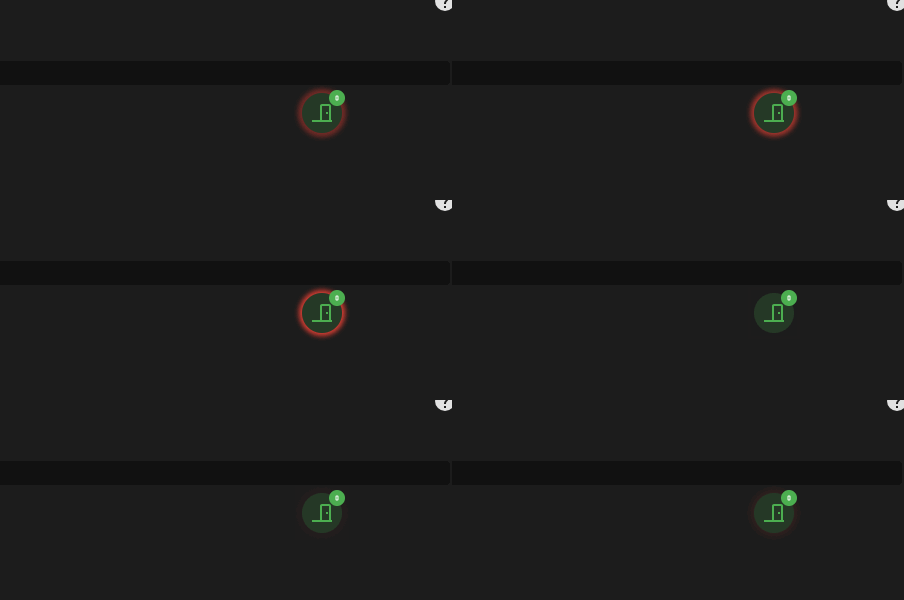
 j’ai réussi à créer ce type de carte qui me permet lorsque portes sont fermées ou ouvertes de clignoter en vert ou en rouge.

 Merci
Merci