J’ai résolu l’installation du thème soft. c’était un problème de chemin dans configuration
J’ai pas eu la notif de ta réponse, Actuellement je modifie également ce template pour changer les couleurs du header, sliderbar et autre. mais en partant de la base et de la transparence par défaut que tu peux directement mettre pour les cartes tu n’aura plus qu’a gérer les couleurs et quelques truc. c’est mieux que de modifier chaque carte.
Ça serait franchement bien qu’il y ai un éditeur Addon par exemple pour poser les images + bouton le tout avec la souris.
Ça te généré le code que t’as plus qu’à copier coller
Pourrais-tu me passer le code ton template???
Comment passes tu le chemin du dossier thème dans configuration.yaml???
Actuellement j’ai 3 thème de base dans configuration.yaml et un dossier thème et cela ne marche pas ainsi
Je pense qu’il faut mettre le chemin du dossier thème dans configuration et ensuite placer tous les dans le dossier thème
tu vas dans File Editor > tu clic sur le dossier en haut
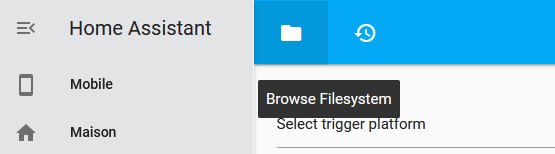
ça t’ouvre l’ensemble des dossiers config et tu va dans theme puis le dossier Soft qui est le theme
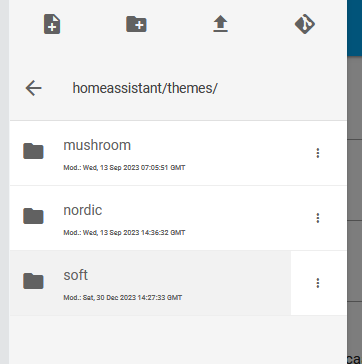
et la tu trouve ton fichier soft.yaml.
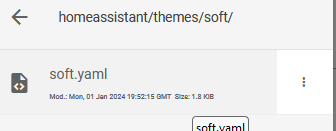
C’est lui que tu dois modifier.
Quand tu dois que tu as 3 themes dans le configuration.yaml, tu veux dire que tu as copier 3 thèmes dedans?
Je sais bien trouver le bon dossier Theme, mais depuis ma première configuration de HA, j’ai ceci dans mon configuration.yaml:
homeassistant:
  packages: !include_dir_named knx/

# Configure a default setup of Home Assistant (frontend, api, etc)
default_config:

# Example configuration.yaml entry
frontend:
  themes:
    happy:
      primary-color: pink
      text-primary-color: steelblue
      mdc-theme-primary: plum
    sad:
      primary-color: steelblue
      modes:
        dark:
          secondary-text-color: slategray
    day_and_night:
      primary-color: coral
      modes:
        light:
          secondary-text-color: coral
        dark:
          secondary-text-color: slategray
    soft:
      primary-color: steelblue
      modes:
        light:
          secondary-text-color: steelblue
        dark:
          secondary-text-color: slategray
je pense qu’il faut les supprimer et rajouter un lien dans configuration.yaml du type:
cover: !include cover.yaml
group: !include groups.yaml
sensor: !include sensor.yaml
automation: !include automations.yaml
script: !include scripts.yaml
scene: !include scenes.yaml
template: !include templates.yaml
C’est à dire:
theme: !include themes.yaml
Pour moi ces info ne te serve pas dans le config.yaml si tu la dans le theme donc tu peux essayer de le supprimer. je pense que tu a du l’ajouter lors de précédent essais.
moi mon confiuration yaml c’est ça. il y a es chose que ne te servirons pas mais il te faut la partie frontend;
frontend:
  themes: !include_dir_merge_named themes


#flex horseshoe
resources:
- url: /local/flex-horseshoe-card/flex-horseshoe-card.js
  type: module

#connexion externe via cloudflare
http:
  use_x_forwarded_for: true
  trusted_proxies:
    - 172.30.33.0/24

automation: !include automations.yaml
script: !include scripts.yaml
scene: !include scenes.yaml

    # System monitor
sensor:
  - platform: systemmonitor
    resources:
      - type: disk_use_percent
        arg: /config
      - type: disk_use
      - type: disk_free
      - type: memory_use_percent
      - type: memory_use
      - type: memory_free
      - type: swap_use_percent
      - type: swap_use
      - type: swap_free
      - type: load_1m
      - type: load_5m
      - type: load_15m
      - type: network_in
        arg: enp2s0
      - type: network_out
        arg: enp2s0
      - type: throughput_network_in
        arg: enp2s0
      - type: throughput_network_out
        arg: enp2s0
      - type: packets_in
        arg: enp2s0
      - type: packets_out
        arg: enp2s0
      - type: ipv4_address
        arg: enp2s0
      - type: ipv6_address
        arg: enp2s0
      - type: processor_use
      - type: processor_temperature
      - type: last_boot


# Ventilateur Xiaomi non PEC
fan:
  - platform: xiaomi_miio_fan
    name: Ventilateur parents
    host: 192.168.1.157
    token: cd3e0c04400b0a9f52c832f002113263
    model: dmaker.fan.p18
  - platform: xiaomi_miio_fan
    name: Ventilateur Aria
    host: 192.168.1.156
    token: 53dc6f01d283c1f1e99ba551f8f6a78b
    model: dmaker.fan.p15

# Amazon alexa installation sill
api:

alexa:
  smart_home:
après mon soft theme c’est ça (il a été modifié par rapport à l’original)
Soft UI:
  card-mod-theme: Soft UI
  card-mod-card: |
    ha-card {
      margin: none;
      border-radius: 12px;
    }
  app-header-background-color: var(--second-background-color)
  app-header-text-color: var(--primary-text-color)
  app-header-selection-bar-color: var(--primary-color)

### Sidebar Menu ###
  sidebar-background-color: var(--second-background-color)
  #sidebar-text-color: "#FBFBFB"
  sidebar-selected-text-color: var(--sidebar-selected-icon-color)

 # gradient colors
      #gradient-jaune: linear-gradient(45deg, rgba(232,216,3,1) 0%, rgba(255,249,139,1) 90%);
      #gradient-vert: linear-gradient(45deg, rgba(24,156,38,1) 0%, rgba(114,254,129,1) 90%);
      #gradient-rouge: linear-gradient(45deg, rgba(255,28,28,1) 0%, rgba(255,166,166,1) 90%);
      #gradient-gris: linear-gradient(45deg, rgba(184,184,184,1) 0%, rgba(224,224,224,1) 90%);
      #gradient-bleu: linear-gradient(45deg, rgba(6,103,231,1) 0%, rgba(153,189,251,1) 90%);
      #gradient-orange: linear-gradient(45deg, rgba(255,134,0,1) 0%, rgba(255,222,78,1) 90%);
      #gradient-bleu-turqoise: linear-gradient(45deg, rgba(2,164,181,1) 0%, rgba(107,229,238,1) 90%);
      #gradient-bleu-acier: linear-gradient(45deg, rgba(124,168,189,1) 0%, rgba(187,226,242,1) 90%);
      #gradient-violet: linear-gradient(45deg, rgba(130,30,255,1) 0%, rgba(189,133,254,1) 90%);
      #gradient-noir: linear-gradient(45deg, rgba(15,15,15,1) 0%, rgba(159,159,159,1) 90%);

  card-mod-root: |
    paper-tab[aria-selected="true"] {
      color: var(--primary-color);
    }
  accent-color: var(--primary-color)
  divider-color: transparent
  ha-card-background: var(--primary-background-color)
  card-background-color: var(--primary-background-color)
  lovelace-background: var(--primary-background-color)
  paper-item-icon-color: var(--secondary-text-color)
  modes:
    dark:
      primary-color: "#4C3FF9"
      light-primary-color: "#7A71FB"
      primary-background-color: "#222222"
      second-background-color: "#222222" #header
      primary-text-color: "#F7F8F9"
      ha-card-box-shadow: "-5px -5px 15px #2c2c2c, 5px 5px 15px #191919"
      soft-ui-pressed: "inset -4px -4px 5px #2c2c2c, inset 4px 4px 5px #191919"
    light:
      primary-color: "#5e81ac"
      light-primary-color: "#5e81ac"
      primary-background-color: "#F3F5F7" #couleur de fond général (ensemble de HA)
      second-background-color: "#E2E4E6" #header
      primary-text-color: "#222222"
      #ha-card-box-shadow: '0px 2px 4px 0px rgba(0,0,0,0.16)'
      ha-card-border-width: 0
      soft-ui-pressed: "inset -4px -4px 5px #ffffff, inset 4px 4px 5px #ebebeb"
      my-white-color: 'rgba(255, 255, 255, 0.5)' #ligne rajouté pour la transparence avec base de couleur blanc
      ha-card-background: var(--my-white-color) #background des cartes
C’était bien cela qu’il fallait faire.
du coup je retrouve plein de thèmes que j’avais essayer de faire sans trouver de solution.
Merci pour cette aide. Cela fait 2 ans et demi que je travaille avec HA, et tu vois je bloque pourtant encore sur pas mal de choses.
Il manque surement un gros tuto récent, qui expliquerait les concepts principaux de HA.
Le classement par dossiers en fait partie.
En regardant d’anciens sujets sur HA, sur le forum knx.fr, où j’avais un souci avec l’aspect responsive sur Iphone, il m’avait été conseillé de ne pas imposer de largeur dans les cards, ce qui me faisait perdre le côté responsive. Il faut que je creuse de ce coté là.
C’est bien tu est téméraire lol.
maintenant ça devrait être plus facile. 