fclus
Juillet 21, 2025, 7:24
1
Bonjour,
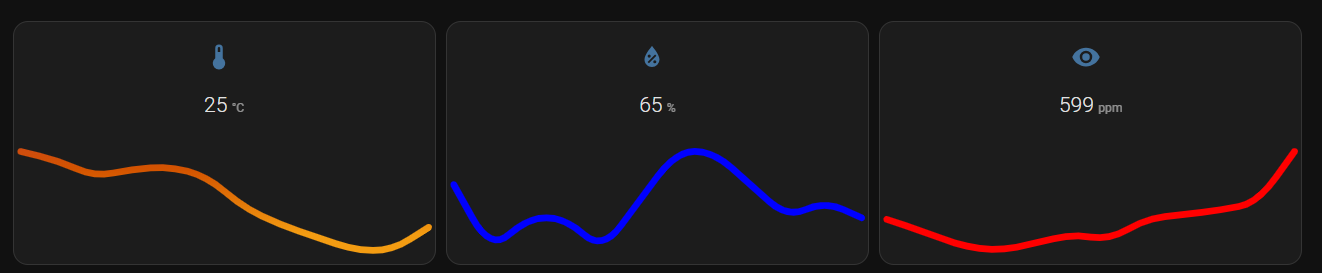
Je découvre cette carte
Texte à remplacer par votre configuration
Comment récupérer ma configuration :
Dans votre HA, Menu latéral
Paramètres >
Système >
Corrections puis les trois petits points en haut a droite >
Informations Système puis une fois en bas
Copier
Bonjour,
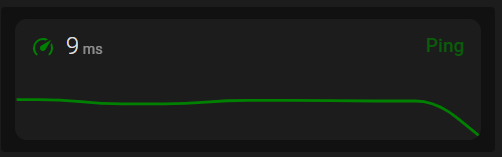
type: custom:mini-graph-card
decimals: 0
hour24: true
height: 50
hours_to_show: 24
line_width: 3
entities:
  - entity: sensor.speedtest_cli_ping
    name: Ping
show:
  fill: false
  graph: line
  icon: true
  name: true
  state: true
  labels: false
  extrema: false
  average: false
align_icon: left
align_state: left
font_size: 70
animate: false
card_mod:
  style: |
    ha-card .header.flex .name.flex {
      color: green;
      font-size: 16px;
    }
    .header.flex .icon {
      color: green;
    }
    .states.flex .state {
     position: absolute;
     top: 11%;
     left: 11%
    }
    :host {
      --accent-color: green;
    }
fclus
Juillet 21, 2025, 8:08
4
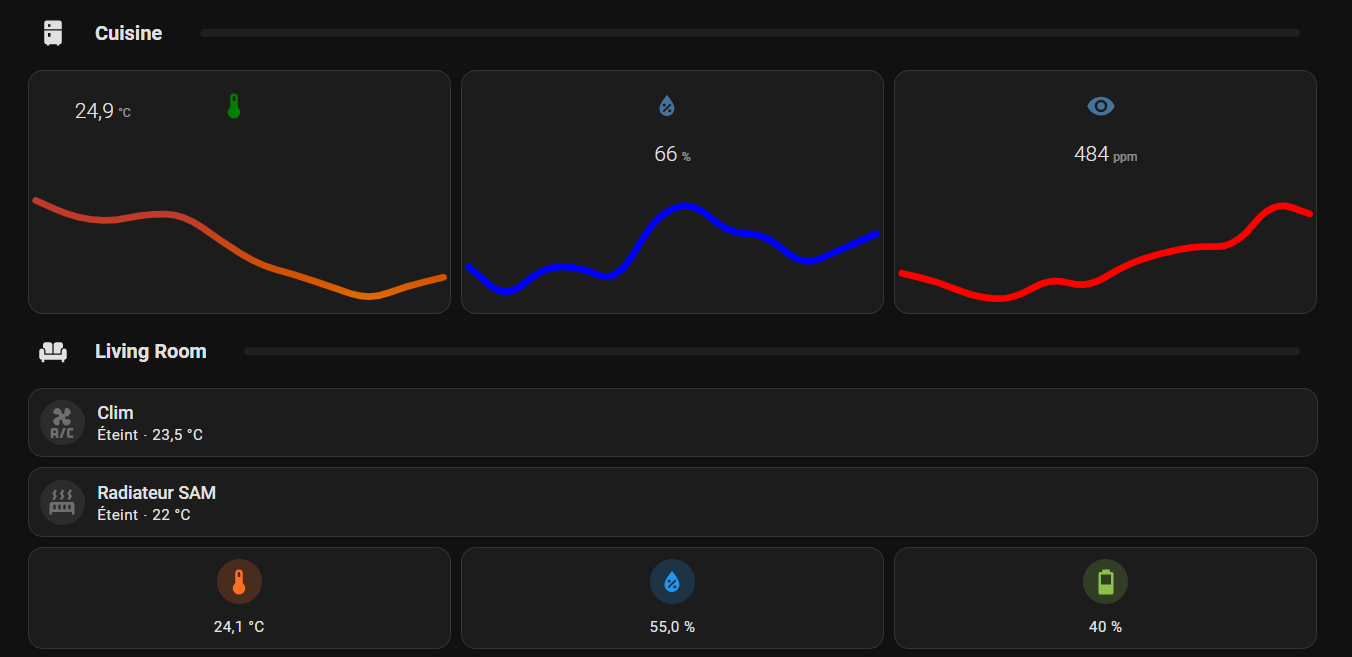
J’utilise une carte grille verticale et je n’arrive pas à modifier la hauteur de chaque bouton
type: vertical-stack
cards:
  - type: custom:bubble-card
    card_type: separator
    name: Cuisine
    icon: mdi:fridge
  - type: horizontal-stack
    cards:
      - type: custom:mini-graph-card
        entities:
          - sensor.healty_salon_fcl_temperature
        align_header: center
        hours_to_show: 24
        height: 150
        line_width: 8
        font_size: 50
        align_icon: left
        align_state: center
        show:
          fill: false
          name: false
          label: true
        color_thresholds:
          - value: 24
            color: "#f39c12"
          - value: 25
            color: "#d35400"
          - value: 26
            color: "#c0392b"
        card_mod:
          style: |
            ha-card .header.flex .name.flex {
              color: green;
              font-size: 16px;
            }
            .header.flex .icon {
              color: green;
            }
            .states.flex .state {
             position: absolute;
             top: 11%;
             left: 11%
            }
            :host {
              --accent-color: green;
            }
fclus:
height: 150
c’est la hauteur à régler.
type: vertical-stack
cards:
  - type: horizontal-stack
    cards:
      - type: custom:mini-graph-card
        decimals: 0
        hour24: true
        height: 50
        hours_to_show: 24
        line_width: 3
        entities:
          - entity: sensor.speedtest_cli_ping
            name: Ping
        show:
          fill: false
          graph: line
          icon: true
          name: false
          state: true
          labels: false
          extrema: false
          average: false
        font_size: 70
        animate: false
        card_mod:
          style: |
            ha-card .header.flex .name.flex {
              color: green;
              font-size: 16px;
            }
            .header.flex .icon {
              color: green;
             position: absolute;
             top: 11%;
             left: 35%
            }
            .states.flex .state {
             position: absolute;
             top: 10%;
             left: 55%
            }
            :host {
              --accent-color: green;
            }
      - type: custom:mini-graph-card
        decimals: 0
        hour24: true
        height: 50
        hours_to_show: 24
        line_width: 3
        entities:
          - entity: sensor.speedtest_cli_ping
            name: Ping
        show:
          fill: false
          graph: line
          icon: true
          name: false
          state: true
          labels: false
          extrema: false
          average: false
        font_size: 70
        animate: false
        card_mod:
          style: |
            ha-card .header.flex .name.flex {
              color: green;
              font-size: 16px;
            }
            .header.flex .icon {
              color: green;
             position: absolute;
             top: 11%;
             left: 35%
            }
            .states.flex .state {
             position: absolute;
             top: 10%;
             left: 55%
            }
            :host {
              --accent-color: green;
            }
      - type: custom:mini-graph-card
        decimals: 0
        hour24: true
        height: 50
        hours_to_show: 24
        line_width: 3
        entities:
          - entity: sensor.speedtest_cli_ping
            name: Ping
        show:
          fill: false
          graph: line
          icon: true
          name: false
          state: true
          labels: false
          extrema: false
          average: false
        font_size: 70
        animate: false
        card_mod:
          style: |
            ha-card .header.flex .name.flex {
              color: green;
              font-size: 16px;
            }
            .header.flex .icon {
              color: green;
             position: absolute;
             top: 11%;
             left: 35%
            }
            .states.flex .state {
             position: absolute;
             top: 10%;
             left: 55%
            }
            :host {
              --accent-color: green;
            }
fclus
Juillet 21, 2025, 8:18
6
ça modifie la hauteur du graphe mais pas du bouton
fclus:
mais pas du bouton
Quel bouton ?
Essai, mais pas sur :
        card_mod:
          style: |
            ha-card .header.flex .name.flex {
              color: green;
              font-size: 16px;
            }
            .header.flex .icon {
              color: green;
            }
            .states.flex .state {
             position: absolute;
             top: 11%;
             left: 11%
            }
            :host {
              --accent-color: green;
            }
            ha-card {
              height: 50px !important;
              padding: 4px !important;
            }
fclus
Juillet 21, 2025, 9:00
10
non, ça ne change pas la hauteur
fclus
Juillet 21, 2025, 10:23
11
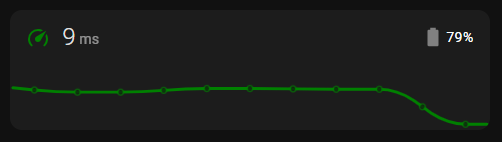
est-ce qu’il est possible de rajouter le niveau et l’icone batterie sur la carte température ?
Oui, exemple :
type: custom:mini-graph-card
decimals: 0
hour24: true
height: 50
hours_to_show: 24
line_width: 3
entities:
  - entity: sensor.speedtest_cli_ping
    name: Ping
show:
  fill: false
  graph: line
  icon: true
  name: false
  state: true
  labels: false
  extrema: false
  average: false
align_icon: left
align_state: left
font_size: 70
animate: false
card_mod:
  style: |
    ha-card .header.flex .name.flex {
      color: green;
      font-size: 16px;
    }
    .header.flex .icon {
      color: green;
    }
    .header.flex .icon::before {
      content: url('data:image/svg+xml;charset=UTF-8,<svg xmlns="http://www.w3.org/2000/svg" fill="grey" width="22" height="22" viewBox="0 0 24 24"><path d="M0 0h24v24H0z" fill="none"/><path d="M16.67,4H15V2H9V4H7.33A1.33,1.33 0 0,0 6,5.33V20.67C6,21.4 6.6,22 7.33,22H16.67A1.33,1.33 0 0,0 18,20.67V5.33C18,4.6 17.4,4 16.67,4Z"/></svg>');
      position: absolute;
      top: 13%;
      left: 86%;
    }
    .header.flex .icon::after {
     content: "{{ states('sensor.lywsd03mmc_0d20_battery') }}%";
     position: absolute;
     color: white;
     top: 14%;
     left: 91%;
    }
    .states.flex .state {
     position: absolute;
     top: 11%;
     left: 11%
    }
    :host {
      --accent-color: green;
    }
1 « J'aime »
fclus
Juillet 21, 2025, 11:18
13
Super !
system
Juillet 23, 2025, 11:18
14
Ce sujet a été automatiquement fermé après 2 jours. Aucune réponse n’est permise dorénavant.