mowgly13:
Concernant les 3 secondes, c’est pour avoir des valeur affichées a une fréquence plus rapides, genre en temps réel… C’est bien a ça que ça sert cette option, non?
Oui, c’est bien pour ca. Mais tu va avoir le sensor cpu load qui va avoir beaucoup de donnée pour la DB, a toi de voir
Mon cpu ne charge jamais a 100%, je ne saurai te dire.
il y a une issue sur le github, mais pour un minipc.
ouvert 06:31AM - 14 Mar 25 UTC
Hi, I have a mini PC with an Intel N200, and everything works fine except for tw… o issues:
1. CPU Temperature – I fixed this by following a solution from an issue posted here and changing cpu_thermal_zone to 'x86_pkg_temp'.
2. CPU Load – The script appears to sum the load of all 4 cores without dividing by the number of cores, causing the CPU load to reach up to 400%.
I manually checked parts of your code, and it seems like it should work, but the issue persists.
```
n200@n200:~$ top -bn1 | grep "Cpu(s)"
%Cpu(s): 0.0 us, 25.0 sy, 0.0 ni, 50.0 id, 25.0 wa, 0.0 hi, 0.0 si, 0.0 st
```
```
n200@n200:~$ python3 -c "import os; print(os.cpu_count())"
4
```

a voir s’il faut pas ouvrir une issue.
Pour le mini pc il a réussi à résoudre son problème de cette manière… Évidemment je comprend rien a sa solution mais peut-être ça pourra aider d’autres personnes…
ouvert 06:31AM - 14 Mar 25 UTC
Hi, I have a mini PC with an Intel N200, and everything works fine except for tw… o issues:
1. CPU Temperature – I fixed this by following a solution from an issue posted here and changing cpu_thermal_zone to 'x86_pkg_temp'.
2. CPU Load – The script appears to sum the load of all 4 cores without dividing by the number of cores, causing the CPU load to reach up to 400%.
I manually checked parts of your code, and it seems like it should work, but the issue persists.
```
n200@n200:~$ top -bn1 | grep "Cpu(s)"
%Cpu(s): 0.0 us, 25.0 sy, 0.0 ni, 50.0 id, 25.0 wa, 0.0 hi, 0.0 si, 0.0 st
```
```
n200@n200:~$ python3 -c "import os; print(os.cpu_count())"
4
```

Et ici, il me semble qu’ils disent que c’est normal que sur Linux la valeur du CPU Load ne soit pas fiable…
ouvert 12:34AM - 10 Mar 25 UTC
fermé 12:35PM - 11 Mar 25 UTC
I am running rpi-mqtt-monitor on an old macbook4,1 on linuxmint, and getting cpu… load values over 100%. Is this normal on a core2duo notebook?
What is strange is that, after numerous reboots, sometimes it reports a seemingly correct value like 20%-30% which is the load I would expect and I see that load in top command as well.
But after a reboot, it goes back to values like 120%-130% again.
I am using the most recent 1.1.3 version and the values were like this in the previous versions as well.
Thanks for your support.
cat /etc/os-release, shows,
NAME="Linux Mint"
VERSION="21.3 (Virginia)"
ID=linuxmint
ID_LIKE="ubuntu debian"
PRETTY_NAME="Linux Mint 21.3"
VERSION_ID="21.3"
HOME_URL="https://www.linuxmint.com/"
SUPPORT_URL="https://forums.linuxmint.com/"
BUG_REPORT_URL="http://linuxmint-troubleshooting-guide.readthedocs.io/en/latest/"
PRIVACY_POLICY_URL="https://www.linuxmint.com/"
VERSION_CODENAME=virginia
UBUNTU_CODENAME=jammy
cpuinfo show,
Architecture: x86_64
CPU op-mode(s): 32-bit, 64-bit
Address sizes: 36 bits physical, 48 bits virtual
Byte Order: Little Endian
CPU(s): 2
On-line CPU(s) list: 0,1
Vendor ID: GenuineIntel
Model name: Intel(R) Core(TM)2 Duo CPU T8300 @ 2.40GHz
CPU family: 6
Model: 23
Thread(s) per core: 1
Core(s) per socket: 2
Socket(s): 1
Stepping: 6
CPU max MHz: 2400.0000
CPU min MHz: 800.0000
BogoMIPS: 4788.17
Flags: fpu vme de pse tsc msr pae mce cx8 apic sep mtrr pge m
ca cmov pat pse36 clflush dts acpi mmx fxsr sse sse2 h
t tm pbe syscall nx lm constant_tsc arch_perfmon pebs
bts rep_good nopl cpuid aperfmperf pni dtes64 monitor
ds_cpl vmx est tm2 ssse3 cx16 xtpr pdcm sse4_1 lahf_lm
pti tpr_shadow vnmi flexpriority vpid dtherm
Virtualization features:
Virtualization: VT-x
Caches (sum of all):
L1d: 64 KiB (2 instances)
L1i: 64 KiB (2 instances)
L2: 3 MiB (1 instance)
NUMA:
NUMA node(s): 1
NUMA node0 CPU(s): 0,1
Vulnerabilities:
Gather data sampling: Not affected
Itlb multihit: KVM: Mitigation: Split huge pages
L1tf: Mitigation; PTE Inversion; VMX EPT disabled
Mds: Vulnerable: Clear CPU buffers attempted, no microcode;
SMT disabled
Meltdown: Mitigation; PTI
Mmio stale data: Unknown: No mitigations
Reg file data sampling: Not affected
Retbleed: Not affected
Spec rstack overflow: Not affected
Spec store bypass: Vulnerable
Spectre v1: Mitigation; usercopy/swapgs barriers and __user pointe
r sanitization
Spectre v2: Mitigation; Retpolines; STIBP disabled; RSB filling; P
BRSB-eIBRS Not affected; BHI Not affected
Srbds: Not affected
Tsx async abort: Not affected
Après si le reste fonctionne c’est déjà pas mal…
En tout cas super merci @WarC0zes …
Et si un jour quelqu’un trouve une solution a ce problème, je suis preneur !
1 « J'aime »
Salut,
ouvert 06:31AM - 14 Mar 25 UTC
Hi, I have a mini PC with an Intel N200, and everything works fine except for tw… o issues:
1. CPU Temperature – I fixed this by following a solution from an issue posted here and changing cpu_thermal_zone to 'x86_pkg_temp'.
2. CPU Load – The script appears to sum the load of all 4 cores without dividing by the number of cores, causing the CPU load to reach up to 400%.
I manually checked parts of your code, and it seems like it should work, but the issue persists.
```
n200@n200:~$ top -bn1 | grep "Cpu(s)"
%Cpu(s): 0.0 us, 25.0 sy, 0.0 ni, 50.0 id, 25.0 wa, 0.0 hi, 0.0 si, 0.0 st
```
```
n200@n200:~$ python3 -c "import os; print(os.cpu_count())"
4
```

edit:
Salut @WarC0zes ,
Pourrais tu me dire comment mettre à jour stp?
J’ai essayé sudo apt-get update & sudo apt-get upgrade sur le raspberry pi avec le serveur Pex/Nas mais après les mises a jours, sur mon dashboard, ça continue a me dire qu’il y a une mise a jour de Rpi-MQTT-monitor disponible.
Merci
La mise à jour est proposée comme n’importe quelle mise à jour de HA.
Puis mettre à jour et patienté.
@mowgly13 ,
Et bien je n’ai pas réussi a mettre a jour, c’est d’ailleurs a n’y rien comprendre…
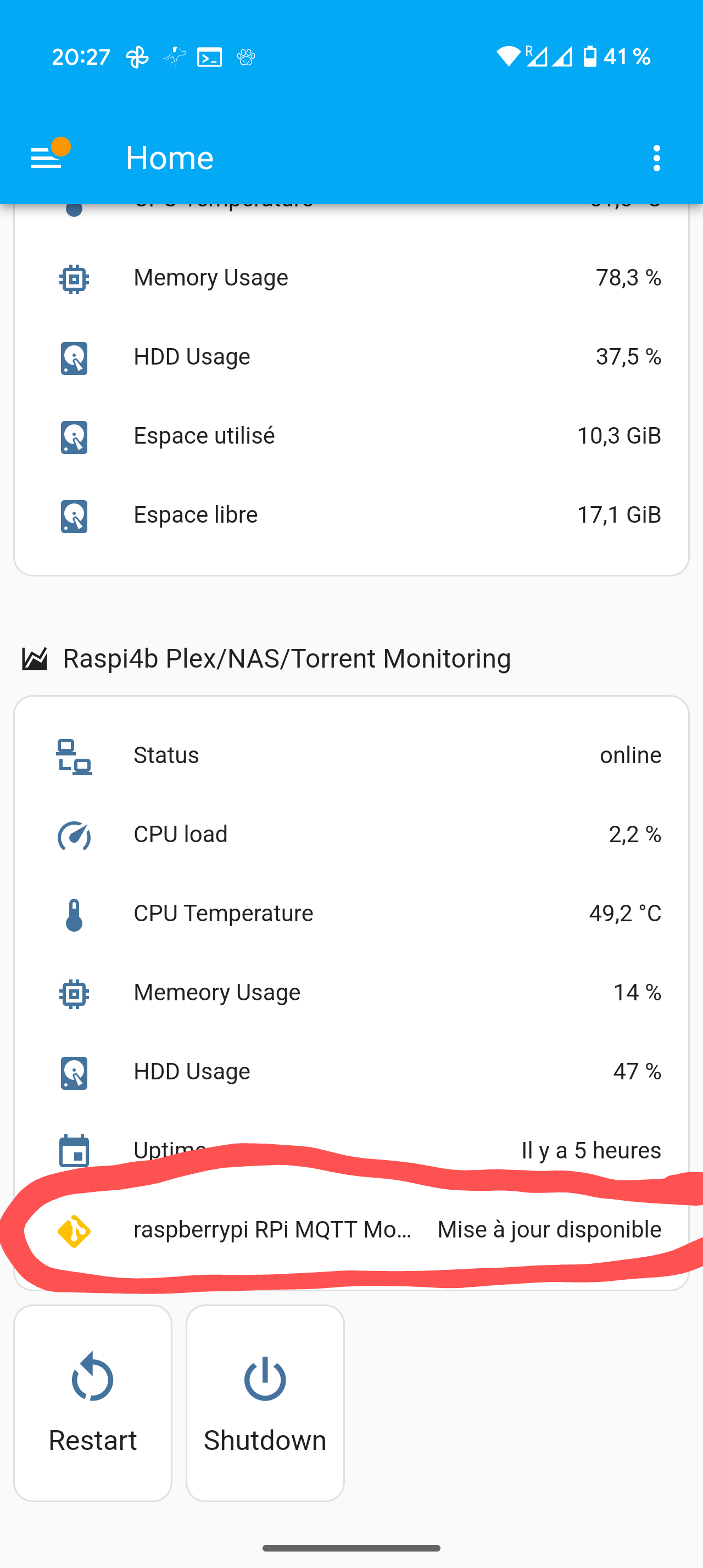
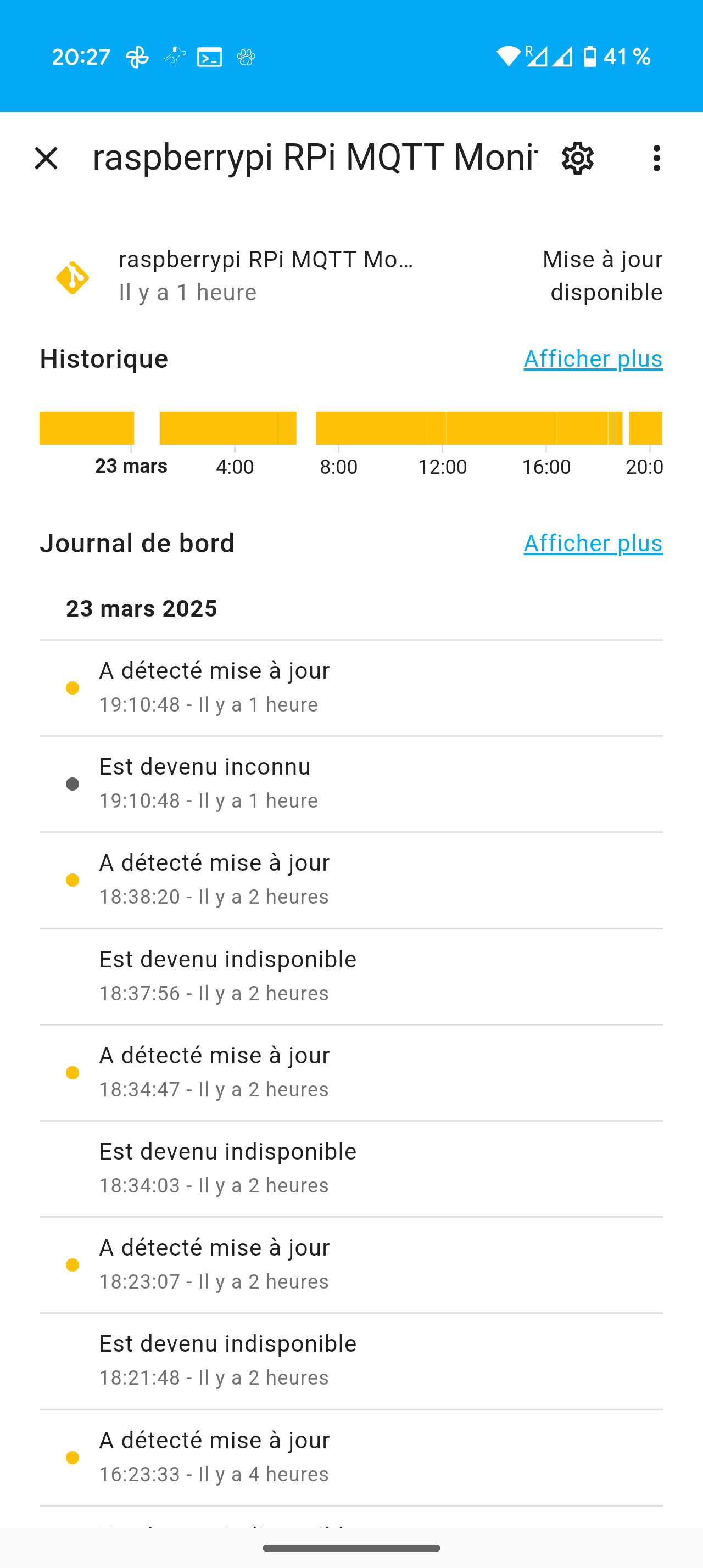
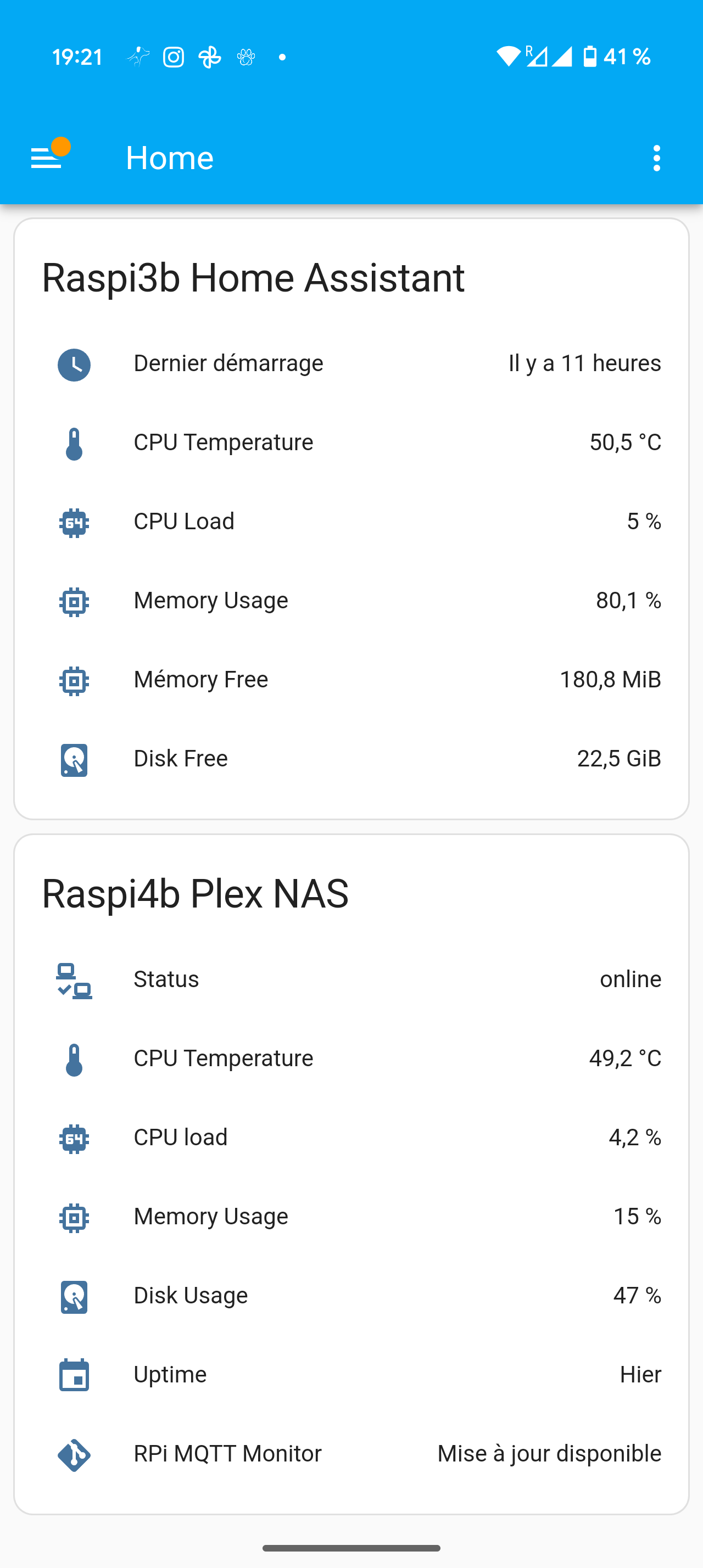
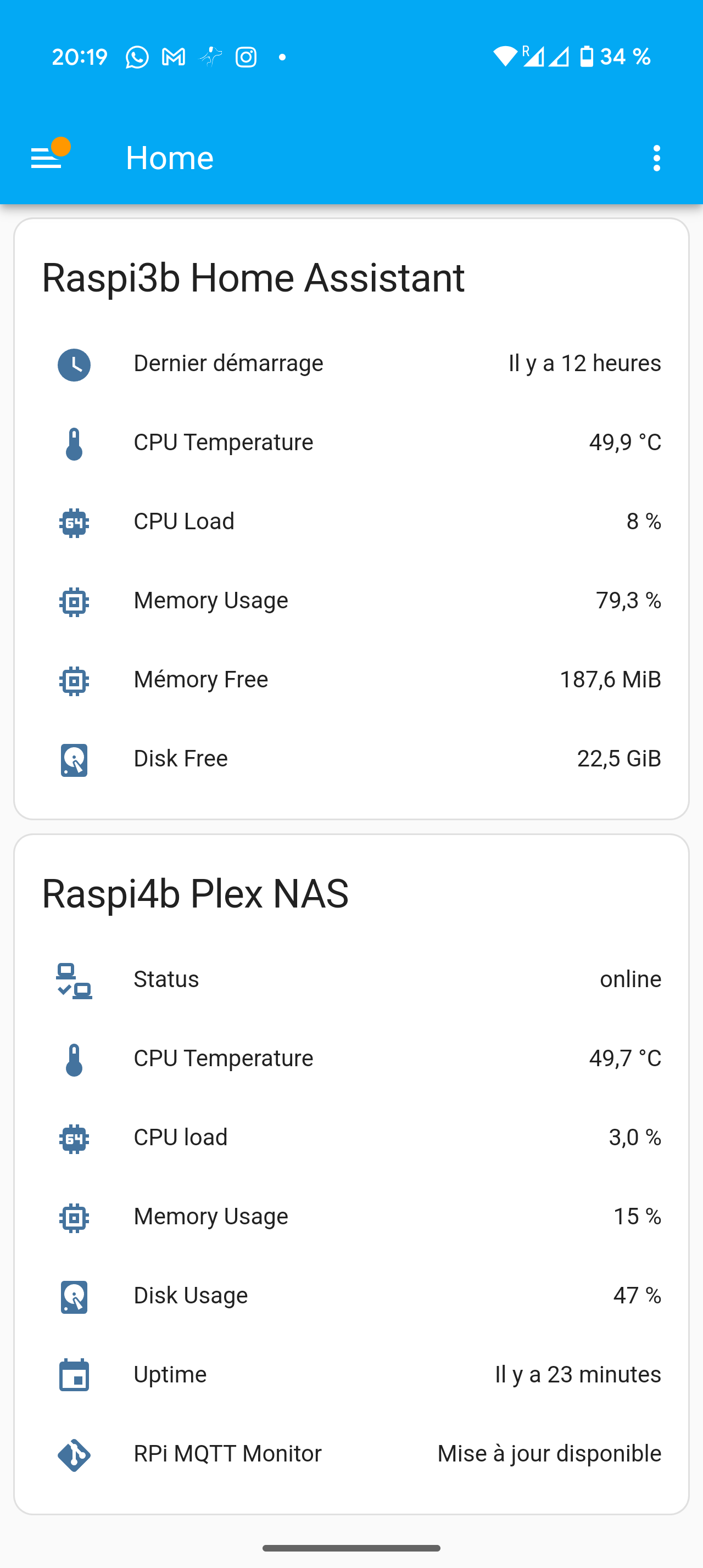
On remarque que sur mon tableau de bord j’ai l’indication tout en bas qu’une mise a jour est dispo.
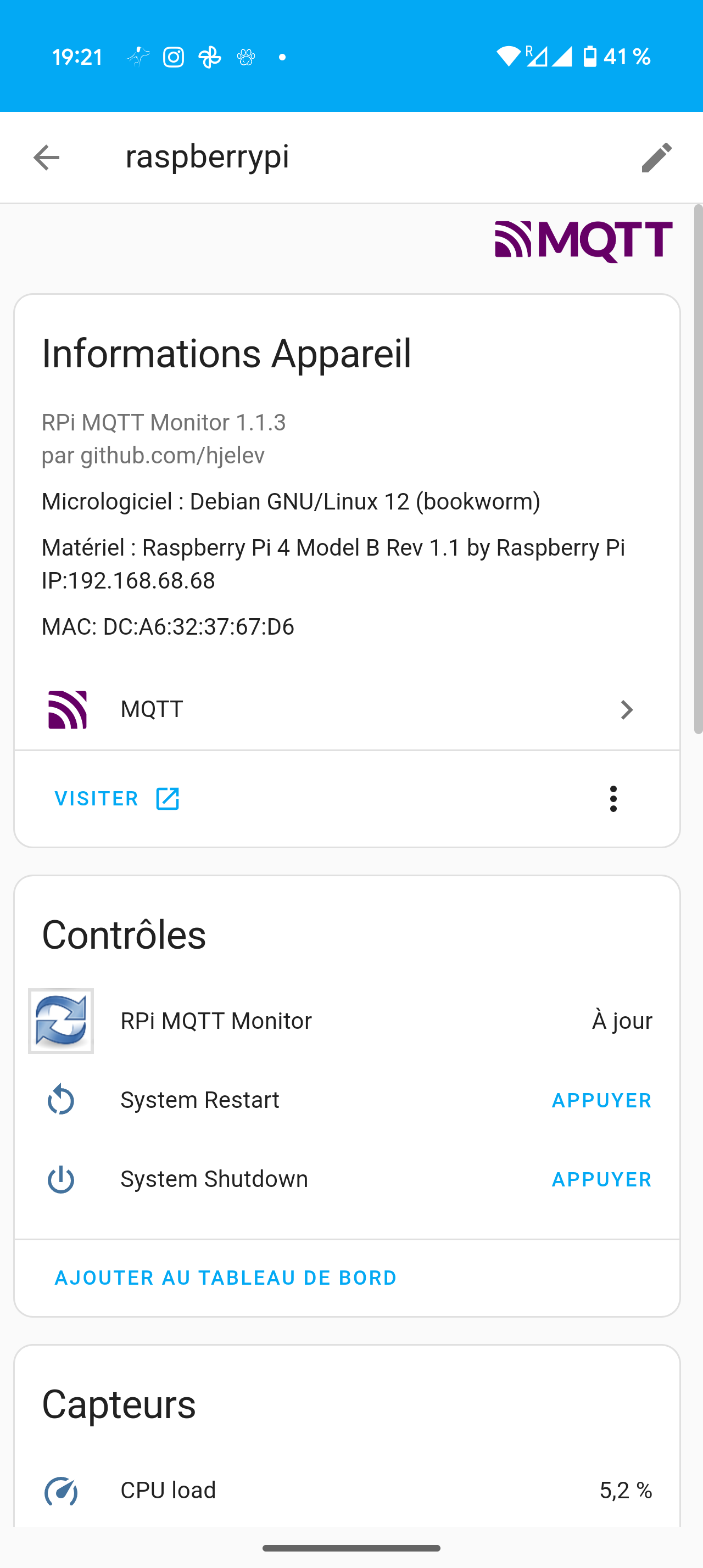
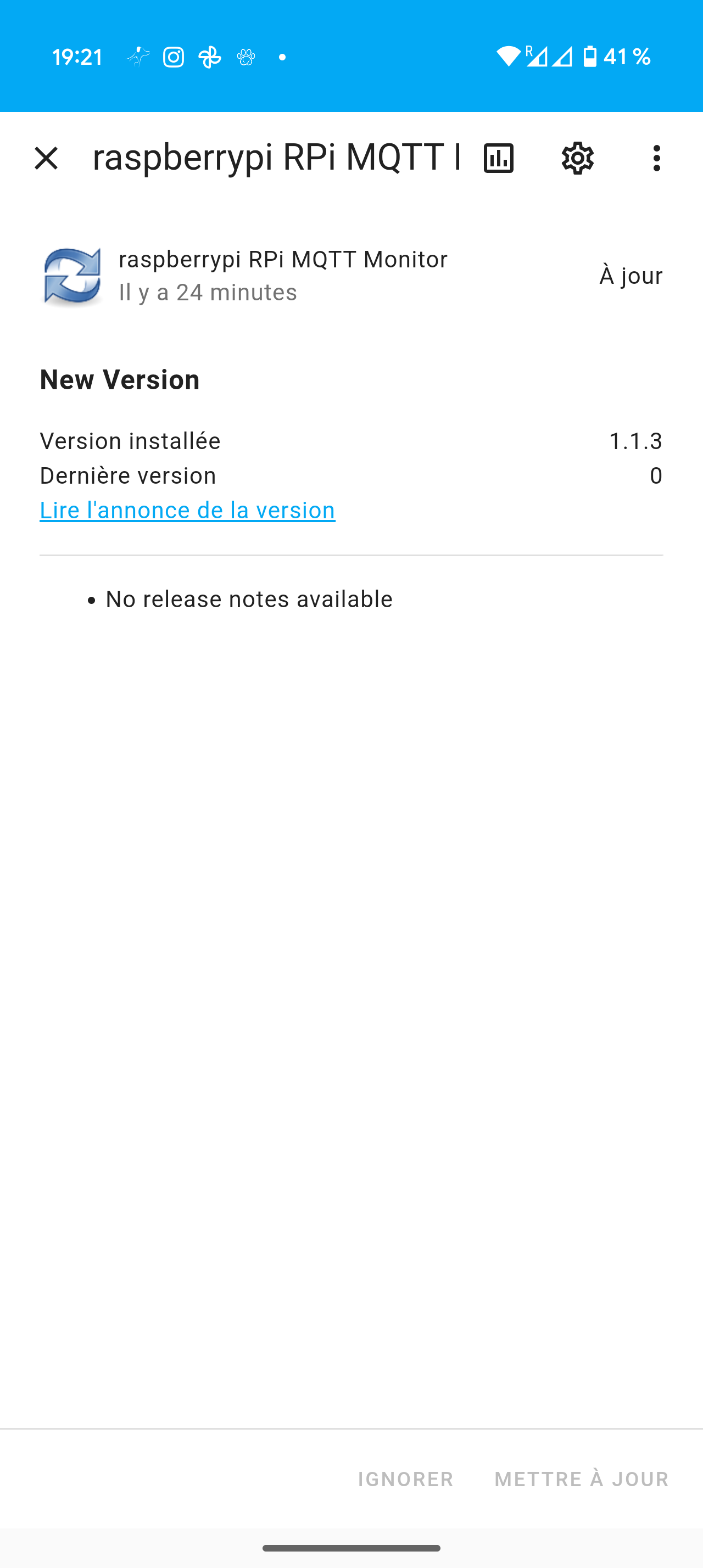
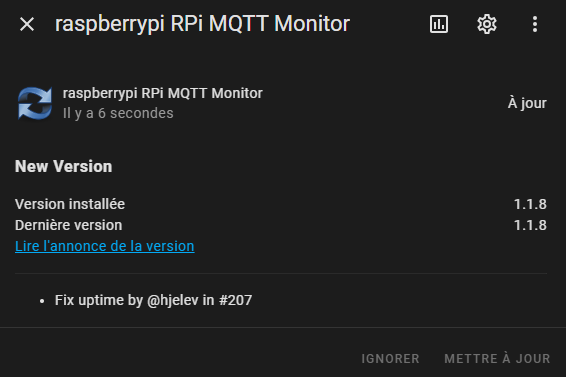
Je me rend sur la page de l’appareil et là au contraire, je vois que c’est a jour… Surtout, que si je vais un cran plus loin, ça m’indique que j’ai la version 1.1.3 alors que toi tu as la 1.1.5… Donc il y a belle et bien une mise a jour dispo…
Bref je ne sais toujours pas comment mettre a jour…
J’ai eu le même souci :
ouvert 10:14AM - 09 May 24 UTC
fermé 05:56PM - 18 Oct 24 UTC
bug
Hi,
The update entity doesn't work. I'm in version 0.9.1 and it still tells me … 0.8.9.


However, if I look at the information in rpi-mqtt-monitor, I am in version 0.9.1.

The update entity image is missing. If I connect to the image link, it tells me "Folder not found".
I'm using a local image in the meantime.
Le dev m’avait dit de réinstaller le script et de refaire le service. Tu refais l’installation et au moment du choix en service et cron, tu refais service et il écrasera l’ancien service.
c’est en v1.1.8 déja
WarC0zes:
Tu te connectes en SSH sur ton RPI , exemple avec Putty .
Puis, tu installes rpi-mqtt-monitor avec la commande :
bash <(curl -s https://raw.githubusercontent.com/hjelev/rpi-mqtt-monitor/master/remote_install.sh)
tu refais la commande. Relis mon post et les messages après
Je te remerci… Je vais checker tout ça et je te reviens…
1 « J'aime »
tu as un fichier a configurer peut être, je me souviens pas s’il y avais besoin
j’ai laisser par défaut 120. Fais comme tu veux. Oui, on peut le modifier plus tard.
Pour modifier, c’est le fichier config.py dans le dossier /rpi-mqtt-monitor/src/
[image]
c’est sur true par défaut, mais a vérifier…
# Enable remote update of the script via Home Assistant
update = True
Et bien je te confirme qu’après avoir fait la manip que tu m’indique ici je suis maintenant en version 1.1.8
Par contre, sur le dashboard ça m’indique encore que j’ai une mise a jour dispo mais après, dans l’appareil c’est marqué comme A jour donc bon… Ça ça a l’air de ne pas être réglé…
J’ai vérifié et c’est bien sur True
Je ne sais que te dire là.
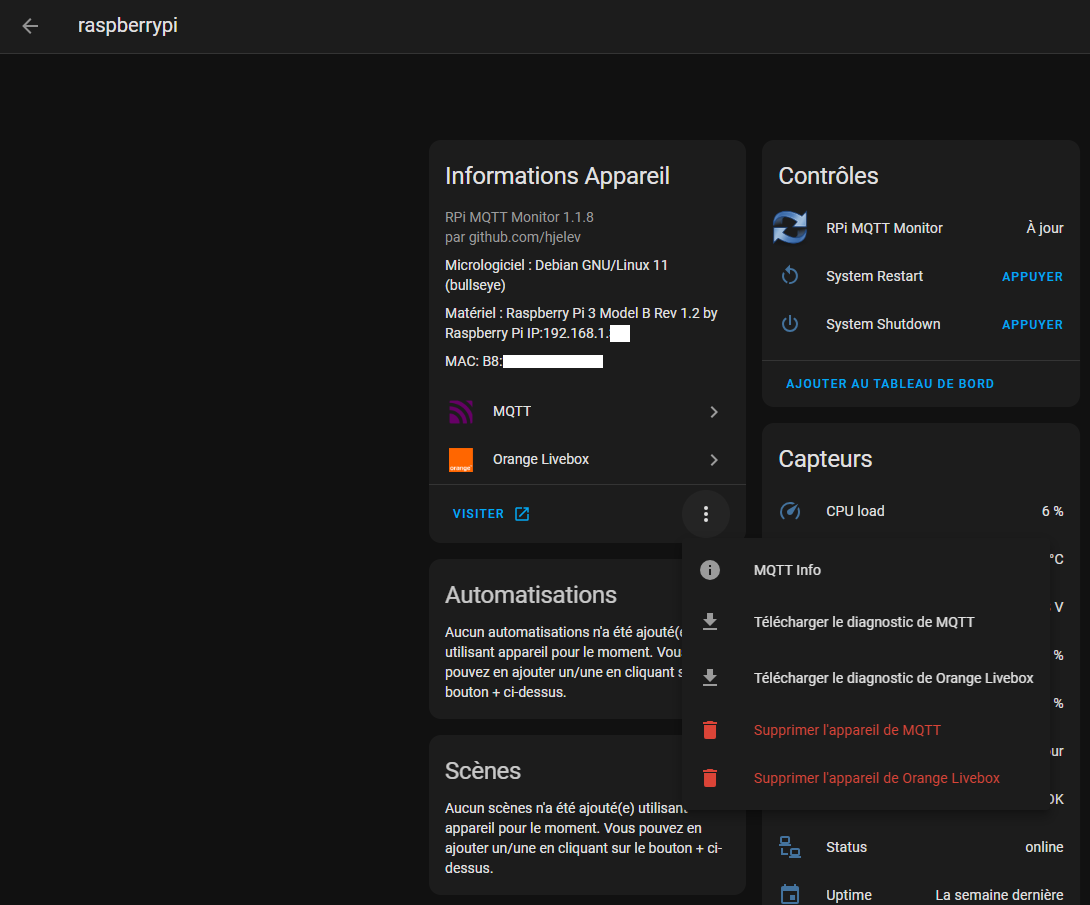
Ça recréera l’appareil dès qu’il recevra des messages par MQTT. Et voir si l’entité update est OK.
Ah par contre, il semblerait que depuis cette réinstalation en 1.1.8 ça n’a plus l’air de dépasser les 100% maintenant… Ca c’est une bonne nouvelle!!
1 « J'aime »