Othar
Octobre 30, 2025, 9:21
21
@WarC0zes ça fonctionne, j’ai bien la carte de la tête thermostatique qui s’affiche (qui s’appelle « liste de course »
@btncrd En effet, je suis sur HA depuis bientôt deux ans, je ne suis plus un débutant mais en code yaml, encore un peu, je pique des codes par ici, par là et l’adapte à mes besoins si j’y arrive. Chat GPT m’aide aussi pour me dire à quoi serve telle ou telle chose.
Oups, un oubli de modification. Mais pas compliquer à modifier dans le code
tu n’as pas dû placer le code au bon endroit.
- type: custom:button-card
  entity: sensor.thermometre_chambre_parentale_temperature
  size: 10%
  icon: mdi:bed-double
  show_state: false
  show_name: false
  label: Parents
  show_label: true
  tap_action:
    action: fire-dom-event
    browser_mod:
      service: browser_mod.popup
      data:
        right_button: Fermer
        right_button_action:
          service: browser_mod.close_popup
          data:
            browser_id: THIS
        initial_style: normal
        title: Thermostat
        icon: mdi:thermostat
        content:
          type: custom:versatile-thermostat-ui-card
          entity: climate.chauffage_parents
          name: Parents
          disable_circle: true
          disable_auto: true
          set_current_as_main: true
          disable_power_infos: true
          disable_auto_fan_infos: true
BBE
Octobre 30, 2025, 9:27
23
On fait tous plus ou moins pareil…
C’est pour ça que souvent certains vont préférer t’expliquer comment faire, plutôt que te filer le code tout fait …
Si tu copies proprement ton code, on pourra te montrer où mettre le tap action pour que ça s’active dans la bonne zone…@WarC0zes au dessus pour reconstruire ta button card avec le pop-up…
BBE
Octobre 30, 2025, 9:31
24
Au passage, ton premier message est un excellent exemple de demande d’aide bien formulée !
Bon, à part le code de ta carte button card qui est mal formaté (contrairement au code de ta carte pop-up qui lui est bien formaté)…
Pense à bien utiliser la balise </>pour le code !
Othar
Octobre 30, 2025, 9:38
25
Effectivement, je l’avais mis a la fin. Je l’ai remis sous « show_label », pas de changement. Voici le code avec ton ajout. Ouverture de la carte en cliquant sur la batterie
type: custom:button-card
entity: sensor.thermometre_chambre_parentale_temperature
size: 10%
icon: mdi:bed-double
show_state: false
show_name: false
label: Parents
show_label: true
tap_action:
  action: fire-dom-event
  browser_mod:
    service: browser_mod.popup
    data:
      right_button: Fermer
      right_button_action:
        service: browser_mod.close_popup
        data:
          browser_id: THIS
      initial_style: normal
      title: Tête thermostatique parents
      icon: mdi:thermostat
      content:
        type: custom:versatile-thermostat-ui-card
        entity: climate.chauffage_parents
        name: Parents
        disable_circle: true
        disable_auto: true
        set_current_as_main: true
        disable_power_infos: true
        disable_auto_fan_infos: true
styles:
  card:
    - position: relative
  grid:
    - grid-template-areas: >-
        "battery ." "i i" "l l" "temp temp" "hum hum" "update heure" "apex apex"
        "graph graph"
    - grid-template-columns: 50% 50%
    - margin-top: 3%
    - padding-bottom: 0%
  label:
    - font-size: 11px
    - font-style: italic
    - opacity: 75%
  icon:
    - opacity: 75%
  custom_fields:
    temp:
      - font-size: 20px
    hum:
      - font-size: 13px
      - font-style: italic
    battery:
      - position: absolute
      - left: 80%
      - top: 5%
    update:
      - justify-self: middle
      - align-self: middle
      - font-style: italic
      - font-size: 12px
      - opacity: 60%
      - margin-top: 30%
    heure:
      - justify-self: middle
      - align-self: middle
      - font-style: italic
      - font-size: 12px
      - opacity: 60%
      - margin-top: 30%
    apex:
      - position: absolute
      - top: "-5%"
      - left: "-16%"
      - width: 100%
      - height: 100%
    graph:
      - margin-top: 0%
custom_fields:
  temp: |
    [[[
      var temp = states['sensor.thermometre_chambre_parentale_temperature'].state;
      return `<ha-icon icon="mdi:thermometer" style="width: 18px; height: 18px; color: #7dc8ff "></ha-icon>` + temp + '°';
    ]]]
  hum: |
    [[[
      var hum = states['sensor.thermometre_chambre_parentale_humidity'].state;
      return `<ha-icon icon="mdi:water" style="width: 15px; height: 15px; color: #7dc8ff "></ha-icon>` + hum + '%';
    ]]]
  battery: |
    [[[
      var entity = states['sensor.thermometre_chambre_parentale_battery'];
      if (!entity) return 'N/A';
      var battery = parseInt(entity.state);
      if (battery >= 70)
        return `<ha-icon icon="mdi:battery" style="width: 20px; height: 20px; color: green"></ha-icon>`;
      else if (battery >= 20)
        return `<ha-icon icon="mdi:battery-50" style="width: 20px; height: 20px; color: orange"></ha-icon>`;
      else if (battery >= 1)
        return `<ha-icon icon="mdi:battery-10" style="width: 20px; height: 20px; color: red"></ha-icon>`;
      else
        return `<ha-icon icon="mdi:battery-alert-variant-outline" style="width: 20px; height: 20px; color: darkred"></ha-icon>`;
    ]]]
  update: |
    [[[
      return `<ha-icon icon="mdi:progress-clock" style="width: 20px; height: 20px;"></ha-icon>` + ' Dernière M.A.J.';
    ]]]
  heure: |
    [[[
      var entity = states['sensor.thermometre_chambre_parentale_last_seen'];
      if (!entity) return 'N/A';
      var lastSeen = entity.state;
      if (lastSeen === 'unknown' || lastSeen === 'unavailable') return 'N/A';
      return helpers.relativeTime(lastSeen);
    ]]]
  apex:
    card:
      type: custom:apexcharts-card
      chart_type: radialBar
      series:
        - entity: sensor.thermometre_chambre_parentale_temperature
          max: 40
          color: "#00FF00"
          show:
            legend_value: false
        - entity: sensor.thermometre_chambre_parentale_humidity
          max: 100
          color: "#FEFEFE"
          show:
            legend_value: false
      apex_config:
        plotOptions:
          radialBar:
            offsetY: 0
            hollow:
              size: 70%
            dataLabels:
              name:
                show: false
              value:
                show: false
            track:
              dropShadow:
                enabled: true
                top: 3
                left: 0
                blur: 4
                opacity: 0.25
              strokeWidth: 75%
              margin: 3
        fill:
          type: gradient
          gradient:
            type: vertical
            gradientToColors:
              - "#E73E01"
              - "#0F9DE8"
            stops:
              - 0
              - 100
        legend:
          show: false
        chart:
          height: 100%
      card_mod:
        style: |
          ha-card {
            background: none;
            box-shadow: none;
            border: none;
          }
  graph:
    card:
      type: custom:mini-graph-card
      name: Parents
      hours_to_show: 24
      points_per_hour: 1
      hour24: true
      line_width: 2
      decimals: 1
      entities:
        - entity: sensor.thermometre_chambre_parentale_temperature
          name: Temp.
          color: "#2a75cf"
        - entity: sensor.thermometre_chambre_parentale_humidity
          color: "#ffc04c"
          name: Humidité
          show_line: true
          show_points: true
          show_legend: true
          y_axis: secondary
      show:
        fill: true
        graph: line
        icon: false
        name: false
        state: false
        labels: false
        extrema: true
        average: true
        icon_adaptive_color: false
        labels_secondary: false
      align_icon: right
      align_state: left
      card_mod:
        style: |
          ha-card {
            background: none;
            box-shadow: none;
            border: none;
          }
@BBE , merci. J’essai d’être le plus clair possible, quand je lis des post lorsque je veux aider, c’est plus simple quand toutes les informations sont présentes. Je prends note pour la balise, j’ai pourtant chercher à bien faire.
BBE
Octobre 30, 2025, 9:42
26
Là c’est bien pour le formatage !
Pour le contenu, je laisse les pros de button-card répondre, moi je suis allergique au yaml
ok, ce sont les cartes intégrées dans la button-card, qui sont pas dessus et bloque le tap_action de la carte button-card.
tu as la partie du bas, qui fonctionne:
la carte apex, supporte le tap_action, mais que sur le header. Mini-graph-card, ne supporte pas le tap_action.
btncrd
Octobre 30, 2025, 11:00
28
WarC0zes:
la carte apex, supporte le tap_action, mais que sur le header. Mini-graph-card, ne supporte pas le tap_action.
Si le besoin de tap_action est uniquement sur la carte de la pièce et pas sur les différents custom_fields de la carte, il suffit d’ajouter un custom_fields de la même taille que la carte de la pièce avec un z-index à 10 (par exemple) et un background-color transparent et de mettre le tap_action sur ce custom_fields
Othar
Octobre 30, 2025, 11:36
29
@WarC0zes la partie du bas fonctionne effectivement. Que cela fonctionne en cliquant sur la batterie, cela me va aussi, ce sera juste un coup a prendre. Après, si toi ou quelqu’un d’autre veux se pencher sur le sujet, je prends aussi
@btncrd Le fonctionnement de la carte me convient, le fait d’avoir les historiques n’était pas mon souhait initiale, ils sont là, je vais les garder. Le top du top serait de réussir à avoir l’ouverture de ma carte « thermostat » lorsque je clique au centre du cercle.
btncrd
Octobre 30, 2025, 11:46
30
Teste ça:
type: custom:button-card
entity: sensor.thermometre_chambre_parentale_temperature
size: 10%
icon: mdi:bed-double
show_state: false
show_name: false
label: Parents
show_label: true
styles:
  card:
    - position: relative
  grid:
    - grid-template-areas: >-
        "battery ." "i i" "l l" "temp temp" "hum hum" "update heure" "apex apex"
        "graph graph"
    - grid-template-columns: 50% 50%
    - margin-top: 3%
    - padding-bottom: 0%
  label:
    - font-size: 11px
    - font-style: italic
    - opacity: 75%
  icon:
    - opacity: 75%
  custom_fields:
    temp:
      - font-size: 20px
    hum:
      - font-size: 13px
      - font-style: italic
    battery:
      - position: absolute
      - left: 80%
      - top: 5%
    update:
      - justify-self: middle
      - align-self: middle
      - font-style: italic
      - font-size: 12px
      - opacity: 60%
      - margin-top: 30%
    heure:
      - justify-self: middle
      - align-self: middle
      - font-style: italic
      - font-size: 12px
      - opacity: 60%
      - margin-top: 30%
    apex:
      - position: absolute
      - top: "-5%"
      - left: "-16%"
      - width: 100%
      - height: 100%
    clic_zone:
      - position: absolute
      - top: "-5%"
      - left: "-16%"
      - width: 100%
      - height: 100%
    graph:
      - margin-top: 0%
custom_fields:
  temp: |
    [[[
      var temp = states['sensor.thermometre_chambre_parentale_temperature'].state;
      return `<ha-icon icon="mdi:thermometer" style="width: 18px; height: 18px; color: #7dc8ff "></ha-icon>` + temp + '°';
    ]]]
  hum: |
    [[[
      var hum = states['sensor.thermometre_chambre_parentale_humidity'].state;
      return `<ha-icon icon="mdi:water" style="width: 15px; height: 15px; color: #7dc8ff "></ha-icon>` + hum + '%';
    ]]]
  battery: |
    [[[
      var entity = states['sensor.thermometre_chambre_parentale_battery'];
      if (!entity) return 'N/A';
      var battery = parseInt(entity.state);
      if (battery >= 70)
        return `<ha-icon icon="mdi:battery" style="width: 20px; height: 20px; color: green"></ha-icon>`;
      else if (battery >= 20)
        return `<ha-icon icon="mdi:battery-50" style="width: 20px; height: 20px; color: orange"></ha-icon>`;
      else if (battery >= 1)
        return `<ha-icon icon="mdi:battery-10" style="width: 20px; height: 20px; color: red"></ha-icon>`;
      else
        return `<ha-icon icon="mdi:battery-alert-variant-outline" style="width: 20px; height: 20px; color: darkred"></ha-icon>`;
    ]]]
  update: |
    [[[
      return `<ha-icon icon="mdi:progress-clock" style="width: 20px; height: 20px;"></ha-icon>` + ' Dernière M.A.J.';
    ]]]
  heure: |
    [[[
      var entity = states['sensor.thermometre_chambre_parentale_last_seen'];
      if (!entity) return 'N/A';
      var lastSeen = entity.state;
      if (lastSeen === 'unknown' || lastSeen === 'unavailable') return 'N/A';
      return helpers.relativeTime(lastSeen);
    ]]]
  clic_zone:
    card:
      type: custom:button-card
      tap_action:
        action: fire-dom-event
        browser_mod:
          service: browser_mod.popup
          data:
            right_button: Fermer
            right_button_action:
              service: browser_mod.close_popup
              data:
                browser_id: THIS
            initial_style: normal
            title: Tête thermostatique parents
            icon: mdi:thermostat
            content:
              type: custom:versatile-thermostat-ui-card
              entity: climate.chauffage_parents
              name: Parents
              disable_circle: true
              disable_auto: true
              set_current_as_main: true
              disable_power_infos: true
              disable_auto_fan_infos: true
      styles:
        card:
          - border: none
          - background: transparent
          - aspect-ratio: 1/1
          - border-radius: 50%
          - z-index: 10
  apex:
    card:
      type: custom:apexcharts-card
      chart_type: radialBar
      series:
        - entity: sensor.thermometre_chambre_parentale_temperature
          max: 40
          color: "#00FF00"
          show:
            legend_value: false
        - entity: sensor.thermometre_chambre_parentale_humidity
          max: 100
          color: "#FEFEFE"
          show:
            legend_value: false
      apex_config:
        plotOptions:
          radialBar:
            offsetY: 0
            hollow:
              size: 70%
            dataLabels:
              name:
                show: false
              value:
                show: false
            track:
              dropShadow:
                enabled: true
                top: 3
                left: 0
                blur: 4
                opacity: 0.25
              strokeWidth: 75%
              margin: 3
        fill:
          type: gradient
          gradient:
            type: vertical
            gradientToColors:
              - "#E73E01"
              - "#0F9DE8"
            stops:
              - 0
              - 100
        legend:
          show: false
        chart:
          height: 100%
      card_mod:
        style: |
          ha-card {
            background: none;
            box-shadow: none;
            border: none;
          }
  graph:
    card:
      type: custom:mini-graph-card
      name: Parents
      hours_to_show: 24
      points_per_hour: 1
      hour24: true
      line_width: 2
      decimals: 1
      entities:
        - entity: sensor.thermometre_chambre_parentale_temperature
          name: Temp.
          color: "#2a75cf"
        - entity: sensor.thermometre_chambre_parentale_humidity
          color: "#ffc04c"
          name: Humidité
          show_line: true
          show_points: true
          show_legend: true
          y_axis: secondary
      show:
        fill: true
        graph: line
        icon: false
        name: false
        state: false
        labels: false
        extrema: true
        average: true
        icon_adaptive_color: false
        labels_secondary: false
      align_icon: right
      align_state: left
      card_mod:
        style: |
          ha-card {
            background: none;
            box-shadow: none;
            border: none;
          }
Othar
Octobre 30, 2025, 11:56
31
@btncrd Nous approchons de la perfection. J’ai réduis la zone de clique et recentré sur le bouton. J’ai remis le cercle au centre aussi, il était décalé sur la gauche. Seul, il est parfait.
Voilà le code avec mes modifications pour info
type: custom:button-card
entity: sensor.thermometre_chambre_parentale_temperature
size: 10%
icon: mdi:bed-double
show_state: false
show_name: false
label: Parents
show_label: true
styles:
  card:
    - position: relative
  grid:
    - grid-template-areas: >-
        "battery ." "i i" "l l" "temp temp" "hum hum" "update heure" "apex apex"
        "graph graph"
    - grid-template-columns: 50% 50%
    - margin-top: 3%
    - padding-bottom: 0%
  label:
    - font-size: 11px
    - font-style: italic
    - opacity: 75%
  icon:
    - opacity: 75%
  custom_fields:
    temp:
      - font-size: 20px
    hum:
      - font-size: 13px
      - font-style: italic
    battery:
      - position: absolute
      - left: 80%
      - top: 5%
    update:
      - justify-self: middle
      - align-self: middle
      - font-style: italic
      - font-size: 12px
      - opacity: 60%
      - margin-top: 30%
    heure:
      - justify-self: middle
      - align-self: middle
      - font-style: italic
      - font-size: 12px
      - opacity: 60%
      - margin-top: 30%
    apex:
      - position: absolute
      - top: 3%
      - left: "-0%"
      - width: 100%
      - height: 100%
    clic_zone:
      - position: absolute
      - top: 5%
      - left: 35%
      - width: 30%
      - height: 100%
    graph:
      - margin-top: 0%
custom_fields:
  temp: |
    [[[
      var temp = states['sensor.thermometre_chambre_parentale_temperature'].state;
      return `<ha-icon icon="mdi:thermometer" style="width: 18px; height: 18px; color: #7dc8ff "></ha-icon>` + temp + '°';
    ]]]
  hum: |
    [[[
      var hum = states['sensor.thermometre_chambre_parentale_humidity'].state;
      return `<ha-icon icon="mdi:water" style="width: 15px; height: 15px; color: #7dc8ff "></ha-icon>` + hum + '%';
    ]]]
  battery: |
    [[[
      var entity = states['sensor.thermometre_chambre_parentale_battery'];
      if (!entity) return 'N/A';
      var battery = parseInt(entity.state);
      if (battery >= 70)
        return `<ha-icon icon="mdi:battery" style="width: 20px; height: 20px; color: green"></ha-icon>`;
      else if (battery >= 20)
        return `<ha-icon icon="mdi:battery-50" style="width: 20px; height: 20px; color: orange"></ha-icon>`;
      else if (battery >= 1)
        return `<ha-icon icon="mdi:battery-10" style="width: 20px; height: 20px; color: red"></ha-icon>`;
      else
        return `<ha-icon icon="mdi:battery-alert-variant-outline" style="width: 20px; height: 20px; color: darkred"></ha-icon>`;
    ]]]
  update: |
    [[[
      return `<ha-icon icon="mdi:progress-clock" style="width: 20px; height: 20px;"></ha-icon>` + ' Dernière M.A.J.';
    ]]]
  heure: |
    [[[
      var entity = states['sensor.thermometre_chambre_parentale_last_seen'];
      if (!entity) return 'N/A';
      var lastSeen = entity.state;
      if (lastSeen === 'unknown' || lastSeen === 'unavailable') return 'N/A';
      return helpers.relativeTime(lastSeen);
    ]]]
  clic_zone:
    card:
      type: custom:button-card
      tap_action:
        action: fire-dom-event
        browser_mod:
          service: browser_mod.popup
          data:
            right_button: Fermer
            right_button_action:
              service: browser_mod.close_popup
              data:
                browser_id: THIS
            initial_style: normal
            title: Tête thermostatique parents
            icon: mdi:thermostat
            content:
              type: custom:versatile-thermostat-ui-card
              entity: climate.chauffage_parents
              name: Parents
              disable_circle: true
              disable_auto: true
              set_current_as_main: true
              disable_power_infos: true
              disable_auto_fan_infos: true
      styles:
        card:
          - border: none
          - background: transparent
          - aspect-ratio: 1/1
          - border-radius: 50%
          - z-index: 10
  apex:
    card:
      type: custom:apexcharts-card
      chart_type: radialBar
      series:
        - entity: sensor.thermometre_chambre_parentale_temperature
          max: 40
          color: "#00FF00"
          show:
            legend_value: false
        - entity: sensor.thermometre_chambre_parentale_humidity
          max: 100
          color: "#FEFEFE"
          show:
            legend_value: false
      apex_config:
        plotOptions:
          radialBar:
            offsetY: 0
            hollow:
              size: 70%
            dataLabels:
              name:
                show: false
              value:
                show: false
            track:
              dropShadow:
                enabled: true
                top: 3
                left: 0
                blur: 4
                opacity: 0.25
              strokeWidth: 75%
              margin: 3
        fill:
          type: gradient
          gradient:
            type: vertical
            gradientToColors:
              - "#E73E01"
              - "#0F9DE8"
            stops:
              - 0
              - 100
        legend:
          show: false
        chart:
          height: 100%
      card_mod:
        style: |
          ha-card {
            background: none;
            box-shadow: none;
            border: none;
          }
  graph:
    card:
      type: custom:mini-graph-card
      name: Parents
      hours_to_show: 24
      points_per_hour: 1
      hour24: true
      line_width: 2
      decimals: 1
      entities:
        - entity: sensor.thermometre_chambre_parentale_temperature
          name: Temp.
          color: "#2a75cf"
        - entity: sensor.thermometre_chambre_parentale_humidity
          color: "#ffc04c"
          name: Humidité
          show_line: true
          show_points: true
          show_legend: true
          y_axis: secondary
      show:
        fill: true
        graph: line
        icon: false
        name: false
        state: false
        labels: false
        extrema: true
        average: true
        icon_adaptive_color: false
        labels_secondary: false
      align_icon: right
      align_state: left
      card_mod:
        style: |
          ha-card {
            background: none;
            box-shadow: none;
            border: none;
          }
btncrd
Octobre 30, 2025, 11:59
32
Je te mettrai le code pour atteindre le graal ce WE
En attendant, tu veux savoir comment te passer de card_mod dans ton code ?
Othar
Octobre 30, 2025, 12:02
33
Si cela me simplifie le code, je prends.
J’ai récupéré le centrage. Et j’ai inversé les couleurs, bleu humidité et jaune température. Je l’avais modifié entre le code posté au debut du sujet et maintenant.
btncrd
Octobre 30, 2025, 12:07
34
pour ne plus avoir besoin de card_mod, tu ajoutes simplement dans les styles de “apex” et “graph” ces lignes :
      - "--ha-card-border-width": 0
      - "--ha-card-background": transparent
styles:
  card:
    - position: relative
  grid:
    - grid-template-areas: >-
        "battery ." "i i" "l l" "temp temp" "hum hum" "update heure" "apex apex"
        "graph graph"
    - grid-template-columns: 50% 50%
    - margin-top: 3%
    - padding-bottom: 0%
  label:
    - font-size: 11px
    - font-style: italic
    - opacity: 75%
  icon:
    - opacity: 75%
  custom_fields:
    temp:
      - font-size: 20px
    hum:
      - font-size: 13px
      - font-style: italic
    battery:
      - position: absolute
      - left: 80%
      - top: 5%
    update:
      - justify-self: middle
      - align-self: middle
      - font-style: italic
      - font-size: 12px
      - opacity: 60%
      - margin-top: 30%
    heure:
      - justify-self: middle
      - align-self: middle
      - font-style: italic
      - font-size: 12px
      - opacity: 60%
      - margin-top: 30%
    apex:
      - position: absolute
      - top: 3%
      - left: "-0%"
      - width: 100%
      - height: 100%
      - "--ha-card-border-width": 0
      - "--ha-card-background": transparent
    clic_zone:
      - position: absolute
      - top: 5%
      - left: 35%
      - width: 30%
      - height: 100%
    graph:
      - margin-top: 0%
      - "--ha-card-border-width": 0
      - "--ha-card-background": transparent
et tu vires la partie card_mod des deux custom_fields
Othar
Octobre 30, 2025, 12:12
35
De peur de faire une betise en modifiant le code, pourrais tu me faire la modif?
Voici le code actuel avec mes derniers ajustement.
type: custom:button-card
entity: sensor.thermometre_chambre_parentale_temperature
size: 10%
icon: mdi:bed-double
show_state: false
show_name: false
label: Parents
show_label: true
styles:
  card:
    - position: relative
  grid:
    - grid-template-areas: >-
        "battery ." "i i" "l l" "temp temp" "hum hum" "update heure" "apex apex"
        "graph graph"
    - grid-template-columns: 50% 50%
    - margin-top: 3%
    - padding-bottom: 0%
  label:
    - font-size: 11px
    - font-style: italic
    - opacity: 75%
  icon:
    - opacity: 75%
  custom_fields:
    temp:
      - font-size: 20px
    hum:
      - font-size: 13px
      - font-style: italic
    battery:
      - position: absolute
      - left: 80%
      - top: 5%
    update:
      - justify-self: middle
      - align-self: middle
      - font-style: italic
      - font-size: 12px
      - opacity: 60%
      - margin-top: 30%
    heure:
      - justify-self: middle
      - align-self: middle
      - font-style: italic
      - font-size: 12px
      - opacity: 60%
      - margin-top: 30%
    apex:
      - position: absolute
      - top: "-5%"
      - left: "-16%"
      - width: 100%
      - height: 100%
    clic_zone:
      - position: absolute
      - top: 3%
      - left: 27%
      - width: 45%
      - height: 100%
    graph:
      - margin-top: 0%
custom_fields:
  temp: |
    [[[
      var temp = states['sensor.thermometre_chambre_parentale_temperature'].state;
      return `<ha-icon icon="mdi:thermometer" style="width: 18px; height: 18px; color: #7dc8ff "></ha-icon>` + temp + '°';
    ]]]
  hum: |
    [[[
      var hum = states['sensor.thermometre_chambre_parentale_humidity'].state;
      return `<ha-icon icon="mdi:water" style="width: 15px; height: 15px; color: #7dc8ff "></ha-icon>` + hum + '%';
    ]]]
  battery: |
    [[[
      var entity = states['sensor.thermometre_chambre_parentale_battery'];
      if (!entity) return 'N/A';
      var battery = parseInt(entity.state);
      if (battery >= 70)
        return `<ha-icon icon="mdi:battery" style="width: 20px; height: 20px; color: green"></ha-icon>`;
      else if (battery >= 20)
        return `<ha-icon icon="mdi:battery-50" style="width: 20px; height: 20px; color: orange"></ha-icon>`;
      else if (battery >= 1)
        return `<ha-icon icon="mdi:battery-10" style="width: 20px; height: 20px; color: red"></ha-icon>`;
      else
        return `<ha-icon icon="mdi:battery-alert-variant-outline" style="width: 20px; height: 20px; color: darkred"></ha-icon>`;
    ]]]
  update: |
    [[[
      return `<ha-icon icon="mdi:progress-clock" style="width: 20px; height: 20px;"></ha-icon>` + ' Dernière M.A.J.';
    ]]]
  heure: |
    [[[
      var entity = states['sensor.thermometre_chambre_parentale_last_seen'];
      if (!entity) return 'N/A';
      var lastSeen = entity.state;
      if (lastSeen === 'unknown' || lastSeen === 'unavailable') return 'N/A';
      return helpers.relativeTime(lastSeen);
    ]]]
  clic_zone:
    card:
      type: custom:button-card
      tap_action:
        action: fire-dom-event
        browser_mod:
          service: browser_mod.popup
          data:
            right_button: Fermer
            right_button_action:
              service: browser_mod.close_popup
              data:
                browser_id: THIS
            initial_style: normal
            title: Tête thermostatique parents
            icon: mdi:thermostat
            content:
              type: custom:versatile-thermostat-ui-card
              entity: climate.chauffage_parents
              name: Parents
              disable_circle: true
              disable_auto: true
              set_current_as_main: true
              disable_power_infos: true
              disable_auto_fan_infos: true
      styles:
        card:
          - border: none
          - background: transparent
          - aspect-ratio: 1/1
          - border-radius: 50%
          - z-index: 10
  apex:
    card:
      type: custom:apexcharts-card
      chart_type: radialBar
      series:
        - entity: sensor.thermometre_chambre_parentale_temperature
          max: 40
          color: "#00FF00"
          show:
            legend_value: false
        - entity: sensor.thermometre_chambre_parentale_humidity
          max: 100
          color: "#FEFEFE"
          show:
            legend_value: false
      apex_config:
        plotOptions:
          radialBar:
            offsetY: 0
            hollow:
              size: 70%
            dataLabels:
              name:
                show: false
              value:
                show: false
            track:
              dropShadow:
                enabled: true
                top: 3
                left: 0
                blur: 4
                opacity: 0.25
              strokeWidth: 75%
              margin: 3
        fill:
          type: gradient
          gradient:
            type: vertical
            gradientToColors:
              - "#E73E01"
              - "#0F9DE8"
            stops:
              - 0
              - 100
        legend:
          show: false
        chart:
          height: 100%
      card_mod:
        style: |
          ha-card {
            background: none;
            box-shadow: none;
            border: none;
          }
  graph:
    card:
      type: custom:mini-graph-card
      name: Parents
      hours_to_show: 24
      points_per_hour: 1
      hour24: true
      line_width: 2
      decimals: 1
      entities:
        - entity: sensor.thermometre_chambre_parentale_temperature
          name: Temp.
          color: "#ffc04c"
        - entity: sensor.thermometre_chambre_parentale_humidity
          color: "#2a75cf"
          name: Humidité
          show_line: true
          show_points: true
          show_legend: true
          y_axis: secondary
      show:
        fill: true
        graph: line
        icon: false
        name: false
        state: false
        labels: false
        extrema: true
        average: true
        icon_adaptive_color: false
        labels_secondary: false
      align_icon: right
      align_state: left
      card_mod:
        style: |
          ha-card {
            background: none;
            box-shadow: none;
            border: none;
          }
Bob
Octobre 30, 2025, 12:20
36
Tu peux dupliquer ta carte sur le dasboard avec les trois … en mode modification si tu as peur de perdre ton travail
Bob
Othar
Octobre 30, 2025, 12:21
37
C’est déjà fait, j’ai trois cartes sur la page
btncrd
Octobre 30, 2025, 12:41
38
type: custom:button-card
entity: sensor.thermometre_chambre_parentale_temperature
size: 10%
icon: mdi:bed-double
show_state: false
show_name: false
label: Parents
show_label: true
styles:
  card:
    - position: relative
  grid:
    - grid-template-areas: >-
        "battery ." "i i" "l l" "temp temp" "hum hum" "update heure" "apex apex"
        "graph graph"
    - grid-template-columns: 50% 50%
    - margin-top: 3%
    - padding-bottom: 0%
  label:
    - font-size: 11px
    - font-style: italic
    - opacity: 75%
  icon:
    - opacity: 75%
  custom_fields:
    temp:
      - font-size: 20px
    hum:
      - font-size: 13px
      - font-style: italic
    battery:
      - position: absolute
      - left: 80%
      - top: 5%
    update:
      - justify-self: middle
      - align-self: middle
      - font-style: italic
      - font-size: 12px
      - opacity: 60%
      - margin-top: 30%
    heure:
      - justify-self: middle
      - align-self: middle
      - font-style: italic
      - font-size: 12px
      - opacity: 60%
      - margin-top: 30%
    apex:
      - position: absolute
      - top: "-5%"
      - left: "-16%"
      - width: 100%
      - height: 100%
    clic_zone:
      - position: absolute
      - top: 3%
      - left: 27%
      - width: 45%
      - height: 100%
      - "--ha-card-border-width": 0
      - "--ha-card-background": transparent
    graph:
      - margin-top: 0%
      - "--ha-card-border-width": 0
      - "--ha-card-background": transparent
custom_fields:
  temp: |
    [[[
      var temp = states['sensor.thermometre_chambre_parentale_temperature'].state;
      return `<ha-icon icon="mdi:thermometer" style="width: 18px; height: 18px; color: #7dc8ff "></ha-icon>` + temp + '°';
    ]]]
  hum: |
    [[[
      var hum = states['sensor.thermometre_chambre_parentale_humidity'].state;
      return `<ha-icon icon="mdi:water" style="width: 15px; height: 15px; color: #7dc8ff "></ha-icon>` + hum + '%';
    ]]]
  battery: |
    [[[
      var entity = states['sensor.thermometre_chambre_parentale_battery'];
      if (!entity) return 'N/A';
      var battery = parseInt(entity.state);
      if (battery >= 70)
        return `<ha-icon icon="mdi:battery" style="width: 20px; height: 20px; color: green"></ha-icon>`;
      else if (battery >= 20)
        return `<ha-icon icon="mdi:battery-50" style="width: 20px; height: 20px; color: orange"></ha-icon>`;
      else if (battery >= 1)
        return `<ha-icon icon="mdi:battery-10" style="width: 20px; height: 20px; color: red"></ha-icon>`;
      else
        return `<ha-icon icon="mdi:battery-alert-variant-outline" style="width: 20px; height: 20px; color: darkred"></ha-icon>`;
    ]]]
  update: |
    [[[
      return `<ha-icon icon="mdi:progress-clock" style="width: 20px; height: 20px;"></ha-icon>` + ' Dernière M.A.J.';
    ]]]
  heure: |
    [[[
      var entity = states['sensor.thermometre_chambre_parentale_last_seen'];
      if (!entity) return 'N/A';
      var lastSeen = entity.state;
      if (lastSeen === 'unknown' || lastSeen === 'unavailable') return 'N/A';
      return helpers.relativeTime(lastSeen);
    ]]]
  clic_zone:
    card:
      type: custom:button-card
      tap_action:
        action: fire-dom-event
        browser_mod:
          service: browser_mod.popup
          data:
            right_button: Fermer
            right_button_action:
              service: browser_mod.close_popup
              data:
                browser_id: THIS
            initial_style: normal
            title: Tête thermostatique parents
            icon: mdi:thermostat
            content:
              type: custom:versatile-thermostat-ui-card
              entity: climate.chauffage_parents
              name: Parents
              disable_circle: true
              disable_auto: true
              set_current_as_main: true
              disable_power_infos: true
              disable_auto_fan_infos: true
      styles:
        card:
          - border: none
          - background: transparent
          - aspect-ratio: 1/1
          - border-radius: 50%
          - z-index: 10
  apex:
    card:
      type: custom:apexcharts-card
      chart_type: radialBar
      series:
        - entity: sensor.thermometre_chambre_parentale_temperature
          max: 40
          color: "#00FF00"
          show:
            legend_value: false
        - entity: sensor.thermometre_chambre_parentale_humidity
          max: 100
          color: "#FEFEFE"
          show:
            legend_value: false
      apex_config:
        plotOptions:
          radialBar:
            offsetY: 0
            hollow:
              size: 70%
            dataLabels:
              name:
                show: false
              value:
                show: false
            track:
              dropShadow:
                enabled: true
                top: 3
                left: 0
                blur: 4
                opacity: 0.25
              strokeWidth: 75%
              margin: 3
        fill:
          type: gradient
          gradient:
            type: vertical
            gradientToColors:
              - "#E73E01"
              - "#0F9DE8"
            stops:
              - 0
              - 100
        legend:
          show: false
        chart:
          height: 100%
  graph:
    card:
      type: custom:mini-graph-card
      name: Parents
      hours_to_show: 24
      points_per_hour: 1
      hour24: true
      line_width: 2
      decimals: 1
      entities:
        - entity: sensor.thermometre_chambre_parentale_temperature
          name: Temp.
          color: "#ffc04c"
        - entity: sensor.thermometre_chambre_parentale_humidity
          color: "#2a75cf"
          name: Humidité
          show_line: true
          show_points: true
          show_legend: true
          y_axis: secondary
      show:
        fill: true
        graph: line
        icon: false
        name: false
        state: false
        labels: false
        extrema: true
        average: true
        icon_adaptive_color: false
        labels_secondary: false
      align_icon: right
      align_state: left
Voilà
Je te refais un truc propre ce WE (avec des templates pour tes cartes de pièce) et sans utilisation de browser_mod. Ca sera plus facile à maintenir, à modifier et à corriger le cas échéant.
Bonjour,
Je vois que tu utilises le code que j’ai partagé sur le topic que tu as cité, ravis que la carte te plaise et je me permets un retour d’expérience.
J’avais également prévu d’ajouter ce fameux “tap-action” pour accéder au “more-info” d’une entité et même l’ouverture d’une pop up avec Browser-mod, mais j’ai été confronté au même problème que toi. Comme souligné par @WarC0zes , la carte ApexCharts ne permet pas de tap_action directement sur la jauge.
J’en étais donc arrivé à la même conclusion que @btncrd , à savoir création d’un custom_fields supplémentaire totalement transparent qui engloberait la jauge et permettrait de gérer le tap_action. Mais je n’ai pas partagé le code correspondant car ça alourdissait davantage celui de départ et je n’étais pas sûr que ça soit vraiment utile, visiblement je m’étais trompé…
Othar:
Le fonctionnement de la carte me convient, le fait d’avoir les historiques n’était pas mon souhait initiale, ils sont là, je vais les garder. Le top du top serait de réussir à avoir l’ouverture de ma carte « thermostat » lorsque je clique au centre du cercle.
Si la partie historique (mini-graph-card) ne t’intéresse pas, dans le même post j’ai partagé le code d’une version minimaliste avec seulement la jauge et les infos de température/humidité
Aussi, @btncrd merci d’avoir pris la main j’étais passé à côté de ce topic.
Merci également pour le bout de code permettant d’éviter l’utilisation de Card-mod, je m’en vais de ce pas corriger mon post sur le topic initial ça allégera d’autant le code et le besoin d’utiliser Card-mod.
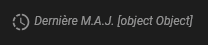
Je ne veux pas abuser de ton temps mais j’ai d’ailleurs rencontré un problème avec cette Button-card… si tu n’as pas le temps ou l’envie de me répondre pas de problème car ce n’est pas bloquant.return cet helpers helpers.relativeTime seul pas de problème, mais si je cherche à le combiner avec la phrase « Dernière M.A.J… + helpers » j’obtiens l’erreur qu’on peut voir ci-dessous, et je n’ai pas cette erreur si je change d’helpers comme par exemple helpers.formatTime.
Soit cette erreur soit une erreur plus global « e.trim is not a function » bloquant intégralement la carte… .
Pour rappel voici le bout de code concerné :
  update: |
    [[[
      return `<ha-icon icon="mdi:progress-clock" style="width: 20px; height: 20px;"></ha-icon>` +
      ' Dernière M.A.J.';
    ]]]
  heure: |
    [[[
      return helpers.relativeTime(states['sensor.capteur_temperature_1_last_seen'].state);
    ]]]
Voilà, si tu as du temps je suis preneur de conseils
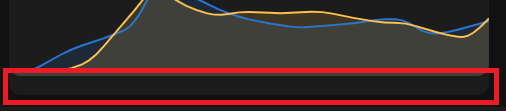
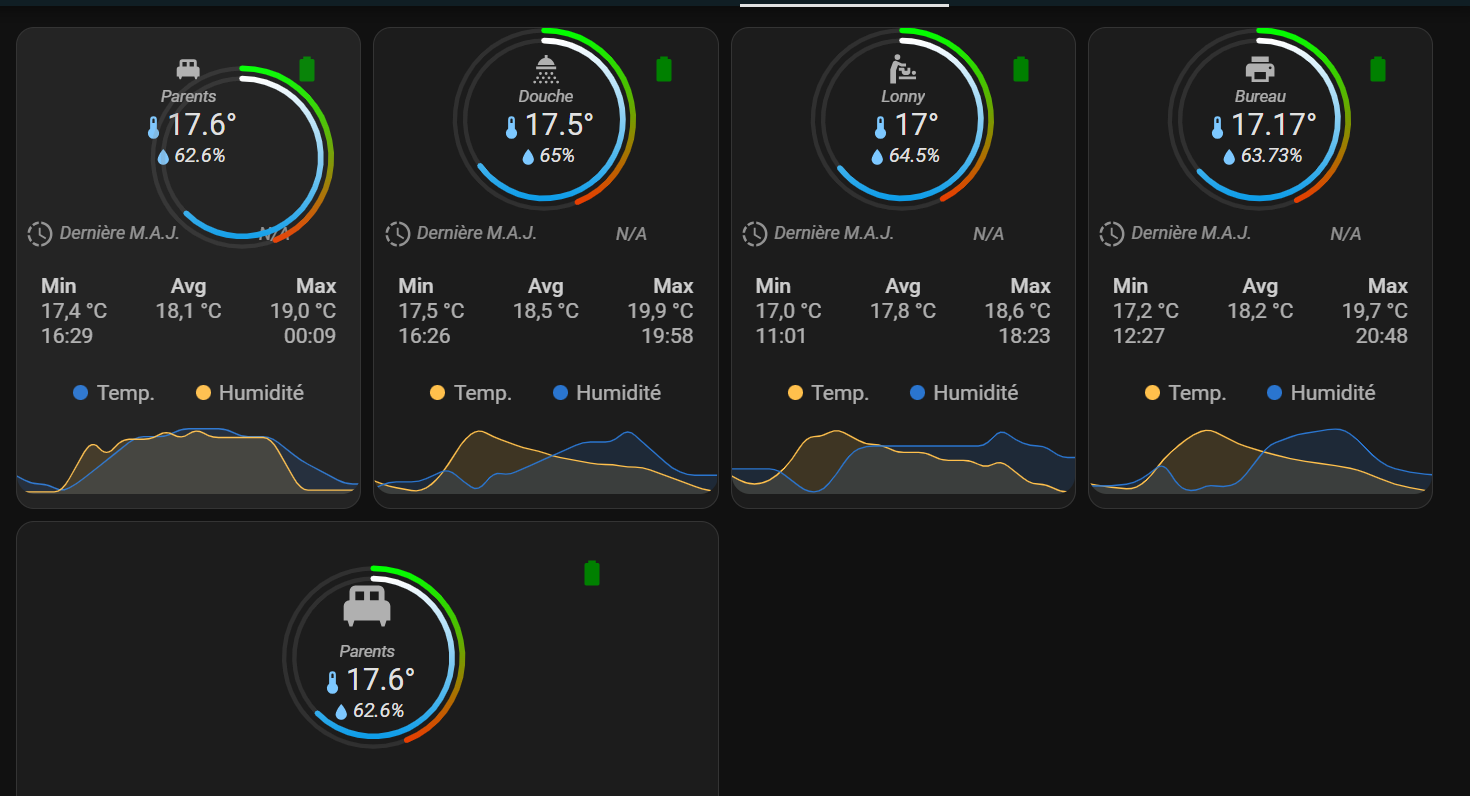
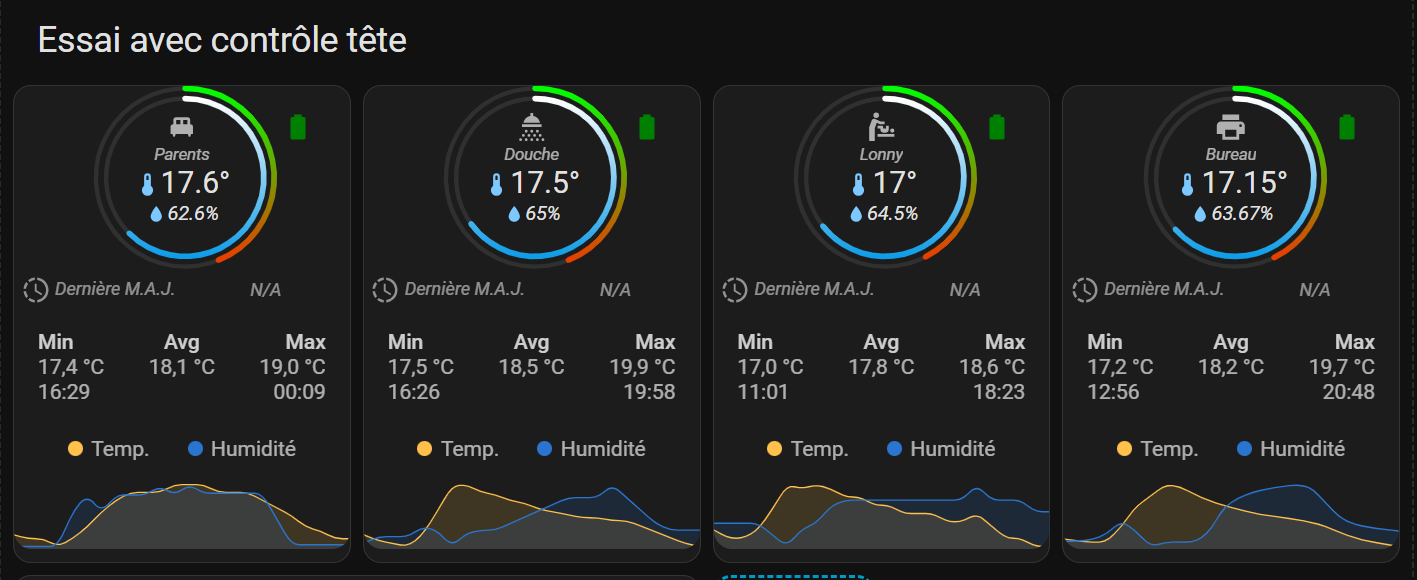
 mais je l’ai modifié dans le code), par contre, je dois cliquer sur la batterie pour que la carte s’affiche. Pour le reste, clique sur température, j’ai bien l’historique de la température qui s’affiche et pareil pour l’humidité.


 .
.