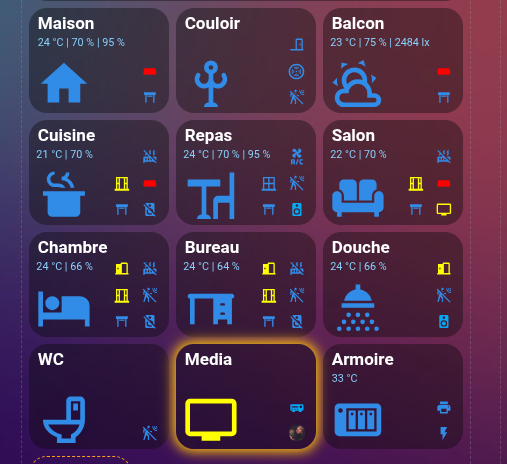
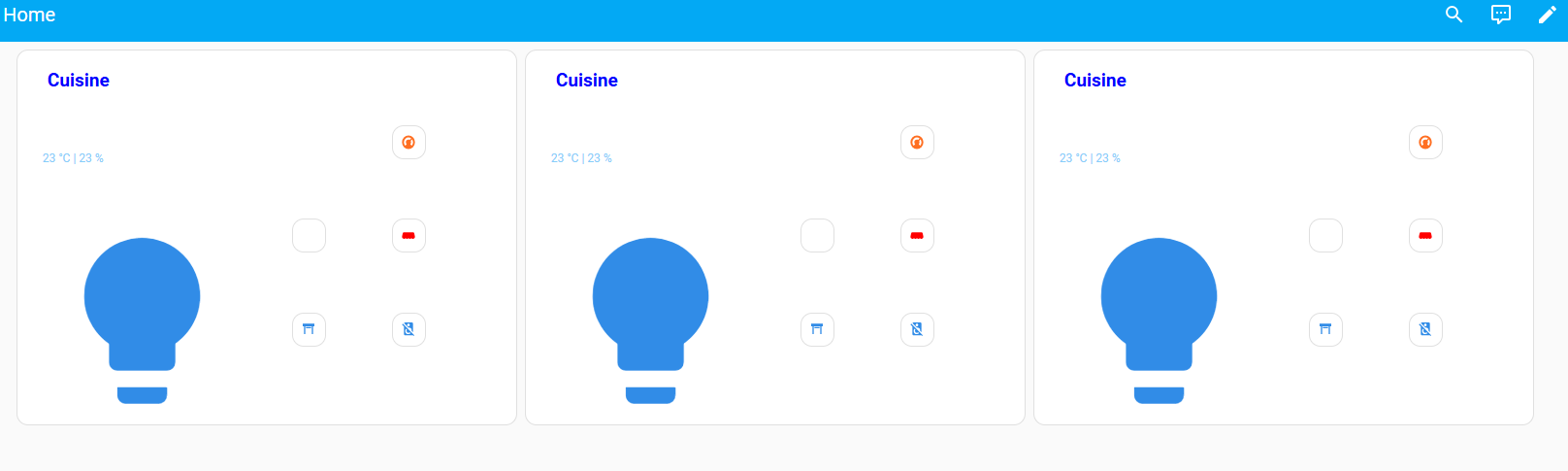
Bonjour
je cherche a comprendre l'utilité et la mise en place d'une carte de désemcombrement pour mon modèle.
Quelqu'un peut 'il m'aider par un exemple et m'expliquer l'interet?
merci a vous
type: custom:button-card
aspect_ratio: 4/3
name: Cuisine
entity: light.cuisine
show_state: true
state_display: >
  [[[ return
  `${parseFloat(states['sensor.temperature_radiateur_cuisine'].state).toFixed(0)}`
  + ' °C'

  + ` |
  ${parseFloat(states['sensor.sonde_salle_a_manger_humidite'].state).toFixed(0)}`
  + ' %'

  ]]]
show_entity_picture: true
size: 40%
state:
  - value: "on"
    styles:
      card:
        - "-webkit-box-shadow": 0 0 0.95rem 0.2rem var(--button-card-light-color)
        - box-shadow: 0 0 0.95rem 0.2rem var(--button-card-light-color)
        - transition: all 2s ease
    color: yellow
  - value: "off"
    color: "#318CE7"
styles:
  icon:
    - left: 5%
    - top: 25%
  name:
    - color: white
    - top: 5%
    - left: 6%
    - font-size: 19px
    - font-weight: bold
    - position: absolute
  state:
    - color: "#87CEFA"
    - top: 27%
    - left: 5%
    - font-size: 12px
    - position: absolute
  custom_fields:
    radiateur:
      - top: 20%
      - left: 75%
      - width: 35px
      - position: absolute
    fenetre:
      - top: 45%
      - left: 55%
      - width: 35px
      - position: absolute
    media:
      - top: 70%
      - left: 75%
      - width: 35px
      - position: absolute
    store:
      - top: 45%
      - left: 75%
      - width: 35px
      - position: absolute
    volet:
      - top: 70%
      - left: 55%
      - width: 35px
      - position: absolute
tap_action:
  action: navigate
  navigation_path: /lovelace/4
hold_action:
  action: toggle
custom_fields:
  store:
    card:
      type: custom:button-card
      aspect_ratio: 1/1
      entity: cover.store_cuisine
      show_name: false
      show_entity_picture: true
      size: 50%
      styles:
        card:
          - background-color: transparent
      state:
        - value: open
          icon: mdi:awning
          color: red
        - value: closed
          icon: mdi:awning-outline
          color: "#318CE7"
      tap_action:
        action: more-info
  volet:
    card:
      type: custom:button-card
      aspect_ratio: 1/1
      entity: cover.volet_cuisine
      show_name: false
      show_entity_picture: true
      size: 50%
      icon: |
        [[[
          if (states['cover.volet_cuisine'].attributes.current_position >= 16)
          return "mdi:window-shutter-open"; else return "mdi:window-shutter";
        ]]]
      styles:
        icon:
          - color: |
              [[[
                if (states['cover.volet_cuisine'].attributes.current_position >= 16)
                return "#318CE7"; else return "red";
              ]]]
        card:
          - background-color: transparent
      tap_action:
        action: more-info
  media:
    card:
      type: custom:button-card
      aspect_ratio: 1/1
      entity: media_player.enceinte_cuisine
      show_name: false
      show_entity_picture: false
      size: 50%
      state:
        - value: playing
          color: yellow
        - value: "off"
          color: "#318CE7"
      styles:
        card:
          - background-color: transparent
      tap_action:
        action: more-info
  radiateur:
    card:
      type: custom:button-card
      aspect_ratio: 1/1
      entity: climate.radiateur_cuisine
      show_name: false
      size: 50%
      state:
        - operator: template
          value: >-
            [[[ return
            states['climate.radiateur_cuisine'].attributes.hvac_action == 'idle'
            ]]]
          icon: mdi:radiator-off
          color: "#318CE7"
        - operator: template
          value: >-
            [[[ return
            states['climate.radiateur_cuisine'].attributes.hvac_action ==
            'heating' ]]]
          icon: mdi:radiator
          color: red
        - operator: template
          value: >-
            [[[ return
            states['climate.radiateur_cuisine'].attributes.hvac_action == 'off'
            ]]]
          icon: mdi:radiator-disabled
          color: "#318CE7"
      styles:
        card:
          - background-color: transparent
  fenetre:
    card:
      type: custom:button-card
      aspect_ratio: 1/1
      entity: binary_sensor.fenetre_cuisine_contact
      show_name: false
      size: 50%
      styles:
        card:
          - background-color: transparent
      state:
        - value: "on"
          icon: mdi:window-open-variant
          color: yellow
j'ai mis que le code 1 piece