Bonjour,
tap_action:
  action: fire-dom-event
  browser_mod:
    service: browser_mod.popup
    data:
      size: normal
      style: |-
        --popup-border-width: 0px;
      content:
ce qui donne pour ton exemple:
type: custom:mushroom-vacuum-card
entity: vacuum.roborock_s5_max
icon_animation: true
fill_container: false
commands:
  - start_pause
  - stop
  - clean_spot
  - return_home
tap_action:
  action: fire-dom-event
  browser_mod:
    service: browser_mod.popup
    data:
      size: normal
      style: |-
        --popup-border-width: 0px;
      content:
        type: custom:xiaomi-vacuum-map-card
        map_source:
          camera: camera.roborock_s5
        calibration_source:
          camera: true
        language: fr
        debug: true
        entity: vacuum.roborock_s5_max
        vacuum_platform: default
        map_locked: true
        two_finger_pan: false
        map_modes:
          - template: vacuum_clean_zone
          - template: vacuum_goto
          - template: vacuum_clean_segment
            predefined_selections:
              - id: '16'
                icon:
                  name: mdi:bed-king
                  x: 27675
                  'y': 23450
                label:
                  text: Chambre
                  x: 27675
                  'y': 23450
                  offset_y: 35
                outline:
                  - - 25950
                    - 21800
                  - - 29400
                    - 21800
                  - - 29400
                    - 25100
                  - - 25950
                    - 25100
              - id: '17'
                icon:
                  name: mdi:bathtub
                  x: 23350
                  'y': 22350
                label:
                  text: Salle de bain
                  x: 23350
                  'y': 22350
                  offset_y: 35
                outline:
                  - - 22600
                    - 21550
                  - - 24100
                    - 21550
                  - - 24100
                    - 23150
                  - - 22600
                    - 23150
              - id: '18'
                icon:
                  name: mdi:door
                  x: 26300
                  'y': 22325
                label:
                  text: Couloir
                  x: 26300
                  'y': 22325
                  offset_y: 35
                outline:
                  - - 24150
                    - 20400
                  - - 28450
                    - 20400
                  - - 28450
                    - 24250
                  - - 24150
                    - 24250
              - id: '20'
                icon:
                  name: mdi:desktop-tower-monitor
                  x: 30375
                  'y': 22850
                label:
                  text: Bureau
                  x: 30375
                  'y': 22850
                  offset_y: 35
                outline:
                  - - 28500
                    - 20650
                  - - 32250
                    - 20650
                  - - 32250
                    - 25050
                  - - 28500
                    - 25050
              - id: '21'
                icon:
                  name: mdi:sofa
                  x: 25175
                  'y': 27100
                label:
                  text: Salon
                  x: 25175
                  'y': 27100
                  offset_y: 35
                outline:
                  - - 22250
                    - 24300
                  - - 28100
                    - 24300
                  - - 28100
                    - 29900
                  - - 22250
                    - 29900
Kyar
Août 15, 2023, 3:44
123
Merci c’est exactement ça, tu as une solution pour corriger l’indexation rapidement ? J’aimerais ajouter la deuxieme carte mais c’est vite le bazar avec les lignes décalés
J’utilise notepad ++ .
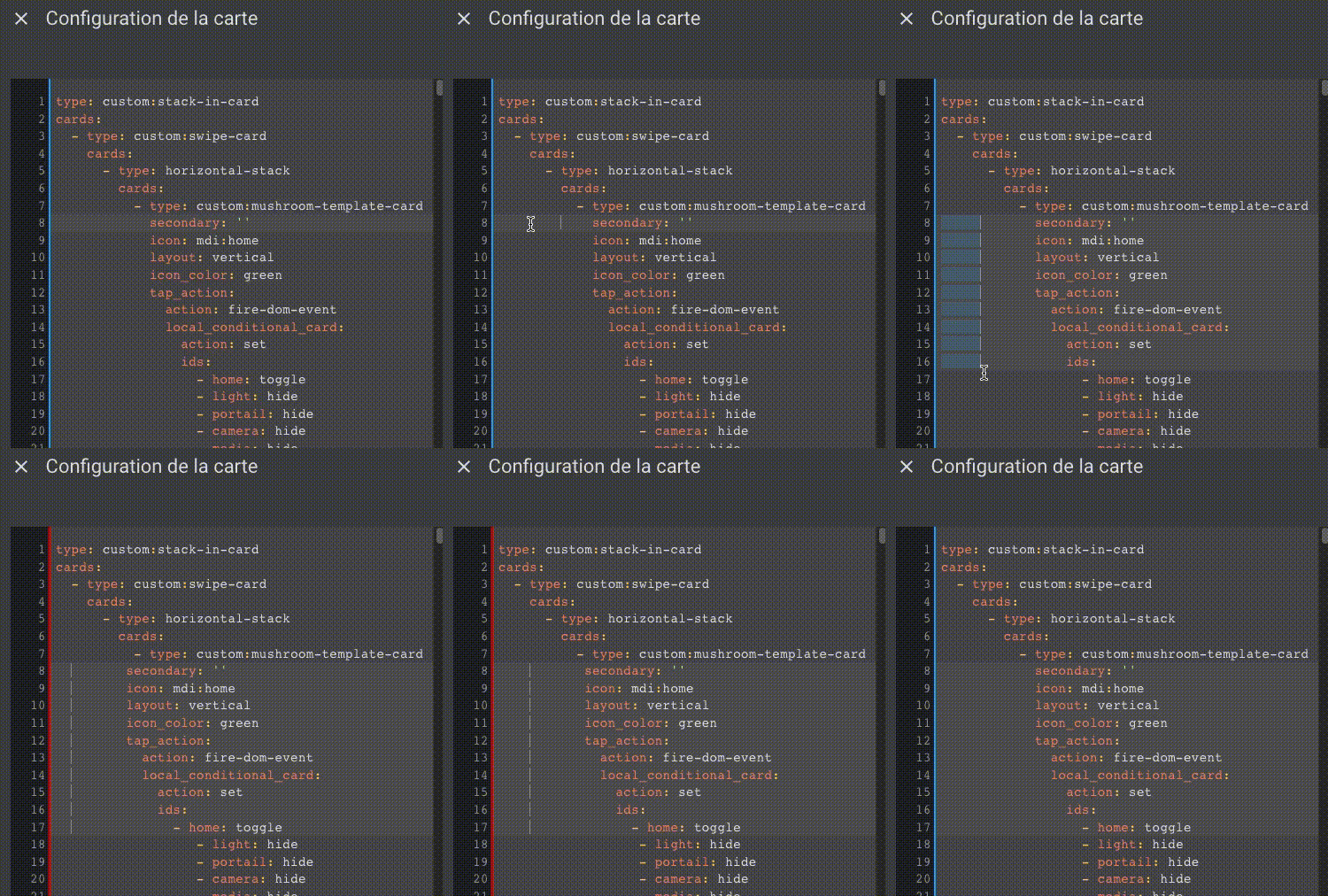
Sinon directement dans l’editeur de code de HA, tu cliques au début d’une ligne puis tu maintiens ALT et tu descends… il te restera plus qu’à appuyer sur ESPACE et SUPPR en fonction de ce que tu veux.
Kyar
Août 16, 2023, 11:12
126
Merci pour l’exemple, mais pour résumer il n’y a pas de correcteur « automatique » qui va corriger les espaces manquant ou en trop non? Car des fois je sais pas trop si une fonction doit être au même niveau ou en dessous
oli_34
Septembre 13, 2023, 11:43
127
Bonjour essai à la place de
--popup-background-color: rgba(0, 0, 0, 0,32)
Cela
--mdc-theme-surface: transparent
opened 03:05PM - 15 Jul 23 UTC
My Home Assistant version: 2023.7.2
**What I am doing:**
Updated from 2.2.2 … to 2.3.0 and "styles:" is broken
Same like this guy:
https://community.home-assistant.io/t/browser-mod-turn-your-browser-into-a-controllable-device-and-a-media-player/123806/2139?u=chertvl
**What I expected to happen:**
I want back transparent popups background ;)
**What happened instead:**
Popups shows --surface color instead of --popup-background-color
**Minimal** steps to reproduce:
Look at yaml
```yaml
# The least amount of code or steps possible to reproduce my error
tap_action:
action: fire-dom-event
browser_mod:
service: browser_mod.popup
data:
style: |
--popup-background-color: transparent;
content:
type: custom:myrandomperfectcards
```
**Error messages from the browser console:**
```
// Select everything from the browser console and copy it
// Paste it here
```
---
**By replacing the space in the checkboxes ([ ]) with an X below, I indicate that I:**
- [X] Understand that this is a channel for reporting bugs, not a support forum (https://community.home-assistant.io/).
- [X] Have made sure I am using the latest version of the plugin.
- [X] Have followed the troubleshooting steps of the "Common Problems" section of https://github.com/thomasloven/hass-config/wiki/Lovelace-Plugins.
- [X] Understand that leaving one or more boxes unticked or failure to follow the template above may increase the time required to handle my bug-report, or cause it to be closed without further action.
oli_34
Septembre 14, 2023, 5:28
128
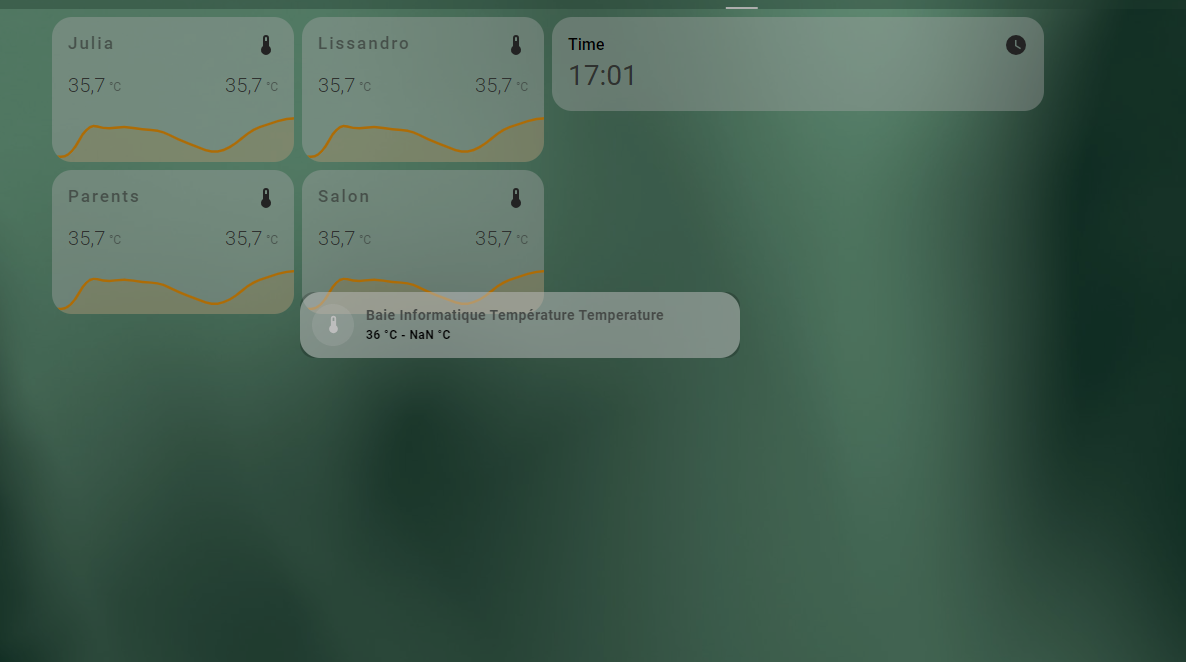
Bonjour suite à plusieurs essai et recherche je n’arrive pas à centrer les popup
  card-mod-theme: ios-dark-mode-blue-red
  card-mod-more-info-yaml: |
    .: |
      ha-dialog {
        --vertical-align-dialog: center !important;
        --mdc-theme-surface: transparent;
      }
Mais le popup n’est pas centré
oli_34
Septembre 15, 2023, 8:33
129
Bonjour j’ai essayé t’as solution mais ça ne fonctionne pas sur mon Ha avec le theme ios-dark-mode-blue-red.
Nothing
Septembre 15, 2023, 10:40
130
Bj
essai ceci :
  card-mod-more-info-yaml: |
    .: |
      :host {
        --ha-card-border-width: 0;
      }

      ha-dialog {
        --vertical-align-dialog: var(--tablet-popup-align-dialog) !important;
        --dialog-surface-margin-top: var(--tablet-popup-margin-top) !important;
      }

      ha-dialog > div:focus {
        outline: none;
      }

      ha-dialog > div.content > div.container {
        padding: 0 !important;
      }

      ha-dialog-header {
        font-family: var(--primary-font-family);
        background-color: var(--tablet-popup-header-color);
        border-bottom: var(--tablet-popup-border-style);
      }

    ha-dialog-header$header: |
      div.header-bar {
        padding: 10px 17px 8px 17px;
      }

    ha-dialog$: |
      div.mdc-dialog__surface {
        background-color: var(--popup-background-color) !important;
      }
Pense a bien rafrachir , ou reboot ton HA.
oli_34
Septembre 15, 2023, 11:40
131
Bonjour
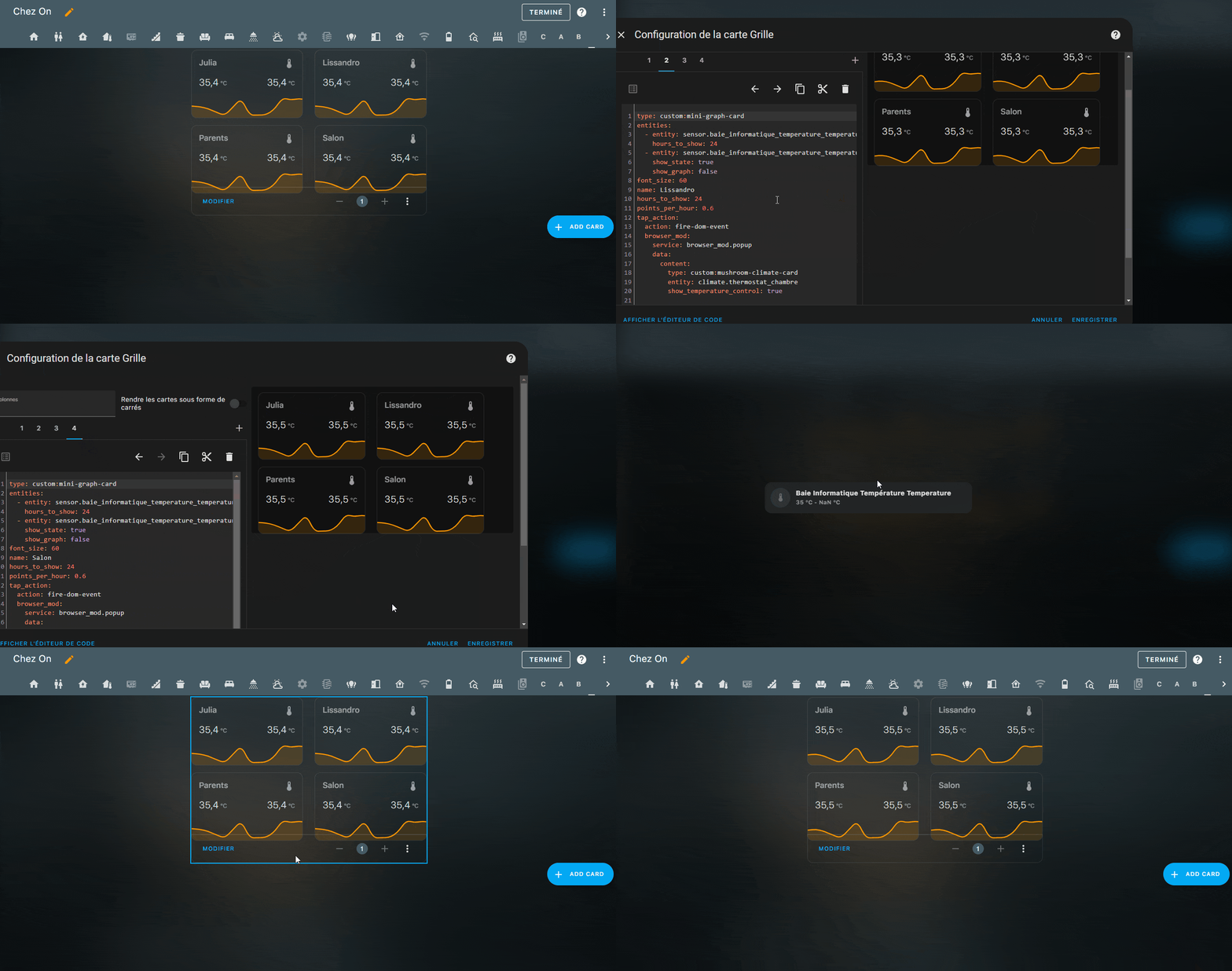
Merci pour ton aide, j’ai mis ton code mais ça ne fonctionne pas non plus.
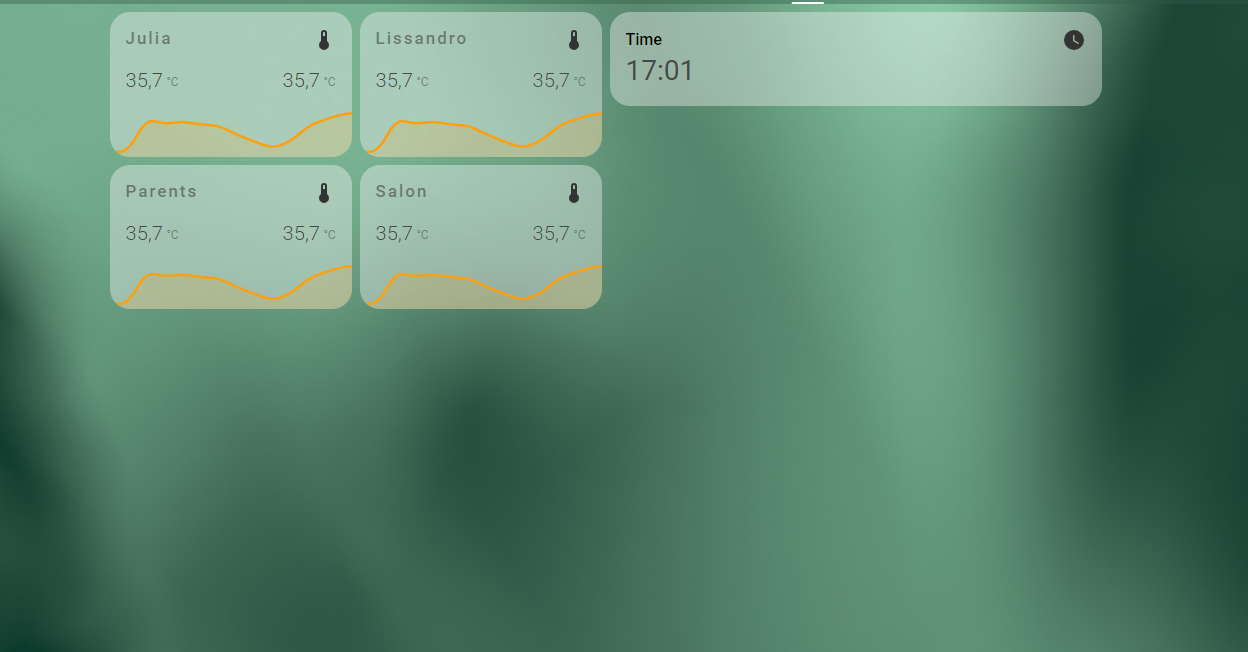
Voici le code de ma carte si jamais ça coince à cause d’elle.
Carte
square: false
columns: 2
type: grid
cards:
  - type: custom:mini-graph-card
    entities:
      - entity: sensor.julia_temperature
        hours_to_show: 24
      - entity: sensor.julia_humidity
        show_state: true
        show_graph: false
    font_size: 60
    name: Julia
    hours_to_show: 24
    points_per_hour: 0.6
    tap_action:
      action: fire-dom-event
      browser_mod:
        service: browser_mod.popup
        data:
          content:
            type: custom:mushroom-climate-card
            entity: climate.julia
            show_temperature_control: true
  - type: custom:mini-graph-card
    entities:
      - entity: sensor.lissandro_temperature
        hours_to_show: 24
      - entity: sensor.lissandro_humidity
        show_state: true
        show_graph: false
    font_size: 60
    name: Lissandro
    hours_to_show: 24
    points_per_hour: 0.6
    tap_action:
      action: fire-dom-event
      browser_mod:
        service: browser_mod.popup
        data:
          content:
            type: custom:mushroom-climate-card
            entity: climate.lissandro
            show_temperature_control: true
  - type: custom:mini-graph-card
    entities:
      - entity: sensor.parents_temperature
        hours_to_show: 24
      - entity: sensor.parents_humidity
        show_state: true
        show_graph: false
    font_size: 60
    name: Parents
    hours_to_show: 24
    points_per_hour: 0.6
    tap_action:
      action: fire-dom-event
      browser_mod:
        service: browser_mod.popup
        data:
          content:
            type: custom:mushroom-climate-card
            entity: climate.parents
            show_temperature_control: true
  - type: custom:mini-graph-card
    entities:
      - entity: sensor.salon_temperature
        hours_to_show: 24
      - entity: sensor.salon_humidity
        show_state: true
        show_graph: false
    font_size: 60
    name: Salon
    hours_to_show: 24
    points_per_hour: 0.6
    tap_action:
      action: fire-dom-event
      browser_mod:
        service: browser_mod.popup
        data:
          content:
            type: custom:mushroom-climate-card
            entity: climate.salon
            show_temperature_control: true
            hvac_modes:
              - heat
              - cool
              - dry
              - fan_only
Nothing
Septembre 16, 2023, 12:00
132
tu as modifie ses ligne dans le code que je t’ai donné , j’ai oublie de le dire
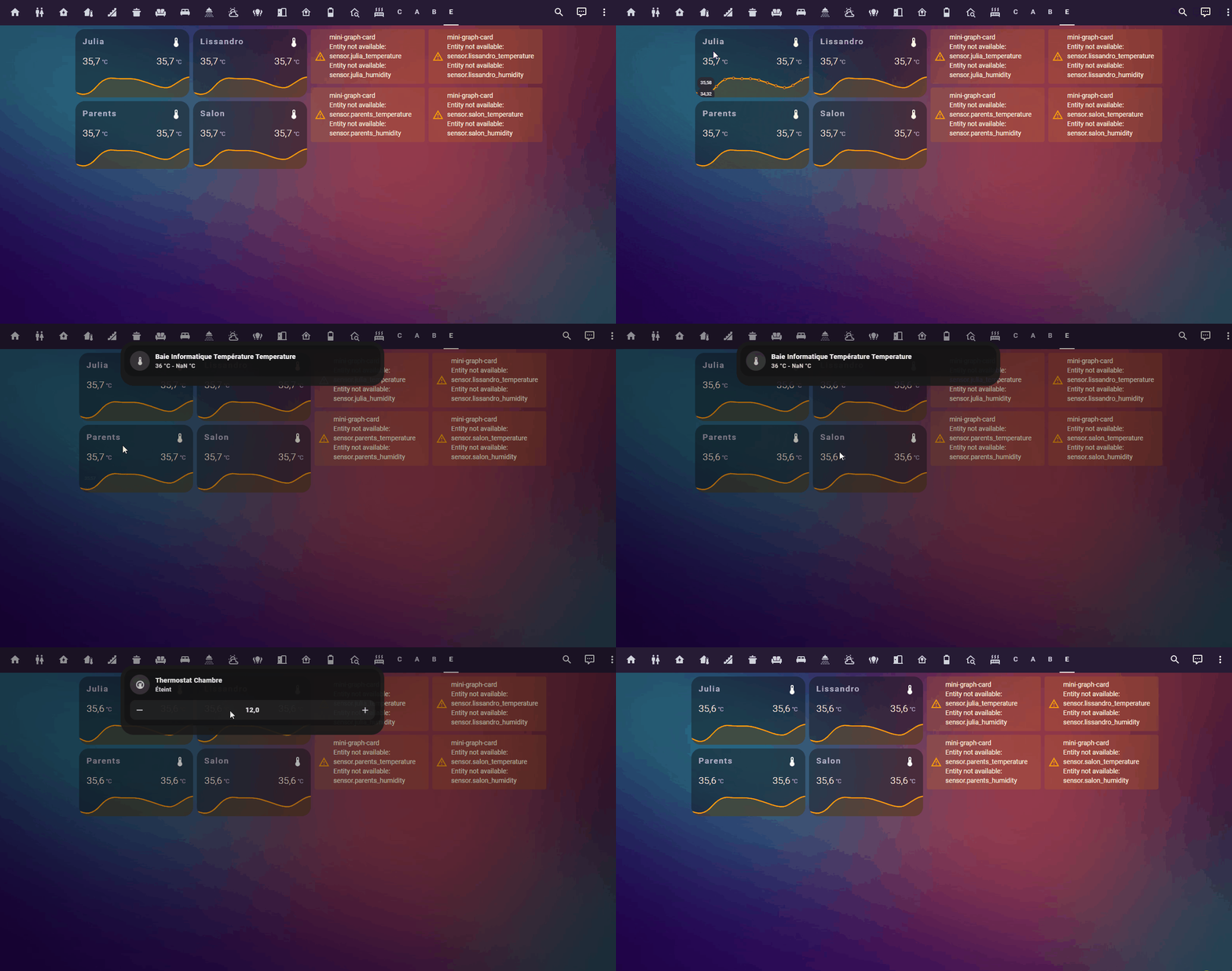
Edit j’ai testé tes card voici le resultat
oli_34
Septembre 16, 2023, 12:15
133
Modifié ses lignes ?, j’ai copié ton code dans ios-themes.yaml mais chez moi le popup reste en haut de l’écran.
Nothing
Septembre 16, 2023, 12:18
134
un truc de ce style
je connais pas ton thème dans ses lignes
mais regarde si cela et possible !
Et avec le thème par défaut de HA même souci ?
oli_34
Septembre 16, 2023, 12:20
135
Ah non je vais faire la modif merci
ios-themes.yaml
  card-mod-theme: ios-dark-mode-blue-red
  card-mod-more-info-yaml: |
    .: |
      :host {
        --ha-card-border-width: 0;
      }

      ha-dialog {
        --vertical-align-dialog: var(--ios-dark-mode-blue-red-popup-align-dialog) !important;
        --dialog-surface-margin-top: var(--ios-dark-mode-blue-red-popup-margin-top) !important;
      }

      ha-dialog > div:focus {
        outline: none;
      }

      ha-dialog > div.content > div.container {
        padding: 0 !important;
      }

      ha-dialog-header {
        font-family: var(--primary-font-family);
        background-color: var(--ios-dark-mode-blue-red-header-color);
        border-bottom: var(--ios-dark-mode-blue-red-popup-border-style);
      }

    ha-dialog-header$header: |
      div.header-bar {
        padding: 10px 17px 8px 17px;
      }

    ha-dialog$: |
      div.mdc-dialog__surface {
        background-color: var(--popup-background-color) !important;
      }
Je dois faire quelque chose pas correctement, tu mets où ton code car chez toi cela fonctionne nickel.
Nothing
Septembre 16, 2023, 12:31
136
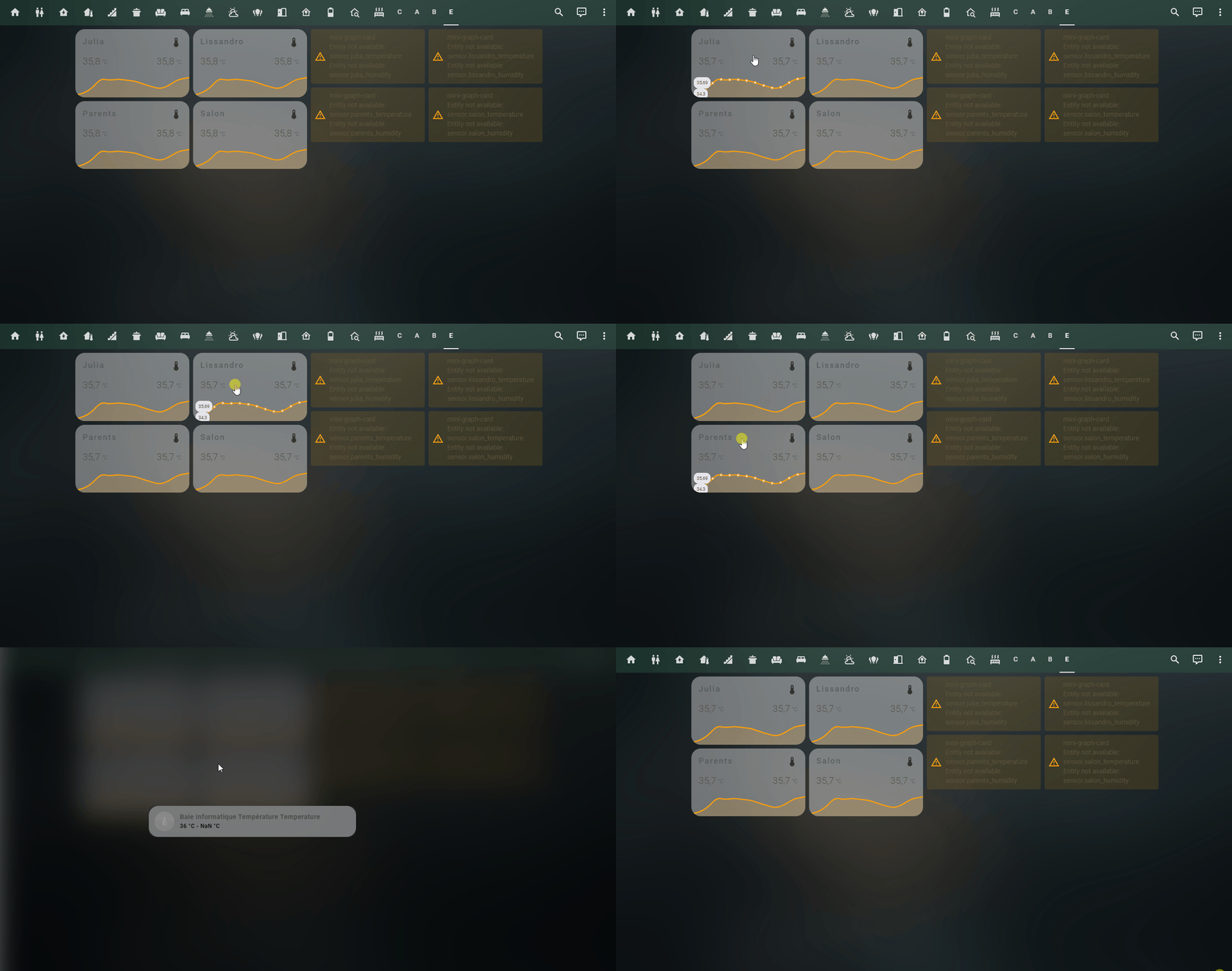
je viens de testé avec theme ios
oli_34
Septembre 16, 2023, 12:56
137
Donc cela viens du thème, je vais essayer de l’enlever pour faire l’essai.
Nothing
Septembre 16, 2023, 3:02
139
  #browser_mod.popup

  popup-background-color: rgba(0,0,0,0.2)
  popup-border-width: 1px
  popup-border-radius: 1em
  popup-padding-x: 0px
  popup-padding-y: 0px
  popup-min-width: 440px

  ios-light-mode-dark-green-alternative-popup-content-padding: 1.1em 2.2em 1.6em 1.5em
  ios-light-mode-dark-green-alternative-popup-button-padding: 0.1em 2em 1.8em 2em

  ios-light-mode-dark-green-alternative-popup-align-dialog: center
  ios-light-mode-dark-green-alternative-popup-margin-top: 0px

  ####################################################
  #                                                  #
  #                     CARD-MOD                     #
  #                                                  #
  ####################################################

  card-mod-theme: ios-light-mode-dark-green-alternative

  card-mod-root: |
    #view {
      background: url('/hacsfiles/themes/ios-themes/homekit-bg-dark-green.jpg');
      background-size: cover;
    }

  card-mod-view-yaml: |
    .: |
      hui-view {
        background: none !important;
      }

  card-mod-more-info-yaml: |
    .: |
      :host {
        --ha-card-border-width: 0;
      }

      ha-dialog {
        --vertical-align-dialog: var(--ios-light-mode-dark-green-alternative-popup-align-dialog) !important;
        --dialog-surface-margin-top: var(--ios-light-mode-dark-green-alternative-popup-margin-top) !important;
      }

      ha-dialog > div:focus {
        outline: none;
      }

      ha-dialog > div.content > div.container {
        padding: 0 !important;
      }

      ha-dialog-header {
        font-family: var(--primary-font-family);
        background-color: var(--ios-light-mode-dark-green-alternative-popup-header-color);
        border-bottom: var(--ios-light-mode-dark-green-alternative-popup-border-style);
      }

    ha-dialog-header$header: |
      div.header-bar {
        padding: 10px 17px 8px 17px;
      }

    ha-dialog$: |
      div.mdc-dialog__surface {
        background-color: var(--popup-background-color) !important;
      }
oli_34
Septembre 16, 2023, 3:20
140
Nothing
Septembre 16, 2023, 3:28
141
non dans ios-theme.yaml
te met un morceau complet
---
# From https://github.com/basnijholt/lovelace-ios-themes
#
# iOS Light Mode Theme - dark-green
#
ios-light-mode-dark-green-alternative:
  #edited default dark mode

  # Global
  background-image: "center / cover no-repeat fixed url('/hacsfiles/themes/ios-themes/homekit-bg-dark-green.jpg')"
  lovelace-background: var(--background-image)
  primary-color: "#ff9409"  # from Apple systemOrange light mode
  light-primary-color: "#2c2c2e"  # (icons on left menu) (light: systemGray5 from iOS dark mode, dark: XXX)
  primary-background-color: "#e5e5ea"  # systemGray5 light mode
  secondary-background-color: rgba(255, 255, 255, 0.9)
  divider-color: rgba(142, 142, 147, 0.3)  # from Apple systemGray light mode
  accent-color: rgba(255, 159, 9, 1)

  # Text
  primary-text-color: "#464a47"
  secondary-text-color: "#000000"
  text-primary-color: "#FFF"
  disabled-text-color: "#555"  # XXX: https://github.com/basnijholt/lovelace-ios-dark-mode-theme/issues/2
  text-dark-color: "#FFF"

  # Sidebar Menu
  sidebar-background-color: var(--primary-background-color)
  sidebar-icon-color: var(--light-primary-color)
  sidebar-text-color: var(--light-primary-color)
  sidebar-selected-background-color: var(--primary-background-color)
  sidebar-selected-icon-color: "#8e8e93"  # (light: systemGray5 from iOS light mode, dark: XXX)
  sidebar-selected-text-color: var(--sidebar-selected-icon-color)

  # States and Badges
  state-icon-color: "#FFF"
  state-icon-active-color: "#333333"  # or make light icons yellow when active: rgba(255, 214, 10, 1)
  state-icon-unavailable-color: var(--disabled-text-color)
  paper-item-icon-active-color: "#333333"  # see https://github.com/basnijholt/lovelace-ios-dark-mode-theme/issues/30

  # Sliders
  paper-slider-knob-color: "#FFFFFF"
  paper-slider-knob-start-color: var(--paper-slider-knob-color)
  paper-slider-pin-color: var(--paper-slider-knob-color)
  paper-slider-active-color: "#007aff"  # from Apple systemBlue light mode
  paper-slider-secondary-color: var(--paper-slider-knob-color)
  paper-slider-container-color: rgba(255, 255, 255, 0.5)
  paper-slider-font-color: "#000"
  ha-slider-background: none !important

  # Labels
  label-badge-background-color: "#23232E"
  label-badge-text-color: "#F1F1F1"
  label-badge-red: rgba(255, 149, 9, 0.7)  # from Apple systemOrange light mode

  # Cards
  card-background-color: var(--secondary-background-color)  # Unused entities table background
  paper-listbox-background-color: var(--primary-background-color)
  ha-card-border-radius: 20px
  ha-card-background: rgba(245, 245, 245, 0.4)
  paper-card-background-color: var(--ha-card-background)
  ha-card-border-width: 0  # https://github.com/basnijholt/lovelace-ios-dark-mode-theme/issues/82#event-7732695357

  # Toggles
  paper-toggle-button-checked-button-color: "#484848"
  paper-toggle-button-checked-bar-color: "#484848"
  paper-toggle-button-unchecked-button-color: var(--paper-toggle-button-checked-button-color)
  paper-toggle-button-unchecked-bar-color: var(--disabled-text-color)

  # Table row
  table-row-background-color: var(--primary-background-color)
  table-row-alternative-background-color: var(--secondary-background-color)

  # Switches
  switch-checked-color: "#30d257"  # XXX: remove when https://github.com/home-assistant/home-assistant-polymer/pull/4203 is in HA
  switch-checked-track-color: "#34c759"  # from Apple systemGreen light mode
  switch-checked-button-color: "#FFF"

  # Other
  paper-dialog-background-color: rgba(200, 200, 200, 0.8)  # e.g., background of more-info
  paper-item-icon-color: "#333333"  # also should mini-media-player icon white (but doesn't work by itself)
  more-info-header-background: rgba(230, 230, 230, 0.5)
  lumo-body-text-color: var(--primary-text-color)  # see https://github.com/basnijholt/lovelace-ios-dark-mode-theme/issues/42
  app-header-background-color: rgba(48, 89, 71, 0.4)
  markdown-code-background-color: "#FFFFFF"
  code-editor-background-color: "#FFF"

  # Custom
  mcg-title-letter-spacing: .15em
  mini-media-player-base-color: white
  mini-media-player-icon-color: white
  # Added for https://github.com/basnijholt/lovelace-ios-dark-mode-theme/issues/72
  # TODO: add description for lines below. Suggested in https://github.com/basnijholt/lovelace-ios-dark-mode-theme/issues/72
  input-ink-color: var(--primary-text-color)
  input-fill-color: transparent
  input-disabled-fill-color: transparent
  input-label-ink-color: var(--primary-text-color)
  input-disabled-ink-color: var(--disabled-text-color)
  input-dropdown-icon-color: var(--primary-text-color)
  input-idle-line-color: var(--secondary-text-color)
  input-hover-line-color: var(--secondary-text-color)
  codemirror-property: var(--accent-color)


  #browser_mod.popup

  popup-background-color: rgba(0,0,0,0.2)
  popup-border-width: 1px
  popup-border-radius: 1em
  popup-padding-x: 0px
  popup-padding-y: 0px
  popup-min-width: 440px

  ios-light-mode-dark-green-alternative-popup-content-padding: 1.1em 2.2em 1.6em 1.5em
  ios-light-mode-dark-green-alternative-popup-button-padding: 0.1em 2em 1.8em 2em

  ios-light-mode-dark-green-alternative-popup-align-dialog: center
  ios-light-mode-dark-green-alternative-popup-margin-top: 0px

  ####################################################
  #                                                  #
  #                     CARD-MOD                     #
  #                                                  #
  ####################################################

  card-mod-theme: ios-light-mode-dark-green-alternative

  card-mod-root: |
    #view {
      background: url('/hacsfiles/themes/ios-themes/homekit-bg-dark-green.jpg');
      background-size: cover;
    }

  card-mod-view-yaml: |
    .: |
      hui-view {
        background: none !important;
      }

  card-mod-more-info-yaml: |
    .: |
      :host {
        --ha-card-border-width: 0;
      }

      ha-dialog {
        --vertical-align-dialog: var(--ios-light-mode-dark-green-alternative-popup-align-dialog) !important;
        --dialog-surface-margin-top: var(--ios-light-mode-dark-green-alternative-popup-margin-top) !important;
      }

      ha-dialog > div:focus {
        outline: none;
      }

      ha-dialog > div.content > div.container {
        padding: 0 !important;
      }

      ha-dialog-header {
        font-family: var(--primary-font-family);
        background-color: var(--ios-light-mode-dark-green-alternative-popup-header-color);
        border-bottom: var(--ios-light-mode-dark-green-alternative-popup-border-style);
      }

    ha-dialog-header$header: |
      div.header-bar {
        padding: 10px 17px 8px 17px;
      }

    ha-dialog$: |
      div.mdc-dialog__surface {
        background-color: var(--popup-background-color) !important;
      }


 J’aimerai savoir faire tt cela chapeau.