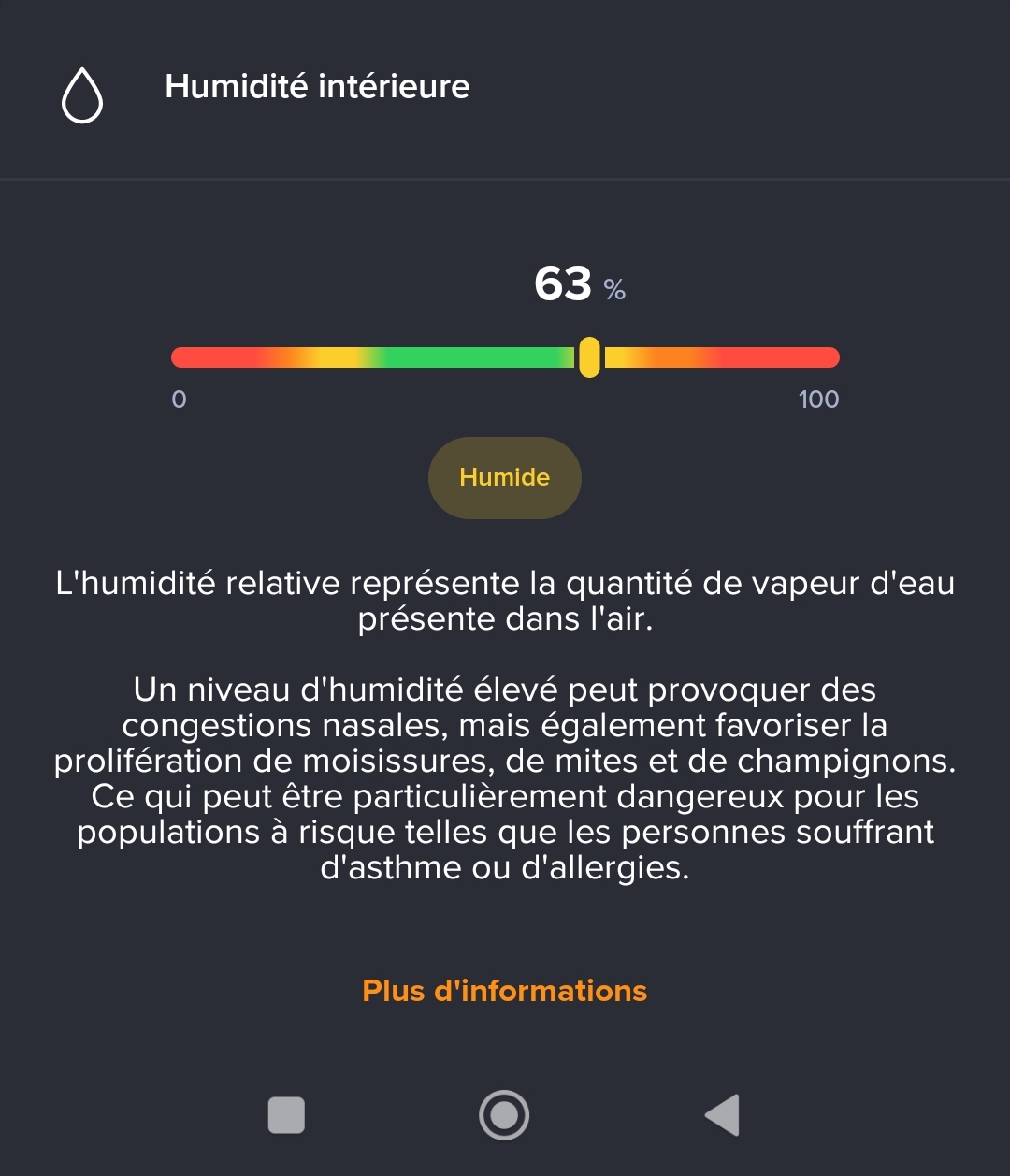
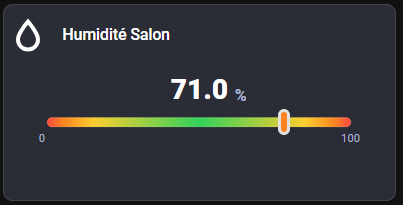
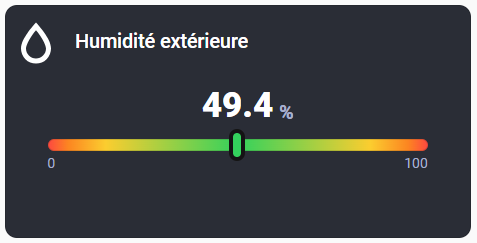
Le code :
type: custom:button-card
entity: sensor.salle_a_manger_climatisation_ble_humidity
name: Humidité intérieure
show_state: false
show_icon: false
show_name: false
custom_fields:
  icon:
    card:
      type: custom:button-card
      icon: mdi:water-outline
      styles:
        card:
          - aspect-ratio: 1/1
          - width: 60px
          - padding: 0
          - border: none
          - border-radius: 0
          - background: none
        icon:
          - width: 100%
          - color: white
  name:
    card:
      type: custom:button-card
      name: "Humidité extérieure"
      styles:
        card:
          - width: 200px
          - padding: 0
          - border: none
          - border-radius: 0
          - background: none
        name:
          - font-size: 1.4rem
          - align-self: start
          - justify-self: start
          - color: white
          - font-weight: 500
  value:
    card:
      type: custom:button-card
      entity: sensor.salle_a_manger_climatisation_ble_humidity
      show_name: false
      show_icon: false
      show_state: true
      state_display: |
        [[[
          return parseFloat(entity.state).toFixed(1);
        ]]]
      styles:
        card:
          - width: 200px
          - padding: 0
          - border: none
          - border-radius: 0
          - background: none
        state:
          - color: white
          - font-size: 2.5rem
          - font-weight: 800
  unit:
    card:
      type: custom:button-card
      name: "%"
      styles:
        card:
          - width: auto
          - padding: 0
          - border: none
          - border-radius: 0
          - background: none
        name:
          - font-size: 1.4rem
          - align-self: start
          - justify-self: start
          - color: rgba(167,176,205,1.0)
          - font-weight: 800
  min_val:
    card:
      type: custom:button-card
      name: "0"
      styles:
        card:
          - width: auto
          - padding: 0
          - border: none
          - border-radius: 0
          - background: none
        name:
          - font-size: 1.0rem
          - align-self: start
          - justify-self: start
          - color: rgba(167,176,205,1.0)
          - font-weight: 400
  max_val:
    card:
      type: custom:button-card
      name: "100"
      styles:
        card:
          - width: auto
          - padding: 0
          - border: none
          - border-radius: 0
          - background: none
        name:
          - font-size: 1.0rem
          - align-self: start
          - justify-self: start
          - color: rgba(167,176,205,1.0)
          - font-weight: 400
  bar:
    card:
      type: custom:button-card
      show_name: false
      show_icon: false
      show_state: false
      styles:
        card:
          - height: 12px
          - width: 380px
          - border-radius: 999px
          - padding: 0px
          - background: >-
              linear-gradient(to right, rgba(253,75,63,1.0) 0%,
              rgba(252,133,33,1.0) 5%, rgba(251,205,47,1.0) 15%,
              rgba(51,210,92,1.0) 50%, rgba(251,205,47,1.0) 85%,
              rgba(252,133,33,1.0) 95%, rgba(253,75,63,1.0) 100%)
  cursor:
    card:
      type: custom:button-card
      show_name: false
      show_icon: false
      show_state: false
      styles:
        card:
          - width: 16px
          - height: 32px
          - border-radius: 999px
          - border: 4px solid
          - background-color: |
              [[[
                const h = Number(entity.state) || 0;
                if (h <= 20) return "rgba(253,75,63,1.0)";
                if (h <= 30) return "rgba(252,133,33,1.0)";
                if (h <= 40) return "rgba(251,205,47,1.0)";
                if (h <= 60) return "rgba(51,210,92,1.0)";
                if (h <= 70) return "rgba(251,205,47,1.0)";
                if (h <= 80) return "rgba(252,133,33,1.0)";
                return "rgba(253,75,63,1.0)";
              ]]]
styles:
  card:
    - background-color: "#2A2D36"
    - aspect-ratio: 2/1
  custom_fields:
    icon:
      - position: absolute
      - top: 3%
    name:
      - position: absolute
      - top: 10%
      - left: 15%
    value:
      - position: absolute
      - left: 50%
      - top: 43%
      - transform: translate(-50%, -50%)
    unit:
      - position: absolute
      - left: 60%
      - top: 46%
      - padding-left: 1%
      - transform: translate(-50%, -50%)
    min_val:
      - position: absolute
      - bottom: 28%
      - left: 9%
    max_val:
      - position: absolute
      - bottom: 28%
      - right: 9%
    bar:
      - position: absolute
      - left: 50%
      - top: 60%
      - transform: translate(-50%, -50%)
    cursor:
      - position: absolute
      - top: "[[[ return 'calc(60% - 16px)'; ]]]"
      - left: |
          [[[
            const h = Number(entity.state) || 0;
            return `calc(${Math.max(0, Math.min(100, h))}% - 5px)`;
          ]]]
Ca fait beaucoup de lignes de code mais absolument tous les éléments sont configurables à ta guise. Il faut encore que j’ajoute une « étiquette » en bas au centre
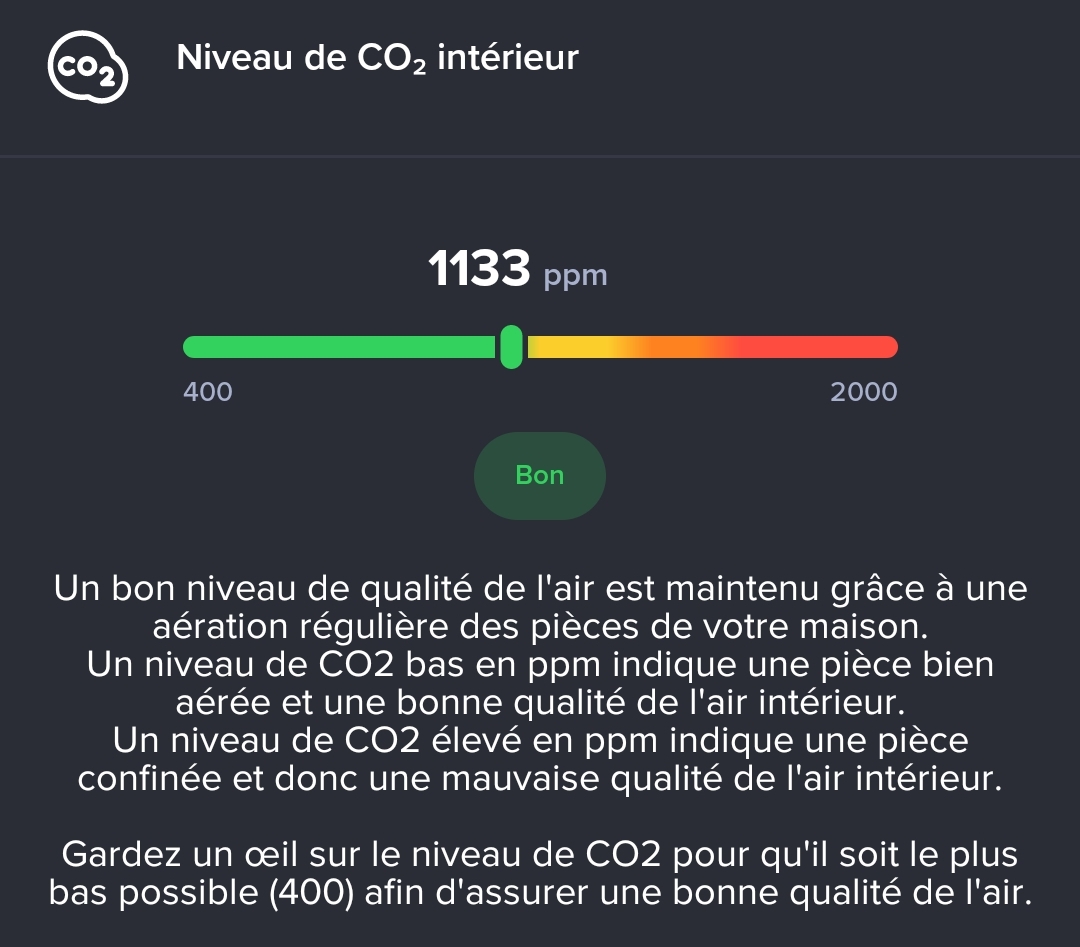
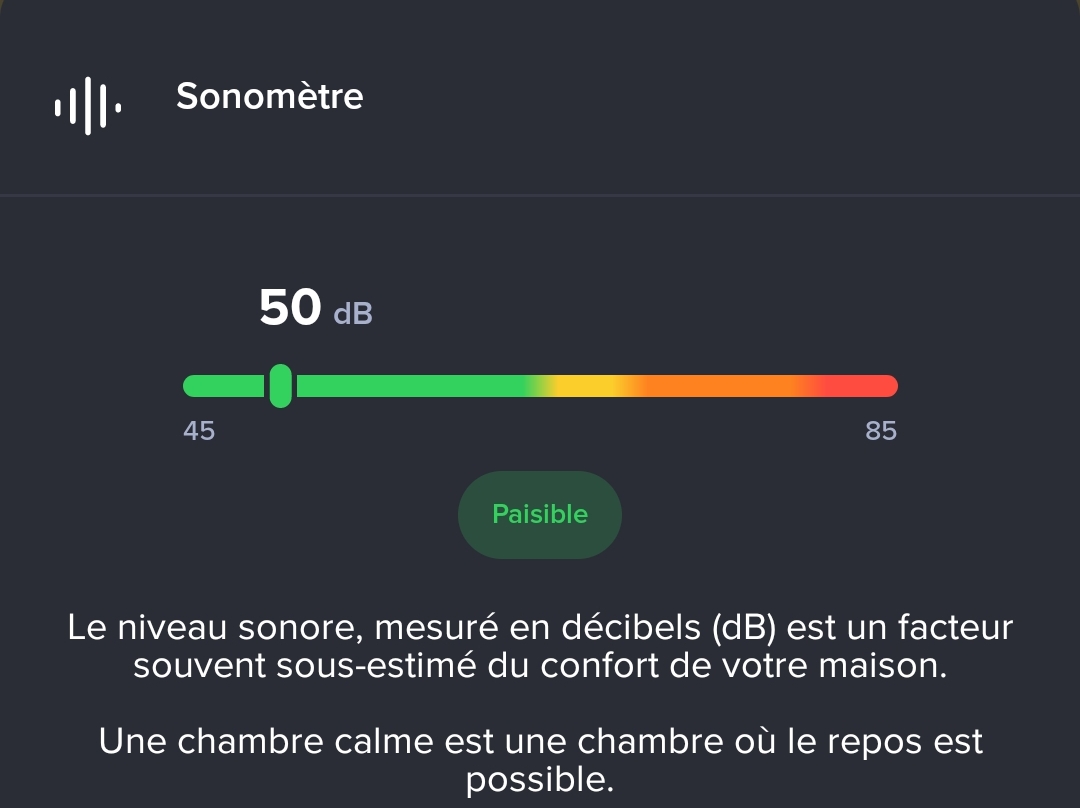
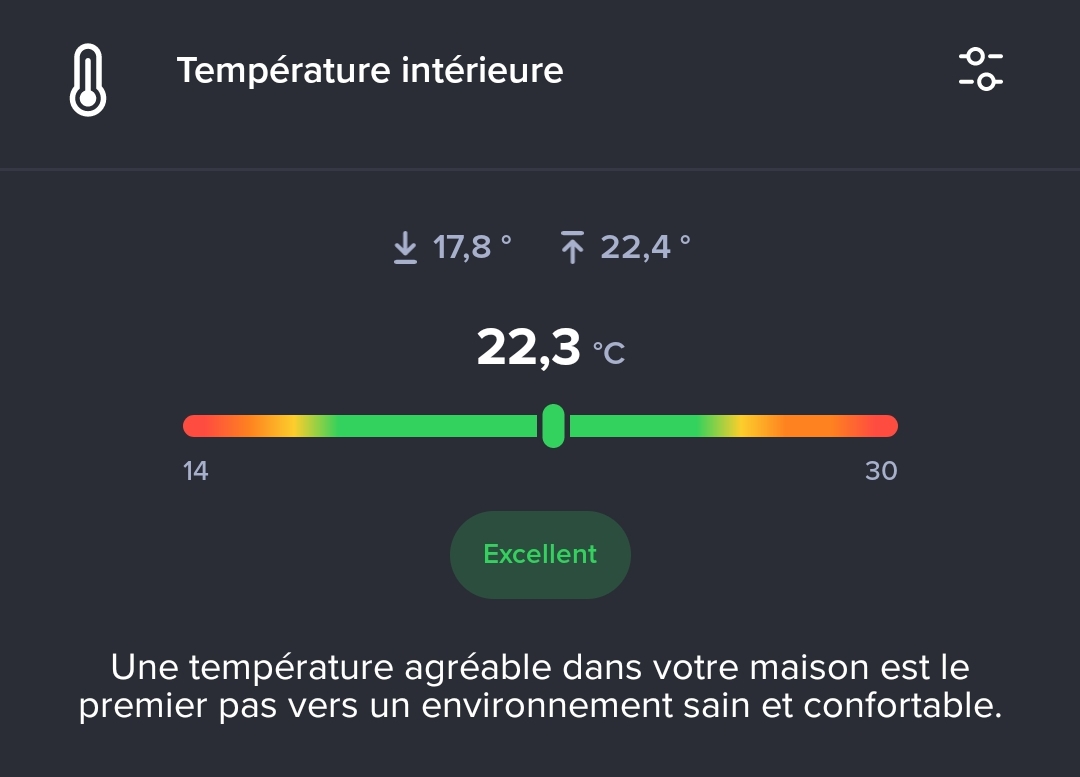
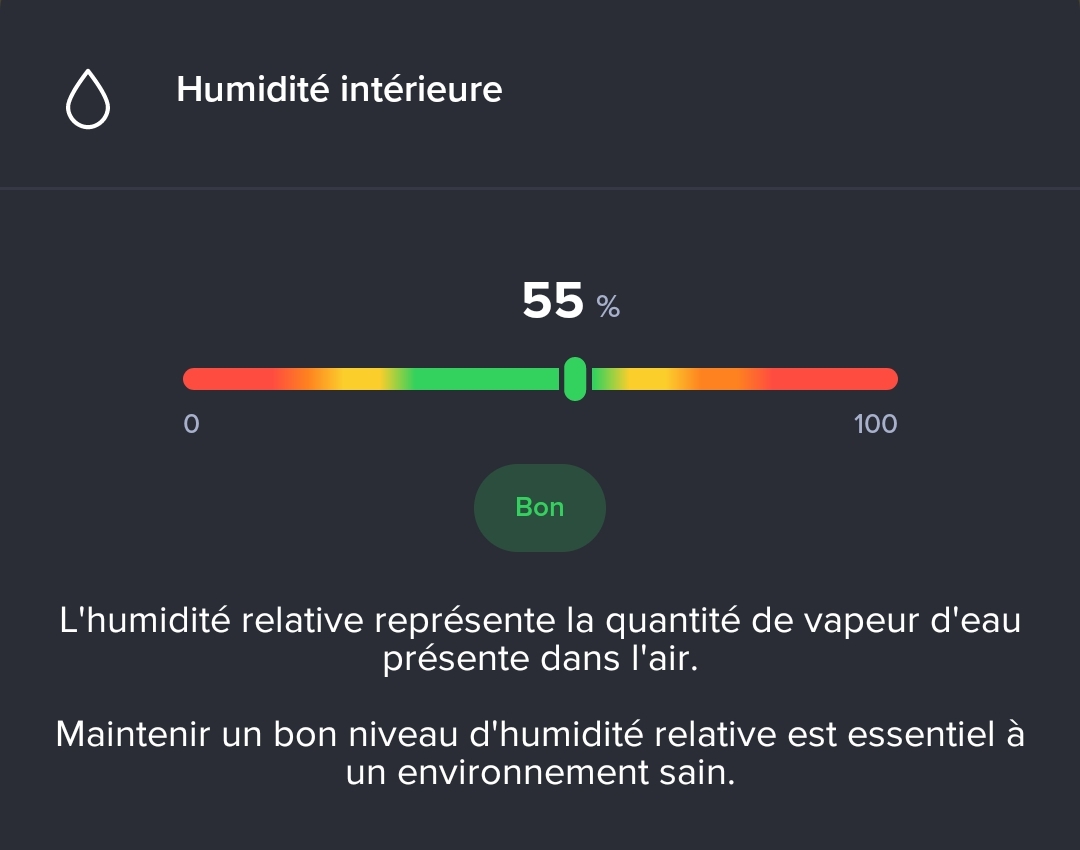

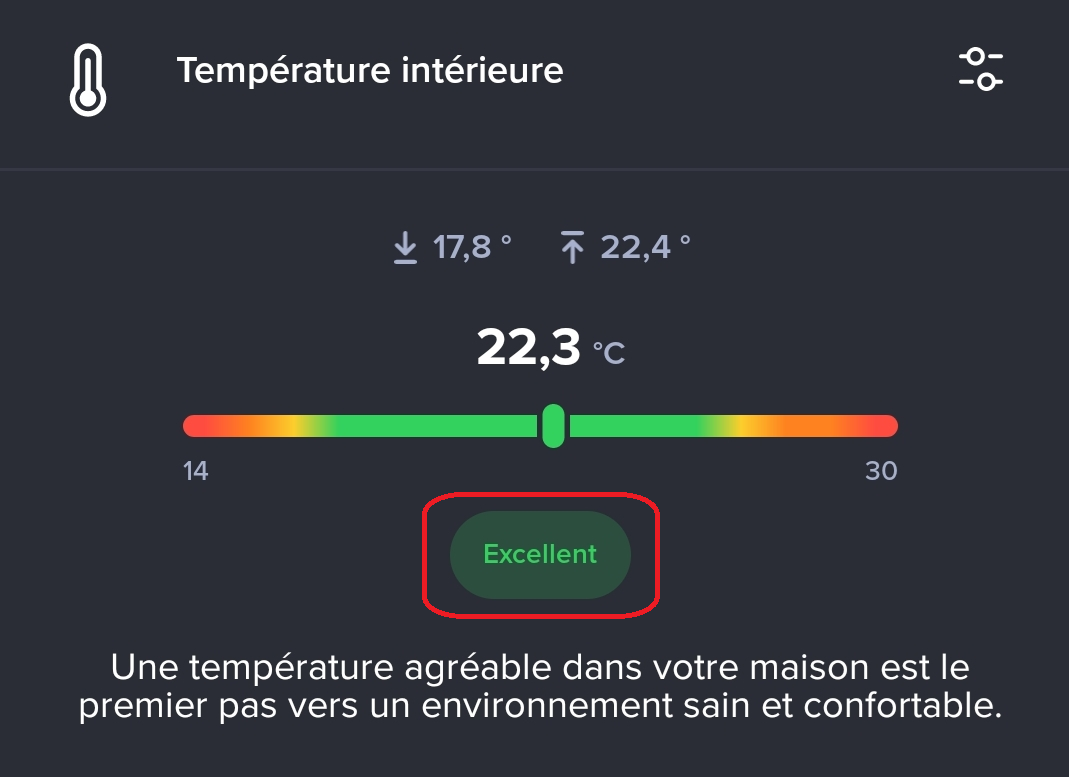
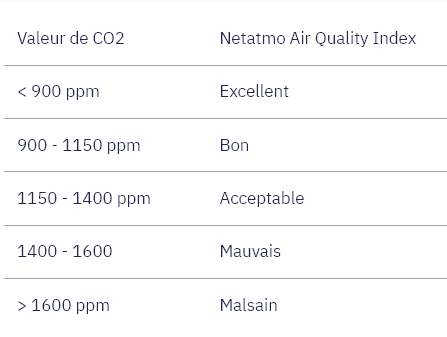
 mais il faut que je sache quoi mettre si l’humidité est un peu trop faible, trop faible, beaucoup trop faible ou un peu trop importante, trop importante ou beaucoup trop importante…