Hello,
@LeLapinFou tu pourrais partager ton code et png stp, j’aime bq l’idée et design !
Hello @FROlCi
bien entendu,
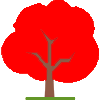
voici mon popup pour les arbres
le rendu :
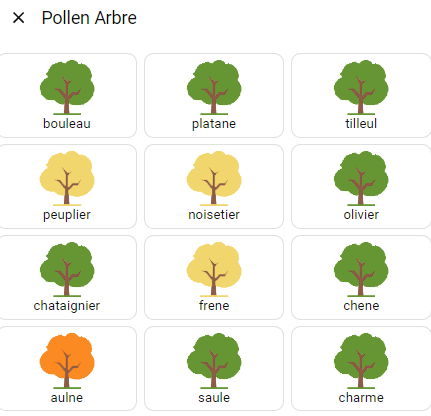
le code :
    action: fire-dom-event
    browser_mod:
      service: browser_mod.popup
      deviceID:
        - this
        - dashboard
      data:
        title: Pollen Arbre
        content:
          type: grid
          columns: 1
          square: false
          cards:
            - type: grid
              columns: 3
              square: false
              cards:
                - type: custom:button-card
                  entity: sensor.pollens_77_bouleau
                  name: bouleau
                  show_entity_picture: true
                  show_icon: false
                  show_label: false
                  show_state: false
                  show_name: true
                  state:
                    - value: 0
                      entity_picture: /local/images/pollens/pollen_tree_01.png
                    - value: 1
                      entity_picture: /local/images/pollens/pollen_tree_02.png
                    - value: 2
                      entity_picture: /local/images/pollens/pollen_tree_03.png
                    - value: 3
                      entity_picture: /local/images/pollens/pollen_tree_04.png
                  tap_action:
                    action: none
                - type: custom:button-card
                  entity: sensor.pollens_77_platane
                  name: platane
                  show_entity_picture: true
                  show_icon: false
                  show_label: false
                  show_state: false
                  show_name: true
                  state:
                    - value: 0
                      entity_picture: /local/images/pollens/pollen_tree_01.png
                    - value: 1
                      entity_picture: /local/images/pollens/pollen_tree_02.png
                    - value: 2
                      entity_picture: /local/images/pollens/pollen_tree_03.png
                    - value: 3
                      entity_picture: /local/images/pollens/pollen_tree_04.png
                  tap_action:
                    action: none
                - type: custom:button-card
                  entity: sensor.pollens_77_tilleul
                  name: tilleul
                  show_entity_picture: true
                  show_icon: false
                  show_label: false
                  show_state: false
                  show_name: true
                  state:
                    - value: 0
                      entity_picture: /local/images/pollens/pollen_tree_01.png
                    - value: 1
                      entity_picture: /local/images/pollens/pollen_tree_02.png
                    - value: 2
                      entity_picture: /local/images/pollens/pollen_tree_03.png
                    - value: 3
                      entity_picture: /local/images/pollens/pollen_tree_04.png
                  tap_action:
                    action: none
                - type: custom:button-card
                  entity: sensor.pollens_77_peuplier
                  name: peuplier
                  show_entity_picture: true
                  show_icon: false
                  show_label: false
                  show_state: false
                  show_name: true
                  state:
                    - value: 0
                      entity_picture: /local/images/pollens/pollen_tree_01.png
                    - value: 1
                      entity_picture: /local/images/pollens/pollen_tree_02.png
                    - value: 2
                      entity_picture: /local/images/pollens/pollen_tree_03.png
                    - value: 3
                      entity_picture: /local/images/pollens/pollen_tree_04.png
                  tap_action:
                    action: none
                - type: custom:button-card
                  entity: sensor.pollens_77_noisetier
                  name: noisetier
                  show_entity_picture: true
                  show_icon: false
                  show_label: false
                  show_state: false
                  show_name: true
                  state:
                    - value: 0
                      entity_picture: /local/images/pollens/pollen_tree_01.png
                    - value: 1
                      entity_picture: /local/images/pollens/pollen_tree_02.png
                    - value: 2
                      entity_picture: /local/images/pollens/pollen_tree_03.png
                    - value: 3
                      entity_picture: /local/images/pollens/pollen_tree_04.png
                  tap_action:
                    action: none
                - type: custom:button-card
                  entity: sensor.pollens_77_olivier
                  name: olivier
                  show_entity_picture: true
                  show_icon: false
                  show_label: false
                  show_state: false
                  show_name: true
                  state:
                    - value: 0
                      entity_picture: /local/images/pollens/pollen_tree_01.png
                    - value: 1
                      entity_picture: /local/images/pollens/pollen_tree_02.png
                    - value: 2
                      entity_picture: /local/images/pollens/pollen_tree_03.png
                    - value: 3
                      entity_picture: /local/images/pollens/pollen_tree_04.png
                  tap_action:
                    action: none
                - type: custom:button-card
                  entity: sensor.pollens_77_chataignier
                  name: chataignier
                  show_entity_picture: true
                  show_icon: false
                  show_label: false
                  show_state: false
                  show_name: true
                  state:
                    - value: 0
                      entity_picture: /local/images/pollens/pollen_tree_01.png
                    - value: 1
                      entity_picture: /local/images/pollens/pollen_tree_02.png
                    - value: 2
                      entity_picture: /local/images/pollens/pollen_tree_03.png
                    - value: 3
                      entity_picture: /local/images/pollens/pollen_tree_04.png
                  tap_action:
                    action: none
                - type: custom:button-card
                  entity: sensor.pollens_77_frene
                  name: frene
                  show_entity_picture: true
                  show_icon: false
                  show_label: false
                  show_state: false
                  show_name: true
                  state:
                    - value: 0
                      entity_picture: /local/images/pollens/pollen_tree_01.png
                    - value: 1
                      entity_picture: /local/images/pollens/pollen_tree_02.png
                    - value: 2
                      entity_picture: /local/images/pollens/pollen_tree_03.png
                    - value: 3
                      entity_picture: /local/images/pollens/pollen_tree_04.png
                  tap_action:
                    action: none
                - type: custom:button-card
                  entity: sensor.pollens_77_chene
                  name: chene
                  show_entity_picture: true
                  show_icon: false
                  show_label: false
                  show_state: false
                  show_name: true
                  state:
                    - value: 0
                      entity_picture: /local/images/pollens/pollen_tree_01.png
                    - value: 1
                      entity_picture: /local/images/pollens/pollen_tree_02.png
                    - value: 2
                      entity_picture: /local/images/pollens/pollen_tree_03.png
                    - value: 3
                      entity_picture: /local/images/pollens/pollen_tree_04.png
                  tap_action:
                    action: none
                - type: custom:button-card
                  entity: sensor.pollens_77_aulne
                  name: aulne
                  show_entity_picture: true
                  show_icon: false
                  show_label: false
                  show_state: false
                  show_name: true
                  state:
                    - value: 0
                      entity_picture: /local/images/pollens/pollen_tree_01.png
                    - value: 1
                      entity_picture: /local/images/pollens/pollen_tree_02.png
                    - value: 2
                      entity_picture: /local/images/pollens/pollen_tree_03.png
                    - value: 3
                      entity_picture: /local/images/pollens/pollen_tree_04.png
                  tap_action:
                    action: none
                - type: custom:button-card
                  entity: sensor.pollens_77_saule
                  name: saule
                  show_entity_picture: true
                  show_icon: false
                  show_label: false
                  show_state: false
                  show_name: true
                  state:
                    - value: 0
                      entity_picture: /local/images/pollens/pollen_tree_01.png
                    - value: 1
                      entity_picture: /local/images/pollens/pollen_tree_02.png
                    - value: 2
                      entity_picture: /local/images/pollens/pollen_tree_03.png
                    - value: 3
                      entity_picture: /local/images/pollens/pollen_tree_04.png
                  tap_action:
                    action: none
                - type: custom:button-card
                  entity: sensor.pollens_77_charme
                  name: charme
                  show_entity_picture: true
                  show_icon: false
                  show_label: false
                  show_state: false
                  show_name: true
                  state:
                    - value: 0
                      entity_picture: /local/images/pollens/pollen_tree_01.png
                    - value: 1
                      entity_picture: /local/images/pollens/pollen_tree_02.png
                    - value: 2
                      entity_picture: /local/images/pollens/pollen_tree_03.png
                    - value: 3
                      entity_picture: /local/images/pollens/pollen_tree_04.png
                  tap_action:
                    action: none
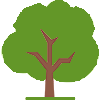
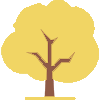
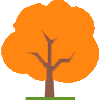
et les images :
le rendu de l’herbe :
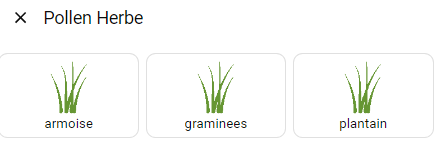
le code pour l’herbe:
    action: fire-dom-event
    browser_mod:
      service: browser_mod.popup
      deviceID:
        - this
        - dashboard
      data:
        title: Pollen Herbe
        content:
          type: grid
          columns: 1
          square: false
          cards:
            - type: grid
              columns: 3
              square: false
              cards:
                - type: custom:button-card
                  entity: sensor.pollens_77_armoise
                  name: armoise
                  show_entity_picture: true
                  show_icon: false
                  show_label: false
                  show_state: false
                  show_name: true
                  state:
                    - value: 0
                      entity_picture: /local/images/pollens/pollen_grass_01.png
                    - value: 1
                      entity_picture: /local/images/pollens/pollen_grass_02.png
                    - value: 2
                      entity_picture: /local/images/pollens/pollen_grass_03.png
                    - value: 3
                      entity_picture: /local/images/pollens/pollen_grass_04.png
                  tap_action:
                    action: none
                - type: custom:button-card
                  entity: sensor.pollens_77_graminees
                  name: graminees
                  show_entity_picture: true
                  show_icon: false
                  show_label: false
                  show_state: false
                  show_name: true
                  state:
                    - value: 0
                      entity_picture: /local/images/pollens/pollen_grass_01.png
                    - value: 1
                      entity_picture: /local/images/pollens/pollen_grass_02.png
                    - value: 2
                      entity_picture: /local/images/pollens/pollen_grass_03.png
                    - value: 3
                      entity_picture: /local/images/pollens/pollen_grass_04.png
                  tap_action:
                    action: none
                - type: custom:button-card
                  entity: sensor.pollens_77_plantain
                  name: plantain
                  show_entity_picture: true
                  show_icon: false
                  show_label: false
                  show_state: false
                  show_name: true
                  state:
                    - value: 0
                      entity_picture: /local/images/pollens/pollen_grass_01.png
                    - value: 1
                      entity_picture: /local/images/pollens/pollen_grass_02.png
                    - value: 2
                      entity_picture: /local/images/pollens/pollen_grass_03.png
                    - value: 3
                      entity_picture: /local/images/pollens/pollen_grass_04.png
                  tap_action:
                    action: none
et les images :
le rendu des plantes :
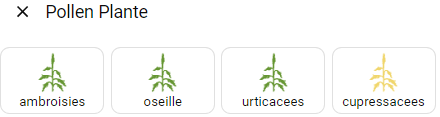
le code pour les plantes
    action: fire-dom-event
    browser_mod:
      service: browser_mod.popup
      deviceID:
        - this
        - dashboard
      data:
        title: Pollen Plante
        content:
          type: grid
          columns: 1
          square: false
          cards:
            - type: grid
              columns: 4
              square: false
              cards:
                - type: custom:button-card
                  entity: sensor.pollens_77_ambroisies
                  name: ambroisies
                  show_entity_picture: true
                  show_icon: false
                  show_label: false
                  show_state: false
                  show_name: true
                  state:
                    - value: 0
                      entity_picture: /local/images/pollens/pollen_weed_01.png
                    - value: 1
                      entity_picture: /local/images/pollens/pollen_weed_02.png
                    - value: 2
                      entity_picture: /local/images/pollens/pollen_weed_03.png
                    - value: 3
                      entity_picture: /local/images/pollens/pollen_weed_04.png
                  tap_action:
                    action: none
                - type: custom:button-card
                  entity: sensor.pollens_77_oseille
                  name: oseille
                  show_entity_picture: true
                  show_icon: false
                  show_label: false
                  show_state: false
                  show_name: true
                  state:
                    - value: 0
                      entity_picture: /local/images/pollens/pollen_weed_01.png
                    - value: 1
                      entity_picture: /local/images/pollens/pollen_weed_02.png
                    - value: 2
                      entity_picture: /local/images/pollens/pollen_weed_03.png
                    - value: 3
                      entity_picture: /local/images/pollens/pollen_weed_04.png
                  tap_action:
                    action: none
                - type: custom:button-card
                  entity: sensor.pollens_77_urticacees
                  name: urticacees
                  show_entity_picture: true
                  show_icon: false
                  show_label: false
                  show_state: false
                  show_name: true
                  state:
                    - value: 0
                      entity_picture: /local/images/pollens/pollen_weed_01.png
                    - value: 1
                      entity_picture: /local/images/pollens/pollen_weed_02.png
                    - value: 2
                      entity_picture: /local/images/pollens/pollen_weed_03.png
                    - value: 3
                      entity_picture: /local/images/pollens/pollen_weed_04.png
                  tap_action:
                    action: none
                - type: custom:button-card
                  entity: sensor.pollens_77_cupressacees
                  name: cupressacees
                  show_entity_picture: true
                  show_icon: false
                  show_label: false
                  show_state: false
                  show_name: true
                  state:
                    - value: 0
                      entity_picture: /local/images/pollens/pollen_weed_01.png
                    - value: 1
                      entity_picture: /local/images/pollens/pollen_weed_02.png
                    - value: 2
                      entity_picture: /local/images/pollens/pollen_weed_03.png
                    - value: 3
                      entity_picture: /local/images/pollens/pollen_weed_04.png
                  tap_action:
                    action: none
et les images :
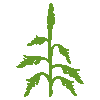
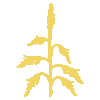
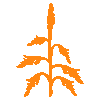
la numérotation des images
1 = vert
2 = jaune
3 = orange
4 = rouge
le tout en visu dans un dashboard avec le niveau d’alerte :
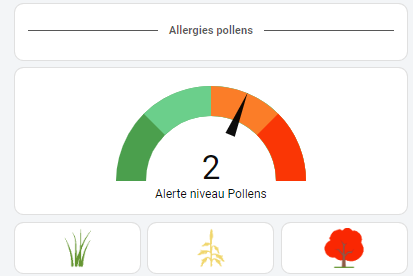
et le code du visuel dashboard cliquable pour ouvrir les popups.
####  SECTION ALLERGIE POLLENS
      - type: entities
        entities:
          - type: custom:text-divider-row
            text: Allergies pollens
      - type: gauge
        entity: sensor.pollens_77_risklevel
        needle: true
        min: -0.5
        max: 3.5
        segments:
          - from: -0.5
            color: '#43a047'
          - from: 0.5
            color: '#63d087'
          - from: 1.5
            color: '#ff781f'
          - from: 2.5
            color: '#ff2200'
        name: Alerte niveau Pollens
        severity:
          green: 0
          yellow: 0
          red: 0
#Etat pollens
      - type: grid
        square: false
        columns: 3
        cards:
          - type: custom:button-card
            entity: sensor.nombre_pollens_herbe_on
            show_entity_picture: true
            show_icon: false
            show_label: false
            show_state: false
            show_name: false
            state:
              - value: 0
                entity_picture: /local/images/pollens/pollen_grass_01.png
              - value: 1
                entity_picture: /local/images/pollens/pollen_grass_02.png
              - value: 2
                entity_picture: /local/images/pollens/pollen_grass_03.png
              - value: 3
                entity_picture: /local/images/pollens/pollen_grass_04.png
            size: 50px
            tap_action: !include popup_card/divers/alerte_pollen_herbe.yaml
            hold_action:
              action: none
          - type: custom:button-card
            entity: sensor.nombre_pollens_plante_on
            show_entity_picture: true
            show_icon: false
            show_label: false
            show_state: false
            show_name: false
            state:
              - value: 0
                entity_picture: /local/images/pollens/pollen_weed_01.png
              - value: 1
                entity_picture: /local/images/pollens/pollen_weed_02.png
              - value: 2
                entity_picture: /local/images/pollens/pollen_weed_03.png
              - value: 3
                entity_picture: /local/images/pollens/pollen_weed_04.png
            size: 50px
            tap_action: !include popup_card/divers/alerte_pollen_plante.yaml
            hold_action:
              action: none
          - type: custom:button-card
            entity: sensor.nombre_pollens_arbre_on
            show_entity_picture: true
            show_icon: false
            show_label: false
            show_state: false
            show_name: false
            state:
              - value: 0
                entity_picture: /local/images/pollens/pollen_tree_01.png
              - value: 1
                entity_picture: /local/images/pollens/pollen_tree_02.png
              - value: 2
                entity_picture: /local/images/pollens/pollen_tree_03.png
              - value: 3
                entity_picture: /local/images/pollens/pollen_tree_04.png
            size: 50px
            tap_action: !include popup_card/divers/alerte_pollen_arbre.yaml
            hold_action:
              action: none
6 « J'aime »
Hello , @LeLapinFou
super boulot ! vraiment sympa , j ai juste un problème d’indentation que je ne comprends pas du tout .
un coup de main  silvouplé Merci
hello
ps de soucis, sur quoi le pb ?
donne ton code
hello
en faite quand je copie ton code , j ai une erreur d indentation , et je ne sais pas du tout comment faire
j’utilise le code de @WarC0zes j ai pas de soucis , mais le tiens impossible a mettre en place.
je dois très certainement très mal m’y prendre .
ton code je dois surement pas l insérer sur la création d’une carte manuel je suppose .?
il faut l’insérer, mais si tu regarde il faut le re-indenter, mon extract vient de mon dashboard, il a donc toute une indentation à refaire pour qu’il fonctionne sur le tien
les copier/coller ne fonctionnent pas toujours de fait, il faut adapter suivant tes besoins
déjà si tu regarde le début, il y a un - à enlever

donc si dans la carte manuelle tu enlèves le « - » et aussi l’appel aux popup, cela fonctionnera sans refaire lindentation
l’appel à un popup ne peut pas se faire en include sur une carte manuelle, tu doit copier le code du pop up dans l’action
Merci pour la réponse rapide , je me lance et te redis ^^
Ta carte est top, je viens de l’utiliser, tout est ok pour moi excepté que je n’arrive pas a avoir les icones a l’intérieur des carrés, une idée?
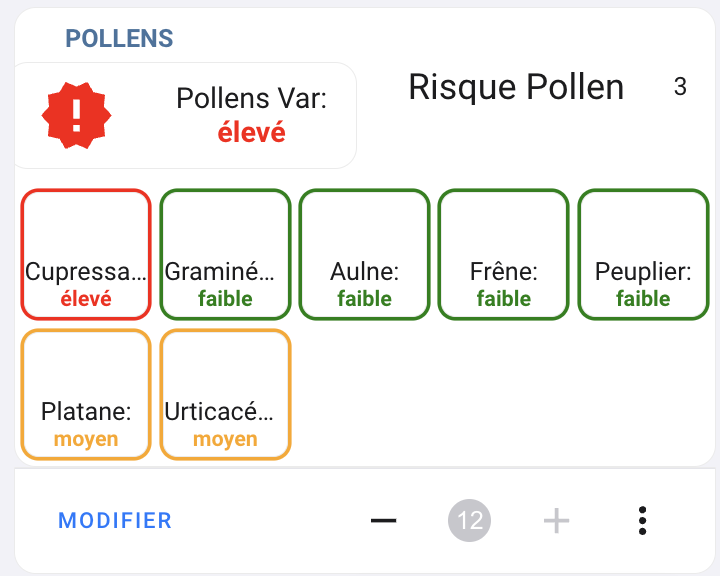
type: custom:stack-in-card
mode: vertical
keep:
  box_shadow: true
  margin: false
  border_radius: true
  background: false
  outer_padding: false
cards:
  - type: custom:mod-card
    card_mod:
      style:
        .: |
          :host {
            --text-divider-color: rgb(68, 115, 158);
            --text-divider-line-size: px;
          }
    card:
      type: custom:text-divider-row
      text: POLLENS
      align: left
  - type: custom:mod-card
    card_mod:
      style: |
        ha-card {
          margin: -15px -5px 0px -5px;
        }
    card:
      type: horizontal-stack
      cards:
        - type: custom:button-card
          entity: sensor.pollens_83
          name: 'Pollens Var:'
          icon: mdi:alert-decagram-outline
          layout: icon_name_state2nd
          color_type: icon
          show_name: true
          show_state: true
          state:
            - value: nul
              operator: '=='
              color: black
              icon: mdi:decagram-outline
              styles:
                state:
                  - color: black
            - value: faible
              operator: '=='
              color: green
              icon: mdi:check-decagram-outline
              styles:
                state:
                  - color: green
            - value: moyen
              operator: '=='
              color: orange
              icon: mdi:alert-decagram-outline
              styles:
                state:
                  - color: orange
            - value: élevé
              operator: '=='
              color: red
              icon: mdi:alert-decagram
              styles:
                state:
                  - color: red
          size: 55%
          styles:
            card:
              - '--mdc-ripple-color': rgb(68, 115, 158)
              - '--mdc-ripple-press-opacity': 0.5
            name:
              - font-size: 16px
            state:
              - font-weight: bold
              - font-size: 16px
        - type: custom:bar-card
          entities:
            - entity: sensor.pollens_83_risklevel
              name: Risque Pollen
              icon: mdi:alert-circle
              height: 0px
              color: red
              min: 0
              max: 4
              positions:
                indicator: 'off'
                icon: 'off'
              severity:
                - color: Red
                  from: 2
                  to: 3
                - color: Orange
                  from: 1
                  to: 2
                - color: Green
                  from: 0
                  to: 1
          card_mod:
            style: >
              bar-card-currentbar, bar-card-backgroundbar {
                border-radius: 25px;
              }

              #states > bar-card-row > bar-card-card > bar-card-background >
              bar-card-contentbar > bar-card-name {
                font-size: 20px;

              }  ha-card {
                margin-top: -2px;
                background: none;
                border: none;
              }
  - type: conditional
    conditions:
      - entity: sensor.pollens_83
        state_not: nul
    card:
      type: custom:mod-card
      card_mod:
        style: |
          ha-card {
            margin: 5px 5px 5px 5px;
          }
      card:
        type: custom:auto-entities
        card:
          type: grid
          columns: 5
          square: false
        card_param: cards
        filter:
          include:
            - entity_id: sensor.pollens_83_*
              options:
                type: custom:button-card
                color_type: icon
                aspect_ratio: 1/1
                show_name: true
                show_state: true
                name: |
                  [[[
                    return entity.attributes.pollen_name + ":"
                  ]]]
                styles:
                  card:
                    - '--mdc-ripple-color': rgb(68, 115, 158)
                    - '--mdc-ripple-press-opacity': 0.5
                    - border-radius: 8px
                  name:
                    - font-size: 14px
                  state:
                    - font-weight: bold
                    - font-size: 12px
                state:
                  - value: faible
                    operator: '=='
                    color: green
                    styles:
                      card:
                        - box-shadow: 0px 0px 0px 2px green
                      state:
                        - color: green
                  - value: moyen
                    operator: '=='
                    color: orange
                    styles:
                      card:
                        - box-shadow: 0px 0px 0px 2px orange
                      state:
                        - color: orange
                  - value: élevé
                    operator: '=='
                    color: red
                    styles:
                      card:
                        - box-shadow: 0px 0px 0px 2px red
                      state:
                        - color: red
                size: 50%
          exclude:
            - entity_id: sensor.pollens_83_*
              state: nul
            - entity_id: sensor.pollens_83
            - entity_id: sensor.pollens_83_risklevel
        sort:
          method: name
          reverse: false
Je vois pas de soucis, actualise ta page .
je remets mon code, pour comparer.
code
  - type: custom:mod-card
    card_mod:
      style: |
        ha-card {
          margin-top: -30px;
        }
    card:
      type: custom:text-divider-row
      text: POLLENS
      align: left
  - type: custom:mod-card
    card_mod:
      style: |
        ha-card {
          margin: -19px -5px 0px -5px;
        }
    card:
      type: horizontal-stack
      cards:
        - type: custom:button-card
          entity: sensor.pollens_11
          name: 'Pollens Aude:'
          icon: mdi:alert-decagram-outline
          layout: icon_name_state2nd
          color_type: icon
          show_name: true
          show_state: true
          state:
            - value: nul
              operator: '=='
              color: black
              icon: mdi:decagram-outline
              styles:
                state:
                  - color: black
            - value: faible
              operator: '=='
              color: green
              icon: mdi:check-decagram-outline
              styles:
                state:
                  - color: green
            - value: moyen
              operator: '=='
              color: rgb(242,234,26)
              icon: mdi:alert-decagram-outline
              styles:
                state:
                  - color: rgb(242,234,26)
            - value: élevé
              operator: '=='
              color: red
              icon: mdi:alert-decagram
              styles:
                state:
                  - color: red
          size: 50%
          styles:
            card:
              - '--mdc-ripple-color': rgb(68, 115, 158)
              - '--mdc-ripple-press-opacity': 0.5
            name:
              - font-size: 16px
            state:
              - font-weight: bold
              - font-size: 16px
          card_mod:
            style: |
              ha-card {
                background: none;
                border: none;
              }
        - type: custom:bar-card
          entities:
            - entity: sensor.pollens_11_risklevel
              name: Risque Pollen
              icon: mdi:alert-circle
              height: 47px
              color: red
              min: 0
              max: 3
              positions:
                indicator: 'off'
                icon: 'off'
              severity:
                - color: Red
                  from: 2
                  to: 3
                - color: rgb(242,234,26)
                  from: 1
                  to: 2
                - color: Green
                  from: 0
                  to: 1
          card_mod:
            style: >
              bar-card-currentbar, bar-card-backgroundbar {
                border-radius: 25px;
              }

              #states > bar-card-row > bar-card-card > bar-card-background >
              bar-card-contentbar > bar-card-name {
                font-size: 16px;
                color: white;
              }  ha-card {
                margin-top: -2px;
                background: none;
                border: none;
              } bar-card-value {
                color: black;
                font-weight: bold;
              }
  - type: conditional
    conditions:
      - entity: sensor.pollens_11
        state_not: nul
    card:
      type: custom:mod-card
      card_mod:
        style: |
          ha-card {
            margin: 5px 5px 5px 5px;
          }
      card:
        type: custom:auto-entities
        card:
          type: grid
          columns: 5
          square: false
        card_param: cards
        filter:
          include:
            - entity_id: sensor.pollens_11_*
              options:
                type: custom:button-card
                color_type: icon
                aspect_ratio: 1/1
                show_name: true
                show_state: true
                name: |
                  [[[
                    return entity.attributes.pollen_name + ":"
                  ]]]
                styles:
                  card:
                    - '--mdc-ripple-color': rgb(68, 115, 158)
                    - '--mdc-ripple-press-opacity': 0.5
                    - border-radius: 8px
                  name:
                    - font-size: 14px
                  state:
                    - font-weight: bold
                    - font-size: 12px
                state:
                  - value: faible
                    operator: '=='
                    color: green
                    styles:
                      card:
                        - box-shadow: 0px 0px 0px 2px green
                      state:
                        - color: green
                  - value: moyen
                    operator: '=='
                    color: rgb(242,234,26)
                    styles:
                      card:
                        - box-shadow: 0px 0px 0px 2px rgb(242,234,26)
                      state:
                        - color: rgb(242,234,26)
                  - value: élevé
                    operator: '=='
                    color: red
                    styles:
                      card:
                        - box-shadow: 0px 0px 0px 2px red
                      state:
                        - color: red
                size: 50%
          exclude:
            - entity_id: sensor.pollens_11_*
              state: nul
            - entity_id: sensor.pollens_11
            - entity_id: sensor.pollens_11_risklevel
        sort:
          method: name
          reverse: false
1 « J'aime »
meme en actualisant, c’est pareil, ne serait ce pas a cause de mon iOS theme car quand je clique sur chaque carte, l’icone est bien present dans la ligne icone, juste qu’il est transparent lol
Change de thème et tu verra bien 
j’utilise le thème par défaut.
J’ai teste plusieurs theme et ca fait pareil…c’est pas grave, l’important c’est la remontée d’information et la aucun souci, tout fonctionne
je viens de tester ton code. Les icones s’affichent. J’utilise chrome comme navigateur.
Tu utilise quoi en navigateur ?
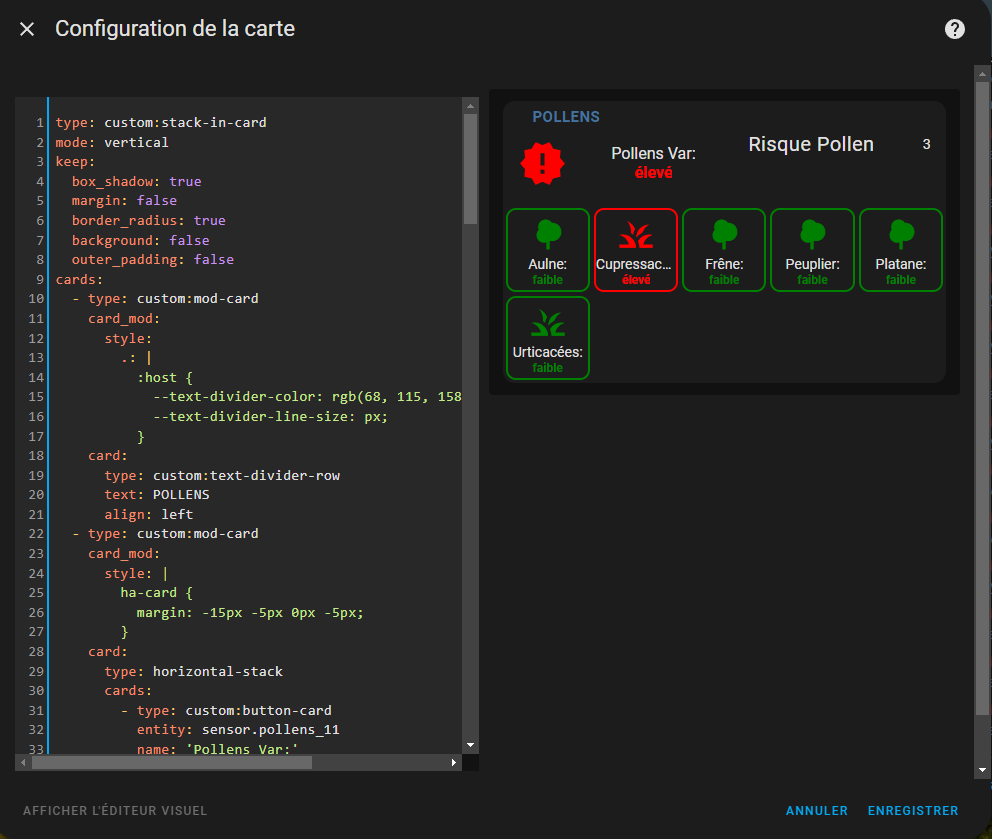
je suis aussi sur chrome, l’informatique est toujours incroyable, je vais essayer de le redémarrer car ca fait un moment que je ne l’ai pas fait…et vider mon cache
1 « J'aime »
oui vide ton cache, ca arrive souvent que sa bug dans HA l’affichage. Surtout quand tu code beaucoup et fais des essais.
Fermer et relancer chrome, aide aussi.
question idiote, je suis passé par une carte « Manuel » , peut etre il faut passer par une carte spéciale?
non, ton code je les utiliser dans carte manuel 
regarde si ta bien installer toutes les cartes utiliser dans le code.
tu peut essayer d’ajouter show_icon: true dans le code, mais si j’ai un doute que ca fonctionne vu que c’est option est sur true par défaut.
        type: custom:auto-entities
        card:
          type: grid
          columns: 5
          square: false
        card_param: cards
        filter:
          include:
            - entity_id: sensor.pollens_11_*
              options:
                type: custom:button-card
                color_type: icon
                aspect_ratio: 1/1
                show_name: true
                show_state: true
                show_icon: true  #ici
J’ai le même problème, mais j’ai arrêté de chercher.
Je pense que c’est un add-on de carte qui modifie quelque chose, mais je n’ai pas réussi à trouver lequel.
Des fois, les icônes s’affichent, mais au prochain redémarrage, pouf…
Pourtant j’ai une chier de carte installer.
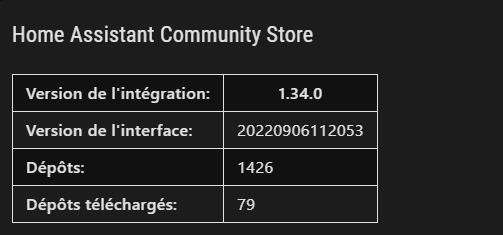
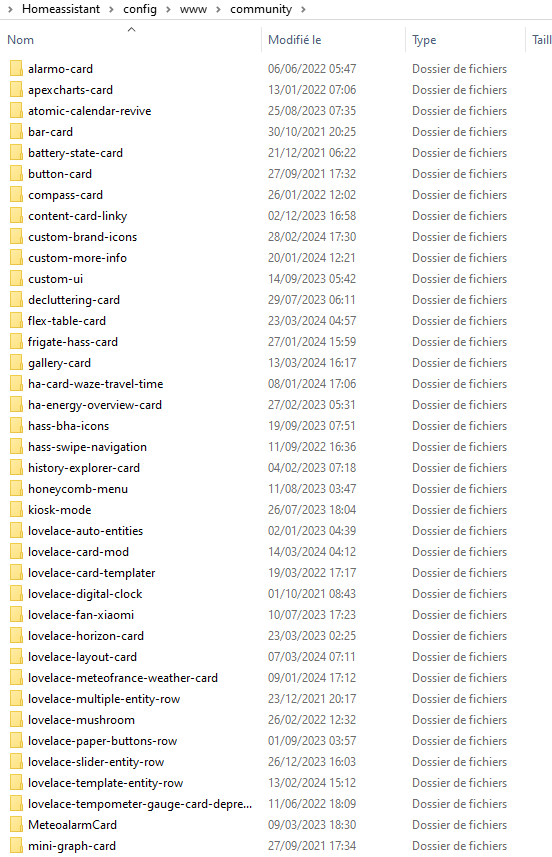
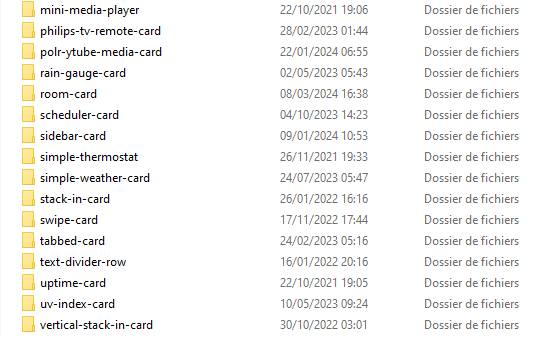
Ca serais pas une extension que vous avez installer sur chrome qui poserais soucis ?
il doit me manquer quelque chose mais alors quoi 
J’ai supprimé le ratio 1/1 de l’icone et ca me fait une petite carte, ca fera l’affaire